What to look for before you switch
Zendesk remains one of the most widely deployed help desks in the world, and for many teams, it does the job well. However, many support leaders are looking for Zendesk alternatives due to unpredictable pricing, add-on costs, overly complex reporting, and an admin burden.
This guide compares 10 Zendesk alternatives, such as Service Hub, based on the features that matter, cost, CRM connectivity, and provides steps for a pain-free migration.

Why Teams Are Switching to a Zendesk Alternative Now
Zendesk is a cloud help desk and customer service platform that integrates tickets, messaging, live chat, voice, and a help center into a single agent workspace. It’s been a mainstay for many support orgs since 2007. Zendesk is a great platform, but teams tend to look for alternatives due to pricing and complexity concerns. Here are the main reasons why teams today are searching for Zendesk alternatives.
Pricing Unpredictability
Zendesk Suite Professional starts at $115/agent/month, billed annually. While the base price feels justifiable, add-ons can drive the cost up further. Copilot, the company’s AI tool, costs $50 per agent per month on top of the base subscription price, while autonomous AI agents bill per resolution rather than per seat. Further, a Professional seat with Copilot, Workforce Engagement Bundle, and Contact Center add-ons comes to about $298/agent/month, and that’s before accounting for the variable cost of AI-agent resolutions.
Admin and Setup Overhead
Configuring custom roles, sandboxes, and advanced routing takes admin time that smaller teams don’t have to spare. Zendesk is a notoriously powerful and complex solution. For many teams, the admin effort required to get full value from customizing and setting up the product is not worth it compared to other tools that set up more quickly out of the box.
Support Data That Lives Apart From the CRM
Zendesk is primarily a customer service and ticketing solution. While it integrates with some popular CRMs, its customer data is inherently siloed from other teams outside customer service. When sales owns the CRM, support owns the ticketing system, and marketing teams own another platform entirely, achieving a 360-degree view of customer data becomes a fragile balancing act of stitching together information across tools.
Voice as an Add-On
Calling functionality is available through the Contact Center add-on, priced at $83/seat/month. This is in addition to the Suite Professional plan, which is already $115/seat/month. Other tools like Service Hub have a more affordable Pro plan that includes calling, no add-on required.
I worked as a HubSpot Support Engineer from 2015 to 2017, back when “help desk” for many companies still meant a shared inbox and a spreadsheet of customer information. The teams that struggled were the ones whose tools couldn’t talk to each other, so a support rep had to jump between tabs and tools mid-call to get a handle on customer context. That’s why I prefer tools like Service Hub that connect help desk and ticketing, omnichannel messaging, and knowledge base through a native CRM layer that gives all teams a holistic view of customer context.
What Features Matter Most for Zendesk Alternatives
A Zendesk alternative should have CRM connectivity, omnichannel support, a knowledge base, automation, AI features, and reporting capabilities.
CRM Connectivity
The best Zendesk alternatives have native CRM connectivity. Many tools can integrate with popular CRMs, but Service Hub is superior because it sits on top of Smart CRM. No custom connectors or integrations are required.
CRM connectivity is important because it unifies customer data in a single source of truth, the customer record. HubSpot data shows a 57% increase in ticket close rate after 6 months and 39% less time closing tickets for teams using Service Hub and customer agent.
Omnichannel Support
Omnichannel support means customers can reach out to the support team via any channel (phone, email, live chat, chatbot, WhatsApp, social media, SMS) and pick up the conversation on another channel without having to repeat themselves, because reps have a complete history of customer interactions and context.
Omnichannel support is made possible by associating customer tickets with a canonical customer record. Service Hub achieves this through its native CRM integration, which not only powers omnichannel support but also gives Sales, Success, and Marketing teams full visibility into the customer’s history.
Knowledge Base
A knowledge base is the backbone of customer self-service, allowing customers to resolve questions on their own without contacting support. Seventy-eight percent of CRM leaders say customers prefer to resolve issues independently, and many customers find it inconvenient to speak to a team member. Giving customers the option to solve issues independently increases satisfaction and reduces support volume.
Automation
Automation features in a help desk are necessary for scaling customer support. A Zendesk alternative with automation features can help teams support a growing customer base without ballooning internal hiring costs.
Automation features include intelligent routing and assignment, automated workflows, and AI customer service agents that can autonomously handle routine customer inquiries.
AI
AI agent assist tools can help reps close more tickets faster by surfacing customer insights and knowledge articles, and assisting with drafted replies. AI customer service agents, like HubSpot’s customer agent, can also resolve customer inquiries autonomously with answers pulled directly from verified company knowledge base content.
The catch is that AI features are more valuable when they are connected to customer history via the CRM contact record. That includes previous cases, renewals, company information, preferences, and more.
As a former support rep, I can see the value that AI brings to a help desk. I used to spend a lot of time each day drafting replies and searching for the correct knowledge article to troubleshoot or send to the customer. AI tools handle much of that busywork automatically, freeing reps to close more cases and focus on high-value customer interactions.
However, just because a platform says “AI-powered” on it doesn’t make it a magic bullet. It’s important to select a tool that uses AI to improve reps’ workflows and is grounded in actual customer context and company info. If the AI tools simply draft a generic reply with no deeper customer understanding, you’re better off just pasting tickets into Gemini or Claude.
Reporting
Support metrics are great for understanding team performance, but the true value lies in relating them to revenue and the rest of the business. Ticket volume and resolution time answer “how busy is the queue?” Ticket volume alongside renewal and revenue data provides leaders with insights into the health of high-value accounts.
HubSpot provides a single set of dashboards that brings data from support, marketing, customer success, and sales into one place. It’s a strong Zendesk alternative that meets reporting needs across the entire company and gives executives visibility not just into support performance but also into how support protects revenue at scale.
Zendesk Alternatives at a Glance
Best Zendesk Alternatives
The 10 tools below cover the realistic replacements in 2026, from CRM-native suites to specialized point solutions. Service Hub leads because it solves the fragmented-data problem the rest of this guide keeps returning to, but the right pick depends on the channel mix, team size, and the systems already in place.
1. Service Hub
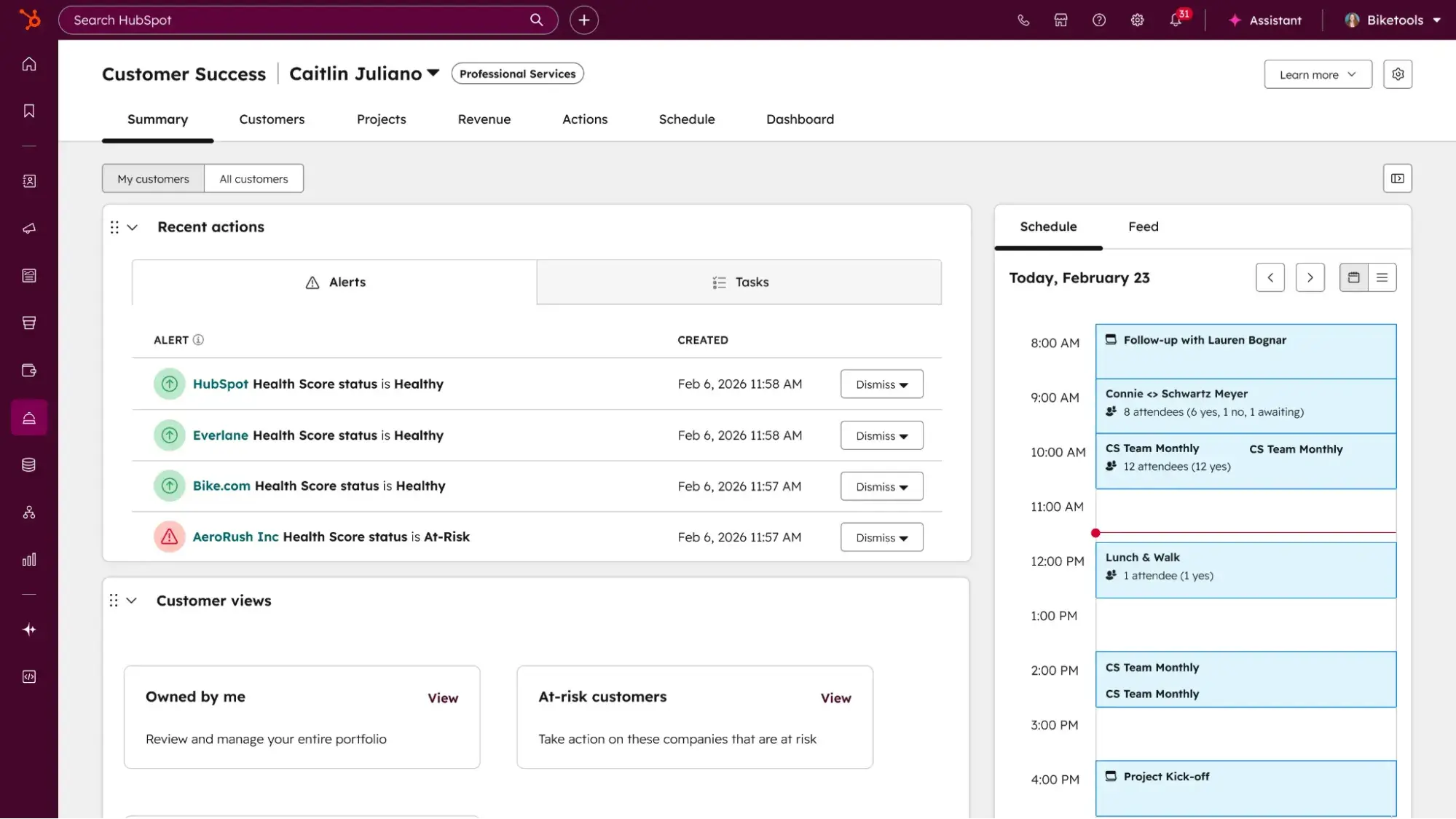
Service Hub is a customer service platform built directly on HubSpot’s Smart CRM, so every ticket, chat, and call attaches to the same contact record that sales and marketing already use. An agent opening a ticket sees past purchases, email threads, and marketing touches without switching tools or asking the customer to repeat themselves.
Key Features
Best for: Teams that want support to run on the same system as sales and marketing, so support data drives retention rather than sitting in a silo.
Pricing (Annual)
- Free tools for up to 2 users
- Starter: $7/user/month
- Professional: $90/user/month
- Enterprise: $150/user/month
What I like: As a former support rep, what I love about HubSpot is that it puts all the information a customer needs in one place, on the contact record. Reps never have to juggle tabs or put a customer on hold to hunt down their account info.
2. Freshdesk
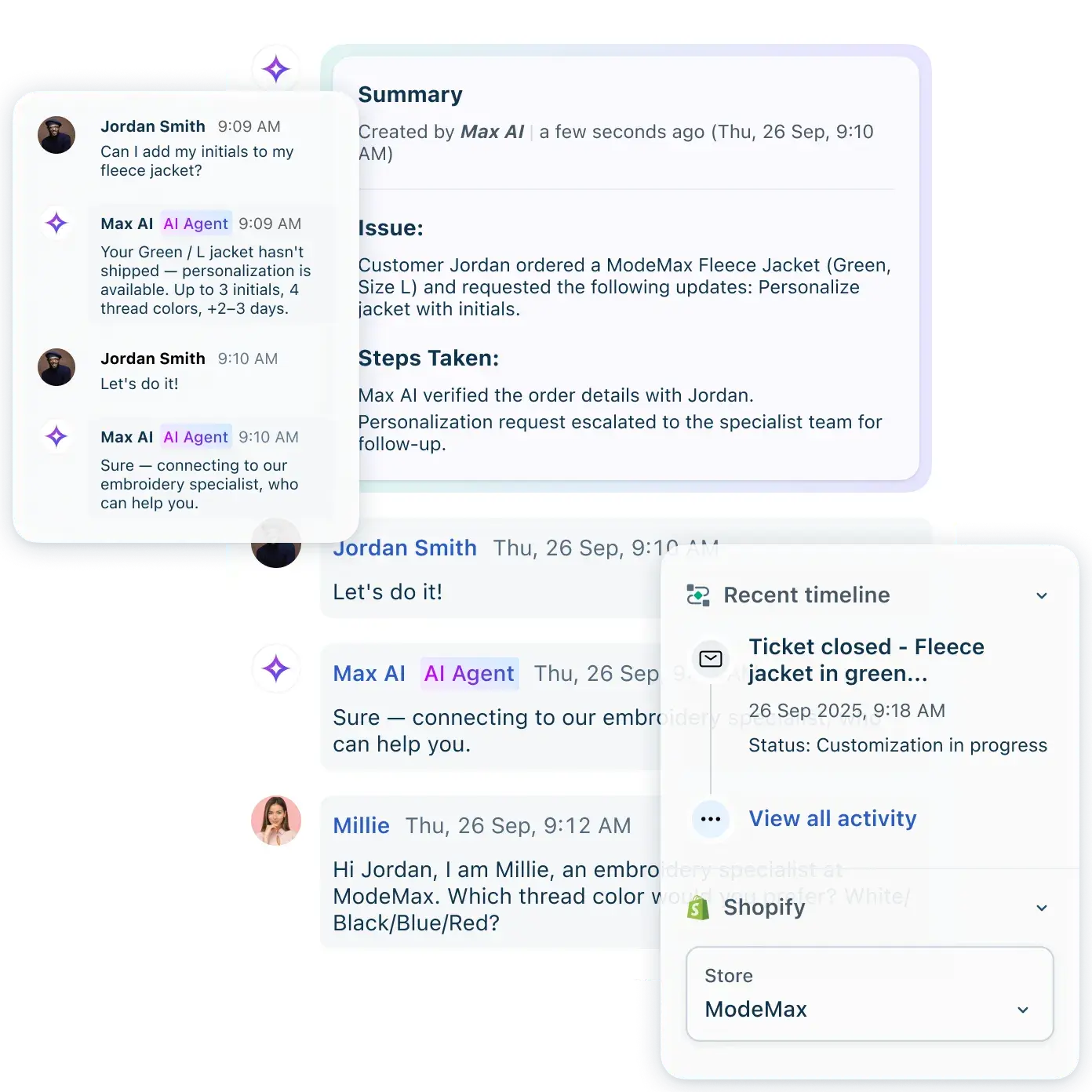
Freshdesk, from Freshworks, is a great Zendesk alternative for teams seeking a dedicated help desk solution that isn’t conceptually far from Zendesk. It handles email and social ticketing, automation, SLA management, and a knowledge base. There’s also an omnichannel suite that adds live chat, messaging, and voice. Freddy AI’s features (Copilot for agents and an autonomous AI Customer Agent) are sold as add-ons, so pricing can increase once AI features are enabled.
Key Features
- Ticketing
- Automation and round-robin routing
- SLA management
- Multilingual knowledge base
- Freddy AI add-ons
Best for: Scaling mid-market teams that want a direct Zendesk replacement without the Zendesk bill.
Pricing (Annual)
- Free for up to 2 agents for 6 months
- Growth: $29/user/month
- Pro: at $79/user/month
- Enterprise: $119/user/month
- Freddy AI Copilot Add-on: $29/user/month
- Freddy AI Agent Add-on: $49 per 100 sessions, first 500 sessions free
What I like: G2 customer reviews state that getting up and running with Freshdesk is quick and easy. Many customer reviews highlight minimal implementation time and no training required to get teams up and running.
3. Zoho Desk
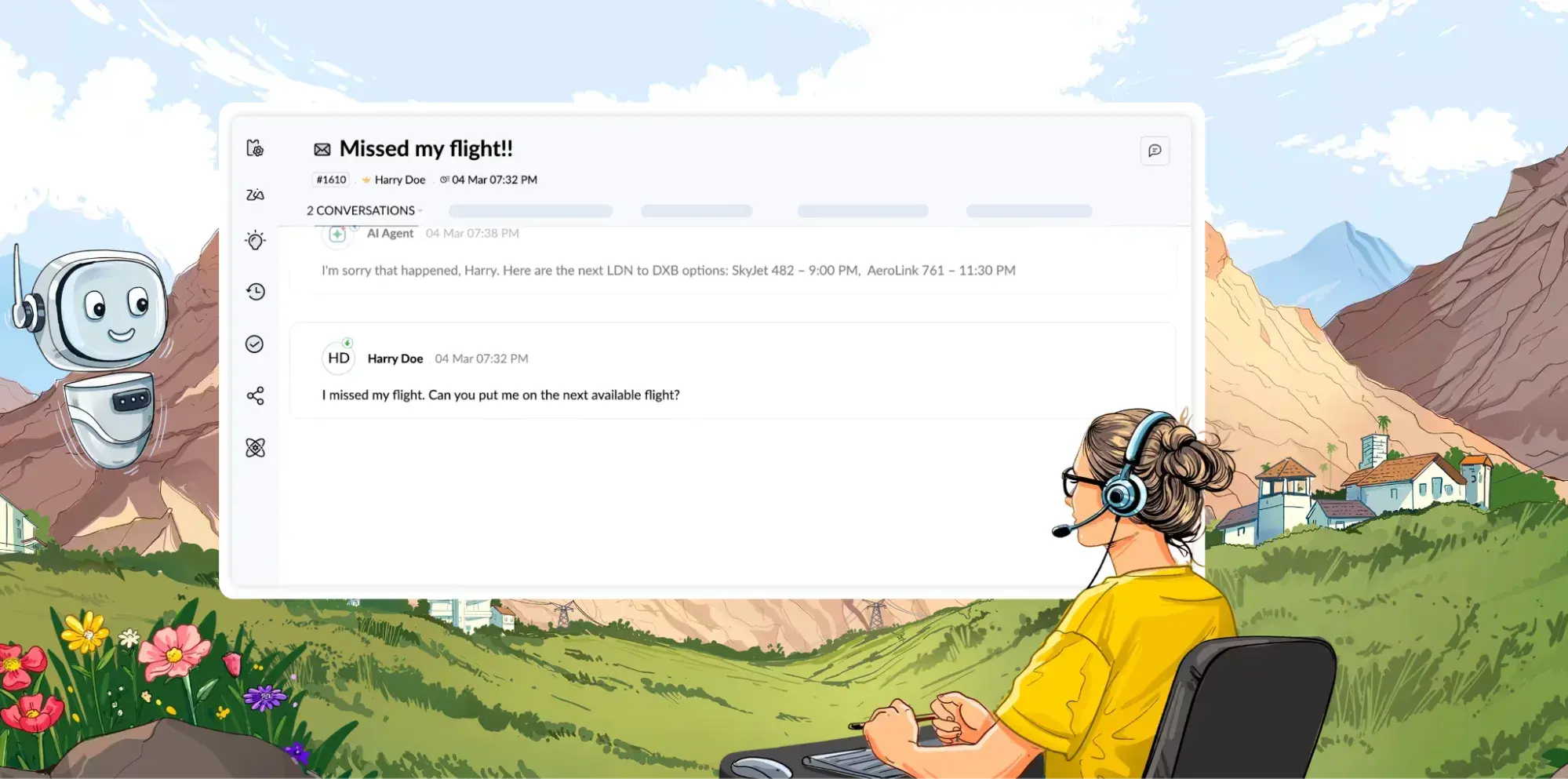
Zoho Desk is a budget-friendly Help Desk solution, and it becomes an even stronger choice for teams already using Zoho CRM. It covers ticketing, SLAs with escalation, a self-service portal, multi-brand help centers, and telephony, with generative AI (Zia) bundled into the top tier. The trade-off is that the real AI features are available only on the Enterprise plan.
Key Features
- Ticketing
- Blueprint automation
- SLAs
- Multi-brand portals
- Telephony
- Zia AI (Enterprise)
Best for: Budget-conscious teams and any team standardized on Zoho apps that wants support in the same family.
Pricing (Annual)
- Free plan available
- Express: $7/user/month
- Standard: $14/user/month
- Professional: $23/user/month
- Enterprise: $40/user/month.
- Full Zia AI is included at Enterprise with no per-resolution charge.
What I like: I like that Zoho’s Zia AI assistant is included fully in their Enterprise plan, with no per-resolution pricing, which can unexpectedly skyrocket costs during severe volume spikes.
4. Help Scout
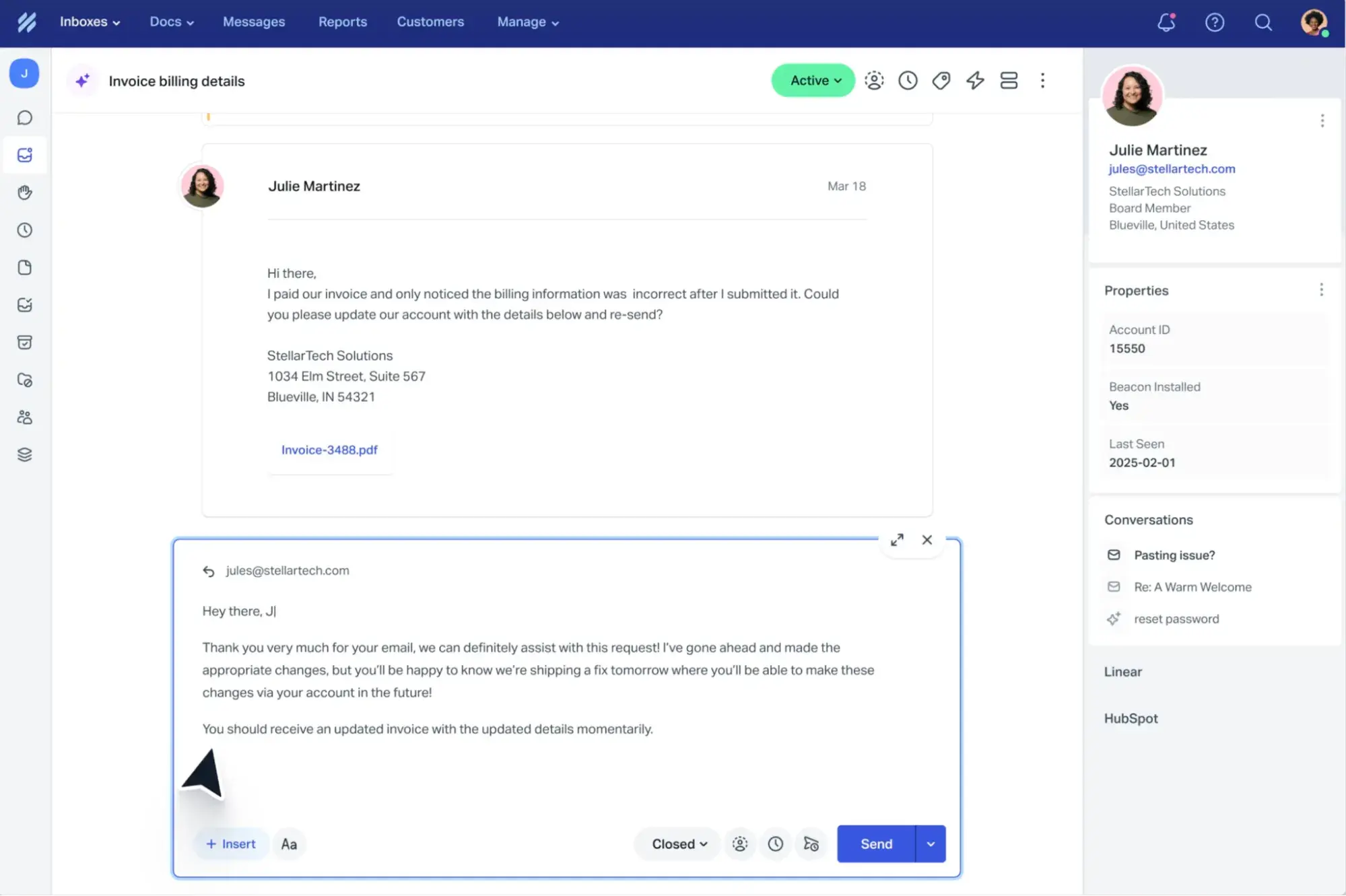
Help Scout is a simple, affordable help desk solution for small- to medium-sized eCommerce and SaaS businesses that don’t require extensive customization. Help Scout includes a shared inbox, a knowledge base (Docs), live chat, and reporting, with an AI Answers assistant that resolves routine questions from published content.
Unlike HubSpot or Zendesk, Help Scout is not an omnichannel solution. Teams seeking coverage across all channels with an integrated CRM should look elsewhere, but for small support operations prioritizing email and chat support, Help Scout can be a suitable option.
Key Features
- Shared inbox
- Docs knowledge base
- Live chat
- Reporting
- AI Answers assistant
Best for: Small support teams that mostly work over email and want minimal setup.
Pricing
- Free plan for up to 5 users with one shared inbox and a knowledge base
- Standard: $25/user/month
- Plus: $45/user/month
- Pro: $75/user/month
- AI Answers is billed separately at $0.75 per resolution
What I like: Help Scout offers a simple, affordable option for smaller teams that don’t yet need a robust omnichannel solution. I also like their free tier. It can support up to 5 users with a knowledge base, which is more than enough for many small businesses.
5. Intercom
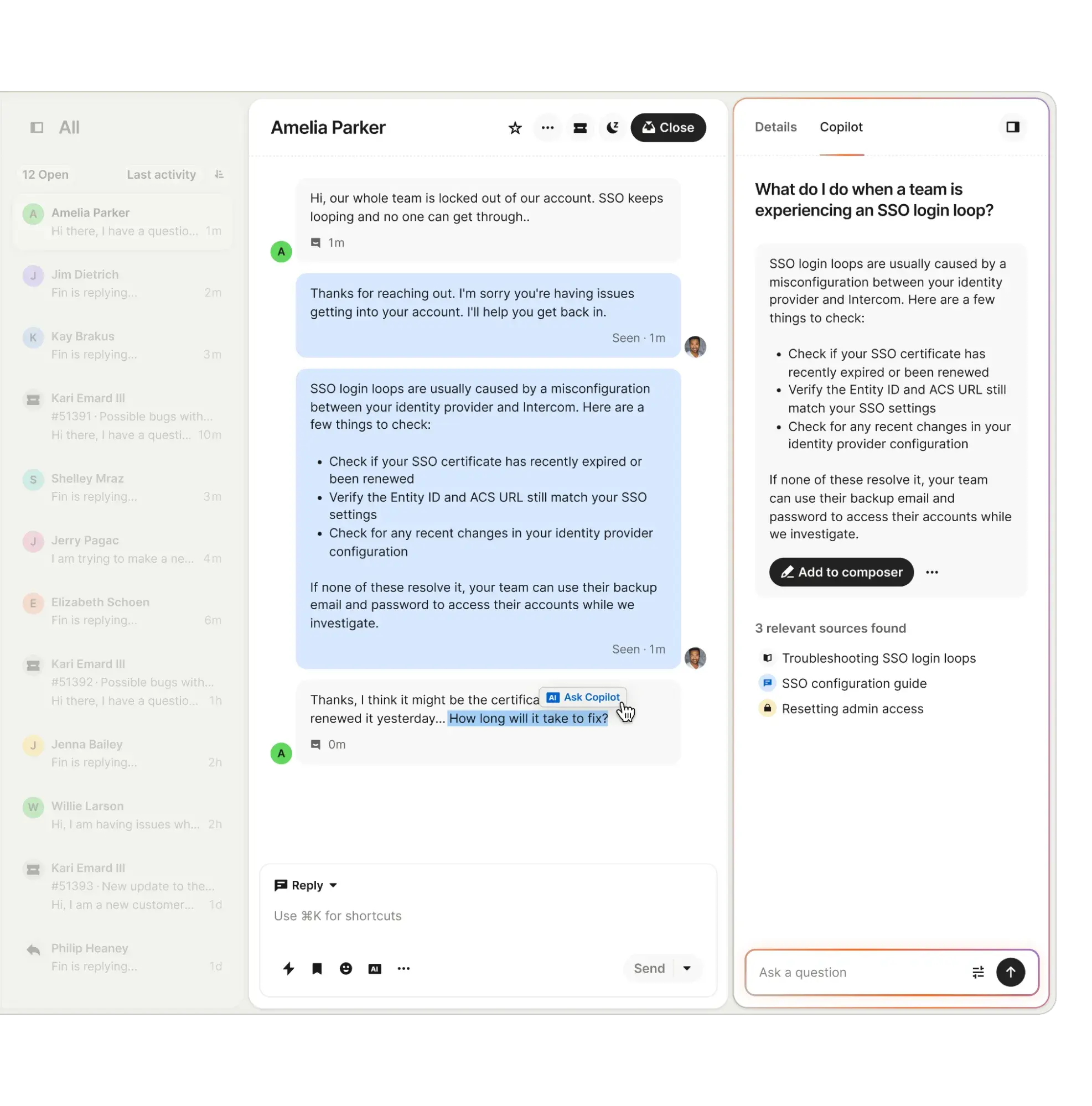
Intercom leads with in-app messaging, making it a natural fit for product and SaaS teams that want to support customers in-app. It pairs a Messenger, a help center, and workflows with Fin, an AI agent that resolves conversations on a per-resolution basis. The strength is a modern, conversational support experience. It’s a premium product with a premium price tag, and its Fin AI agent, while one of the best in class, is pricey at $0.99 per Outcome (resolution OR handoff to human rep).
Key Features
- In-app conversation,
- Help center
- Workflows
- Fin AI agent
Best for: Product-led and SaaS teams that support customers through in-app messaging.
Pricing (Annual)
- Essential: $29/user/month
- Advanced: $85/user/month
- Expert: $132/user/month
- Fin AI Agent: $0.99/outcome
What I like: Intercom’s Fin AI agent has agentic capabilities beyond just responding in chat. It can handle complex, multi-step queries using Procedures, which allow Fin to execute natural language instructions with deterministic controls and third-party connectors.
6. Gorgias
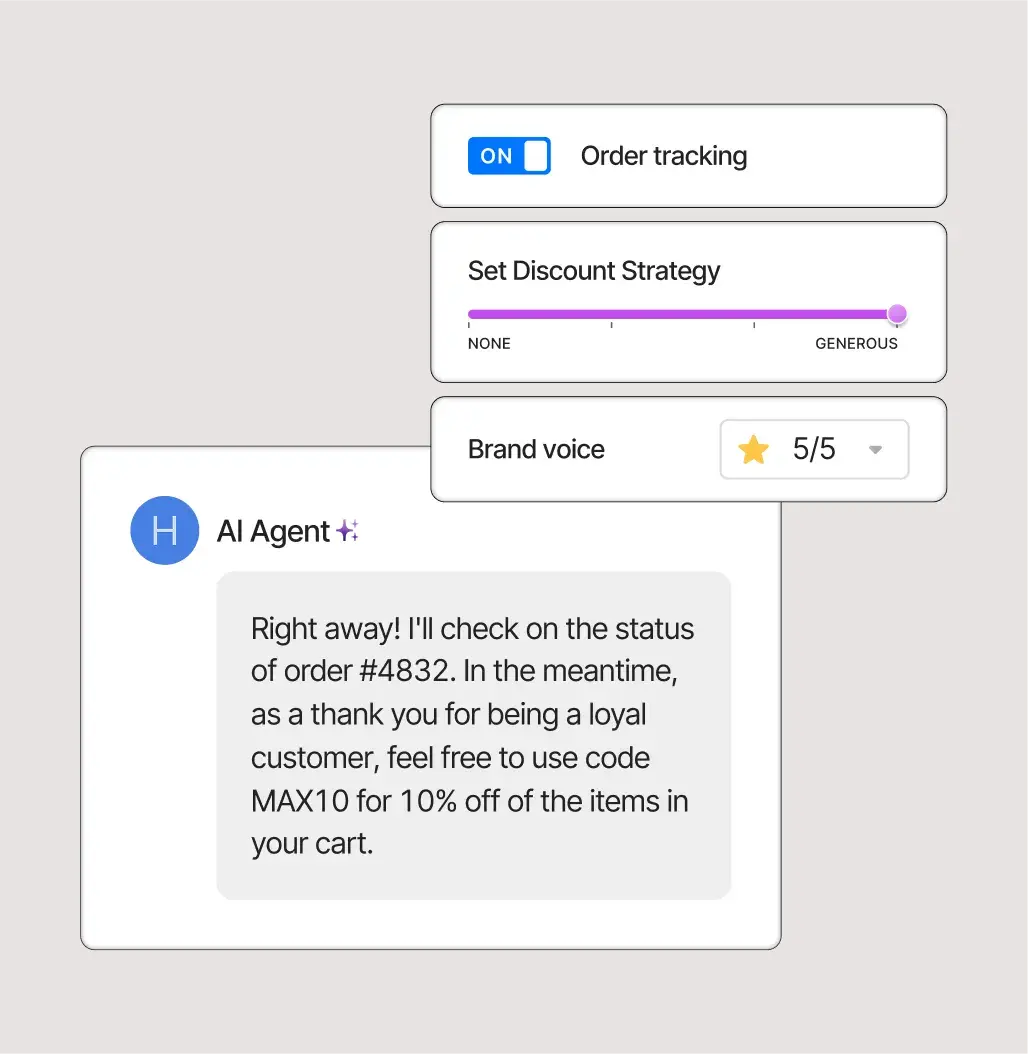
Gorgias is purpose-built for ecommerce, with native Shopify actions that let agents edit orders, process returns, and pull order history inside the ticket. Its pricing model bills per ticket rather than per seat, so a brand can add unlimited agents (and seasonal staff) without growing the base subscription cost. However, that means costs increase sharply during high-volume periods. Plus, AI resolutions cost extra.
Key Features
- Ecommerce helpdesk
- Shopify and BigCommerce actions
- Macros and automation
- AI Agent
Best for: Shopify-based brands that want support wired into their online shop.
Pricing
- Starter: $10/month for 50 tickets
- Basic: $50/month for 300 tickets
- Pro: $300/month for 2000 tickets
- Advanced: $750/month for 5000 tickets
- AI Agent is $0.90/resolution
What I like: Charging per ticket instead of per seat is a good model for retail, where headcount can swing seasonally. I also like that Gorgias can collect deep product insights, such as return rates and top customer issues for each product.
7. Front
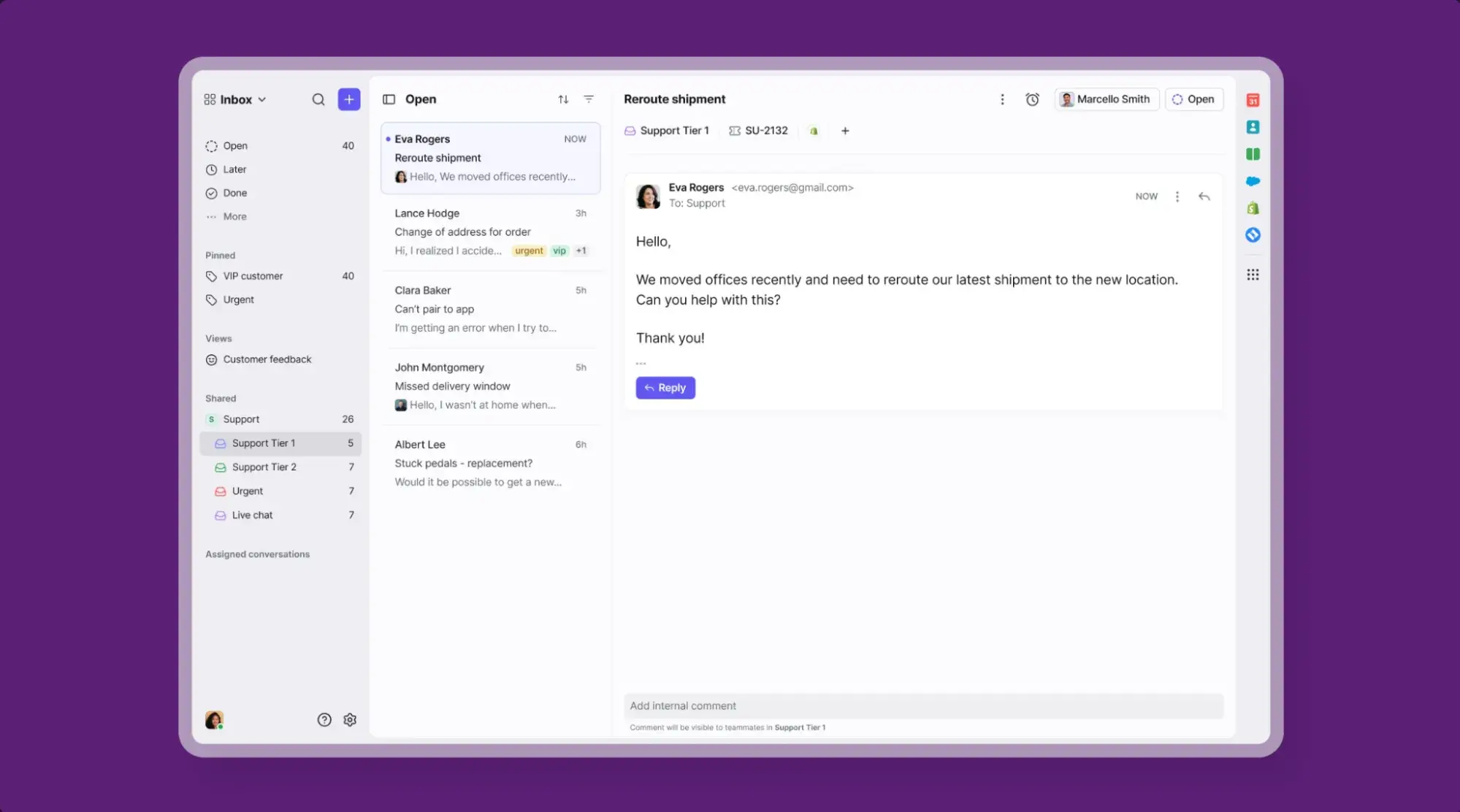
Front is an AI customer operations platform that enables cross-team resolutions. It helps sales, customer success, and support teams collaborate in a shared ecosystem with full customer context in every reply.
Front brings email, SMS, chat, and social into a single workspace. The platform also features internal comments, shared drafts, automation, and analytics, plus integrations with Salesforce and HubSpot. AI features like Copilot and Smart QA are add-ons on lower tiers. Plans have seat caps that require an upgrade once a team exceeds them.
Key Features
- Collaborative shared inbox
- Omnichannel messaging
- Automation rules
- Analytics
- AI add-ons
Best for: Teams managing customer issues that span multiple departments, such as sales, success, and support.
Pricing (Annual)
- Starter: $25/user/month (single channel, up to 10 seats),
- Professional: $65/user/month (omnichannel, up to 50 seats)
- Enterprise: $105/user/month, AI tools included
What I like: The shared-draft and internal-comment features make cross-team replies feel like a group effort rather than a handoff. I also like that AI features are fully included in the enterprise tier. Many similar tools offer AI features as an add-on to an enterprise tier that is already more expensive than Front’s.
8. Salesforce Agentforce Service
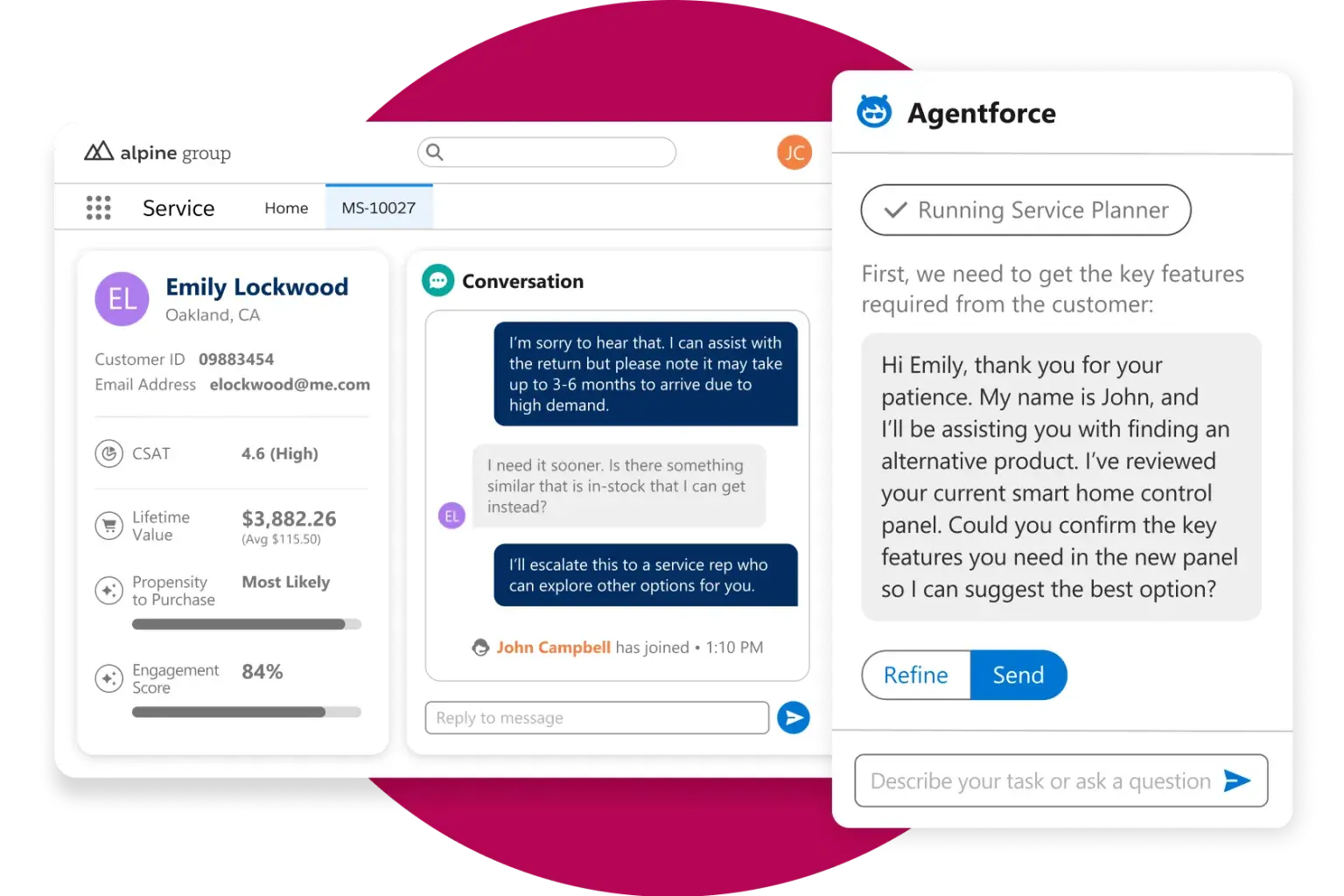
Salesforce Agentforce Service is an enterprise solution that makes the most sense for organizations already running Salesforce CRM. It delivers deep case management, omnichannel routing, knowledge management, telephony through Service Cloud Voice, and Agentforce AI.
Salesforce is extremely robust, and so is the cost. Agentforce Service carries the heaviest add-on stack in the Salesforce portfolio, and messaging, voice, and AI are each priced on top of the base license.
Key Features
- Case management
- Omnichannel routing
- Knowledge management
- Service Cloud Voice
- Agentforce agentic AI
Best for: Enterprises running on Salesforce that need deep customization capabilities.
Pricing (Annual)
- Starter Suite: $25/user/month
- Pro Suite: $100/user/month
- Enterprise: $165/user/month
- Unlimited: $330/user/month
- Agentforce 1 Service: $550/user/month
What I like: For a company already deep in Salesforce, keeping support on the same platform as everything else is a real advantage.
9. Gladly
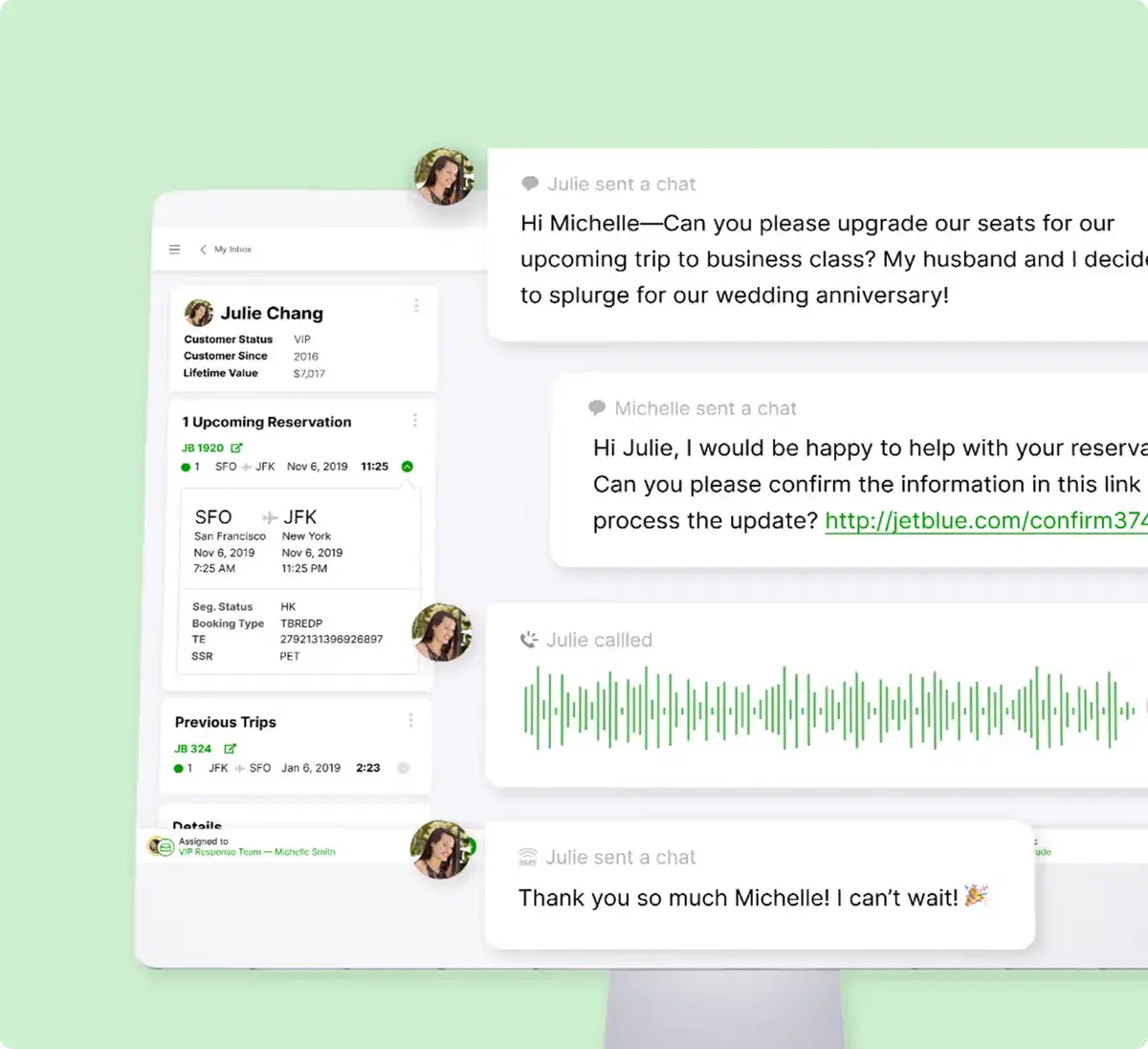
Gladly is a customer experience AI platform with a unique spin: it’s ticket-free. It organizes support around a single, lifelong customer conversation timeline that follows one person across voice, chat, SMS, email, and social.
Gladly has an AI copilot for human agents, AI customer agents, plus smart routing and real-time insights/reporting.
Key Features
- Ticket-free lifelong conversation view
- Native voice
- AI tools
Best for: Consumer-facing brands with significant support volume across many channels seeking to retain customer history across conversations.
Pricing: Contact for pricing
What I like: I think the “one continuous conversation” model is an interesting concept. Omnichannel solutions like HubSpot already do this to some extent, but for some customers, I think Gladly’s continuous conversation model could help build long-term loyalty.
10. Plain
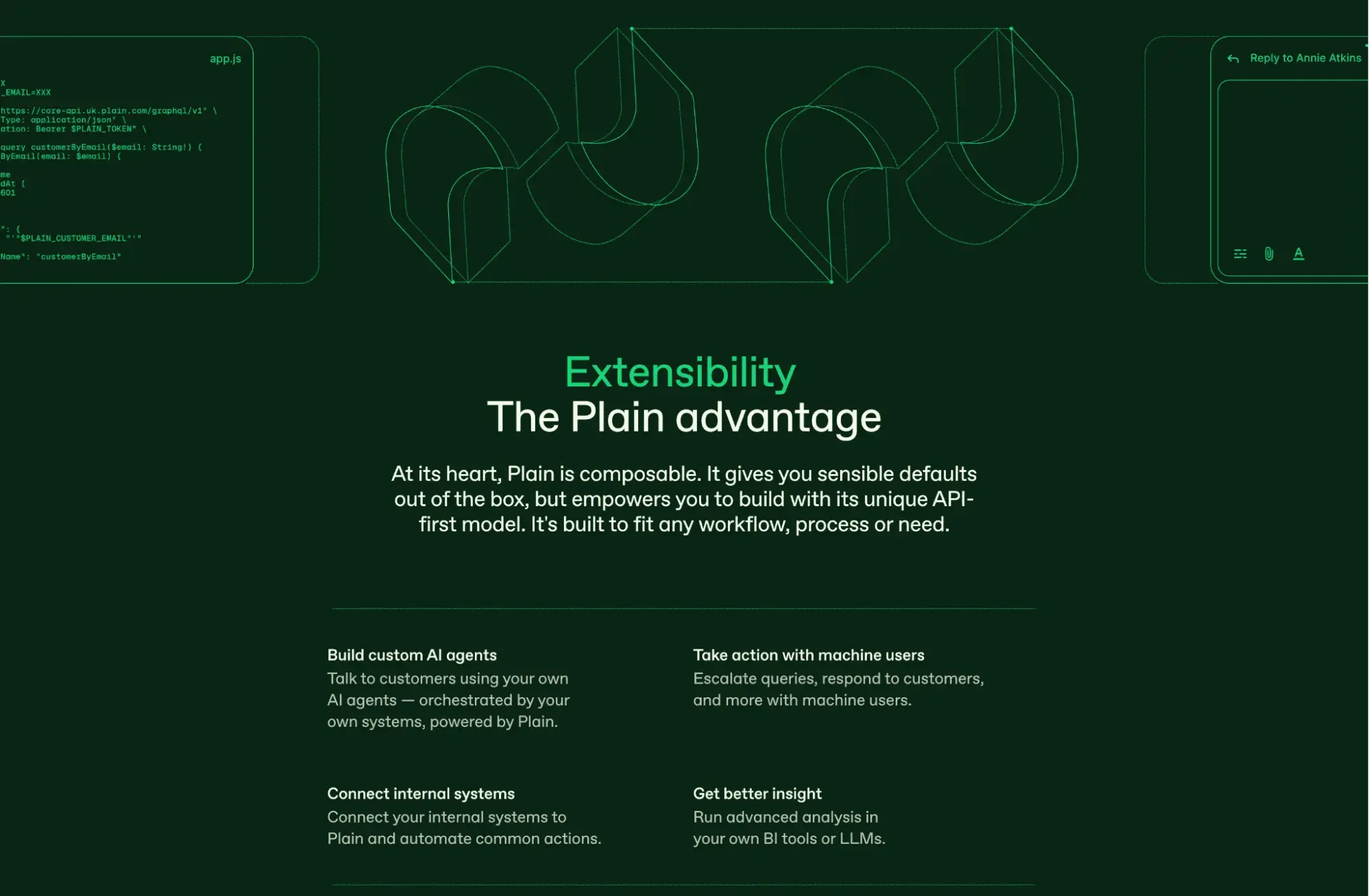
Plain is a support platform for modern, technical B2B software companies seeking an API-first support solution they can customize to fit their existing workflows. Essentially all Plain features can be built upon, extended, or replaced programmatically to fit a technical team’s specific workflows. Current customers include n8n, Cursor, and Vercel. If those names don’t ring a bell, Plain might not be for you.
Key Features
- Multi-channel support consolidation
- Workflow automation
- Ari AI agent
- Sidekick AI assistant
Best for: Highly technical B2B Saas teams
Pricing
- Foundation: $35/month for 1 seat + $35/additional seat
- Horizon: $299/month for 3 seats + $99/additional seat
- Frontier: Custom pricing
What I like: Most help desk solutions force a team to adapt its support workflow around the tool. I like that Plain offers technical teams the ability to mold the product around their company’s existing stack. I also like that it features an MCP server for AI-assistants, so teams can use Claude Code or Codex to plug Plain into their stack.
How to Migrate From Zendesk to an Alternative
Migrating from Zendesk to an alternative tool requires careful preparation and the intentional rebuilding of workflows to ensure there are no hiccups for customers on the other end.
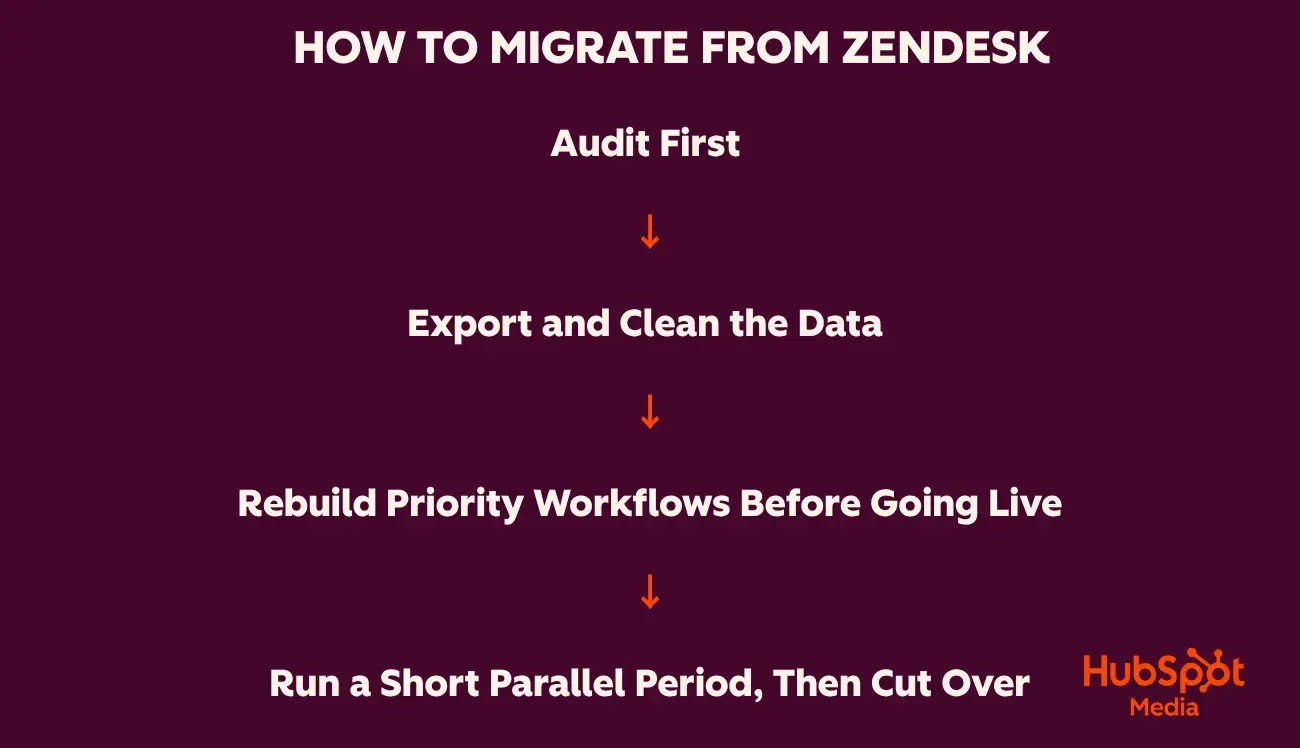
Audit first.
Before modifying or exporting any data, take stock of what is in use: active workflows and automations, macros, custom fields, integrations, SLA policies, and the reports leaders rely on.
Most Zendesk instances accumulate years of automation rules and custom reports, so avoid technical debt by migrating only the exact data, integrations, reports, and tools your team uses regularly. Conducting an audit will also reveal which integrations are necessary, narrowing the list of alternatives.
Export and clean the data.
Export customer records, custom properties, and knowledge base articles. Then, map data fields to the new system and clean up customer records by removing duplicates and outdated information, standardizing tags, and consolidating properties.
If you are handling large volumes of historical ticket data, consider utilizing third-party migration tools to ensure full metadata preservation. Standard CVS exports won’t capture all of the historical ticket information that teams need.
Before importing all of the cleaned data at once, conduct a small-batch test import to ensure all properties map to the new system as expected.
Pro tip: Consider reaching out to the new vendor to request a temporary increase in API rate limits. This prevents throttling and significantly accelerates data ingestion.
Rebuild priority workflows before going live.
Recreate the primary automations, routing rules, and SLAs your team relies on daily. If your new platform offers a sandbox environment, use it to stage and test these configurations.
Pro tip: Focusing exclusively on priority workflows prevents launch delays and ensures the team can get up and running immediately. Secondary workflows can be implemented in production after the core system is stable.
Run a short parallel period, then cut over.
Keep both systems live for a brief window (2 to 4 weeks) so agents can learn the new interface. Keep Zendesk as a read-only historical reference while agents manage tickets from the new platform.
Once agents are reliably working in the new platform without significant issues, cut over and decommission Zendesk. Pair the parallel run with agent training, since the team’s adoption of the tool ultimately determines its success.
Frequently Asked Questions About Zendesk Alternatives
What is the best free Zendesk alternative?
The best Zendesk alternative depends on team size and the features needed. Zoho Desk’s free plan is great for small teams. It offers 3 seats with email-based ticketing, SLA management, and a private knowledge base. For a small business or startup, that’s a free plan with some serious mileage.
HubSpot’s free tools support up to 2 users with a shared inbox and ticketing, all powered by HubSpot’s Smart CRM. For a free long-term option, Zoho Desk is a strong choice, but HubSpot’s free tools provide teams with a platform that scales with their business and meets the needs of sales, support, and customer success in a single platform.
Is a CRM-native Zendesk alternative better than Zendesk competitors?
A CRM-native Zendesk alternative is better than other Zendesk competitors, depending on how much support data needs to connect to the rest of the business. A CRM-native platform like Service Hub creates a single source of truth on the customer record, connecting support, sales, and marketing teams while reducing tool sprawl. Support reps also get complete customer interaction history and context directly on the ticket, which powers personalized support.
Standalone and specialized tools can still be the right choice for certain companies, like Gorgias for Shopify-based brands.
How long does it take to switch from Zendesk to another tool?
Switching from Zendesk to another tool can take anywhere from a few days to 3 to 4 weeks, depending on data quality, number of integrations, and customization. Small teams with clean data and minimal customizations can expect a quick cutover, while large enterprises with many custom properties, workflows, and integrations should set aside a few weeks for a safe and complete migration.
Which Zendesk alternative supports voice natively?
Several Zendesk alternatives offer voice natively:
- Service Hub has native calling.
- Zoho Desk adds telephony on its Professional tier.
- Freshdesk offers voice via Freshcaller.
- Salesforce Agentforce Service has Service Cloud Voice.
For teams where phone is the primary channel, Gladly and Salesforce Service Cloud Voice are the most voice-first options. For teams that need voice alongside a connected CRM, HubSpot and Zoho are the more balanced picks.
When a CRM-Native Zendesk Alternative Wins
Zendesk is a powerful help desk solution, but there are many alternatives. The best ones are platforms that serve support, sales, success, and marketing teams all at once with unified customer data through a connected CRM. CRM-native tools like Service Hub unify entire organizations around a single source of truth for customer data while also giving support teams an easy-to-use, efficient help desk. Success teams can see past support interactions, and Sales teams can see notes from a CSM call, all on a shared customer record.