Why WordPress agency growth breaks workflows first
An agency manages 35 client sites with a small development team. The sites are online, the infrastructure is holding, and nothing looks especially urgent from the outside.
Inside the agency, though, the cracks are easier to see. For example:
- A former senior developer still has Company Administrator access to every site in the account, even after being away for six months.
- A WooCommerce staging environment exists, but nobody is sure whether it reflects the current production site.
- Plugin updates are piling up across client installs, and the team handles them whenever someone has time.
Nothing is technically broken yet, but every new client adds more internal friction. There are more credentials, staging environments, update decisions, handoffs, and questions about usage, performance, and cost.
For WordPress agencies, growth often exposes workflow problems before it exposes hosting problems. This article covers five of the most common breakpoints, their causes, and what a better setup looks like on Kinsta.
The hidden problem: Workflow debt
Small agency workflows often start with practical shortcuts:
- Shared access
- Slack approvals
- Manual updates
- Remembered staging habits
- Client-specific knowledge that only one or two people carry
That works when the client list is small, because the team can keep track of the details. But as the agency grows, those shortcuts get heavier.
More sites, contractors, environments, approvals, and maintenance tasks make the old way harder to manage. The agency may still have enough hosting capacity, but the team has less clarity on how to move.
That’s workflow debt. It accumulates when people have to remember the process before they can follow it.
1. The access problem: everyone has too much access
Small agencies often give broad access because it feels faster, but that convenience creates risk as the agency grows. E.g., former team members keeping access too long, or clients having visibility into environments they should not touch.
The damage is rarely a breach. More often, it is an invisible risk sitting in the account until someone makes an irreversible change.
A better workflow starts with access that matches each person’s actual role. MyKinsta user management lets agencies assign access at the company level or the site level, with distinct roles for each:
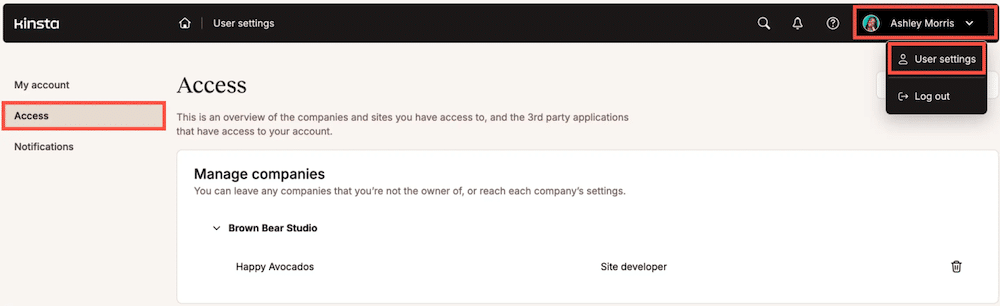
For day-to-day WordPress work, MyKinsta also has WP Admin auto-login, which can reduce the need to share credentials. When someone already has the right MyKinsta access, they can log in to WordPress without passing around separate admin credentials.
2. The staging chaos problem: nobody knows which environment is current
Staging gets messy when the team grows faster than the process. One developer might create a staging environment for a redesign, and another might make a quick fix on the live site. Soon, nobody feels completely sure which environment reflects the current site.
At five clients, the team can hold this in their heads. At 20 clients, they cannot.
A stronger setup gives each environment a clear role. E.g., local development is for building and testing, staging is for internal review, client approval, and pre-launch checks, and live is for approved work only.
Kinsta supports that workflow with DevKinsta for local development.
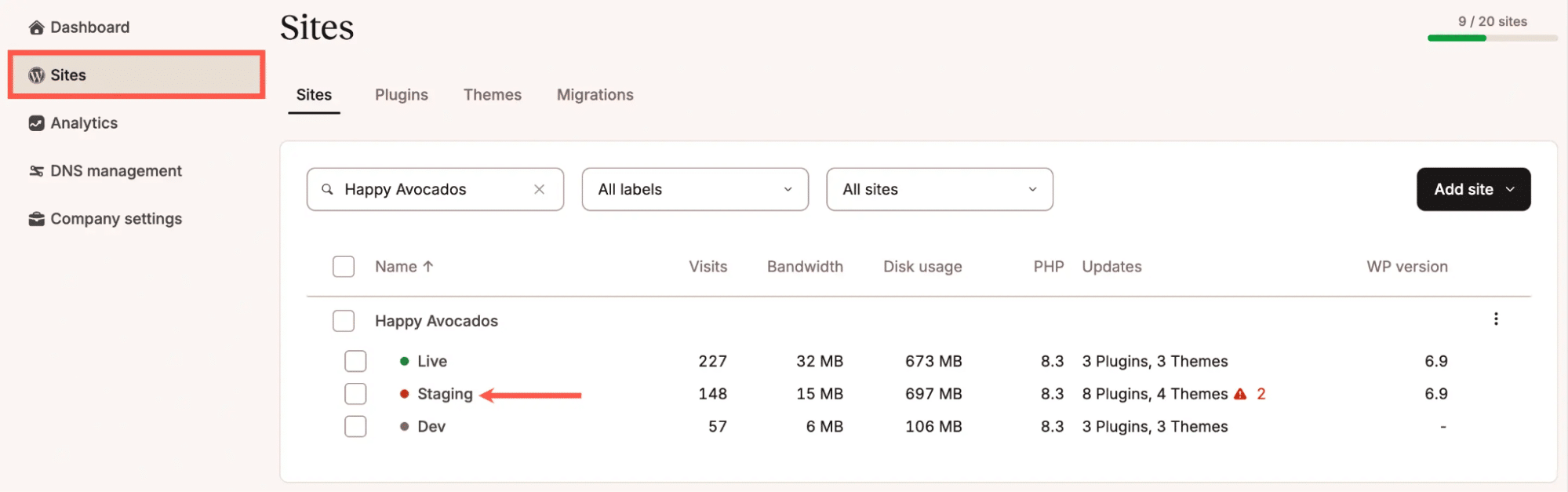
And staging environments for each WordPress install. Consistent staging URLs also make review cycles easier because clients and internal teams know where to look.
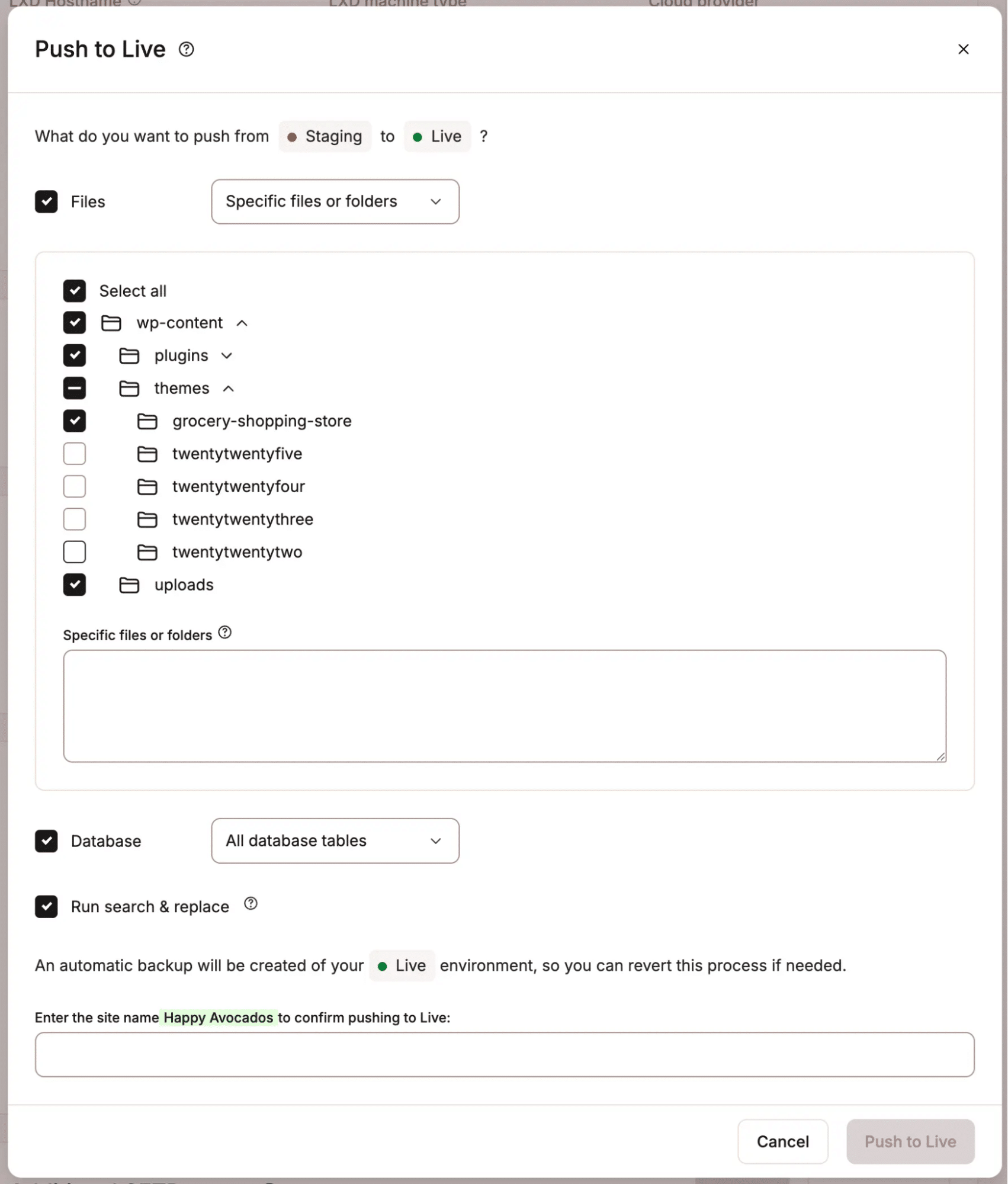
The push process matters, too. With selective push options, agencies can move files, the database, or both between environments. That control is especially useful for WooCommerce stores, membership sites, and other sites where live data changes constantly.
For larger or more sensitive projects, Premium Staging Environments provides agencies with a testing setup that more closely mirrors production. That can help with high-traffic sites, e-commerce stores, membership sites, and performance-sensitive work.
Still, tools only help when the team uses them consistently. Agencies need naming conventions, review rules, and clear push permissions so everyone knows which environment is current and who can move changes live.
3. The update backlog problem: maintenance becomes a full-time job
There’s a point in most agency growth trajectories where someone realizes plugin updates have become a dedicated task. Someone on the team is logging into one dashboard after another, running updates, checking that nothing broke, and moving to the next site. At 40 client sites, that can easily run three to four hours a week.
Then there’s the vulnerability question. At scale, an agency might have sites running outdated plugins with known security issues right now, and have no way to quickly see which ones.
If one developer spends four hours a week on manual updates, at a fully-loaded cost of $60 per hour, that’s $240 a week and $12,480 a year in labor that a structured update process largely eliminates.
Two things work together in MyKinsta to address this.
The first is the Sites list vulnerability filter. In MyKinsta, agencies can filter the entire site list to show only sites with vulnerable plugins or themes.
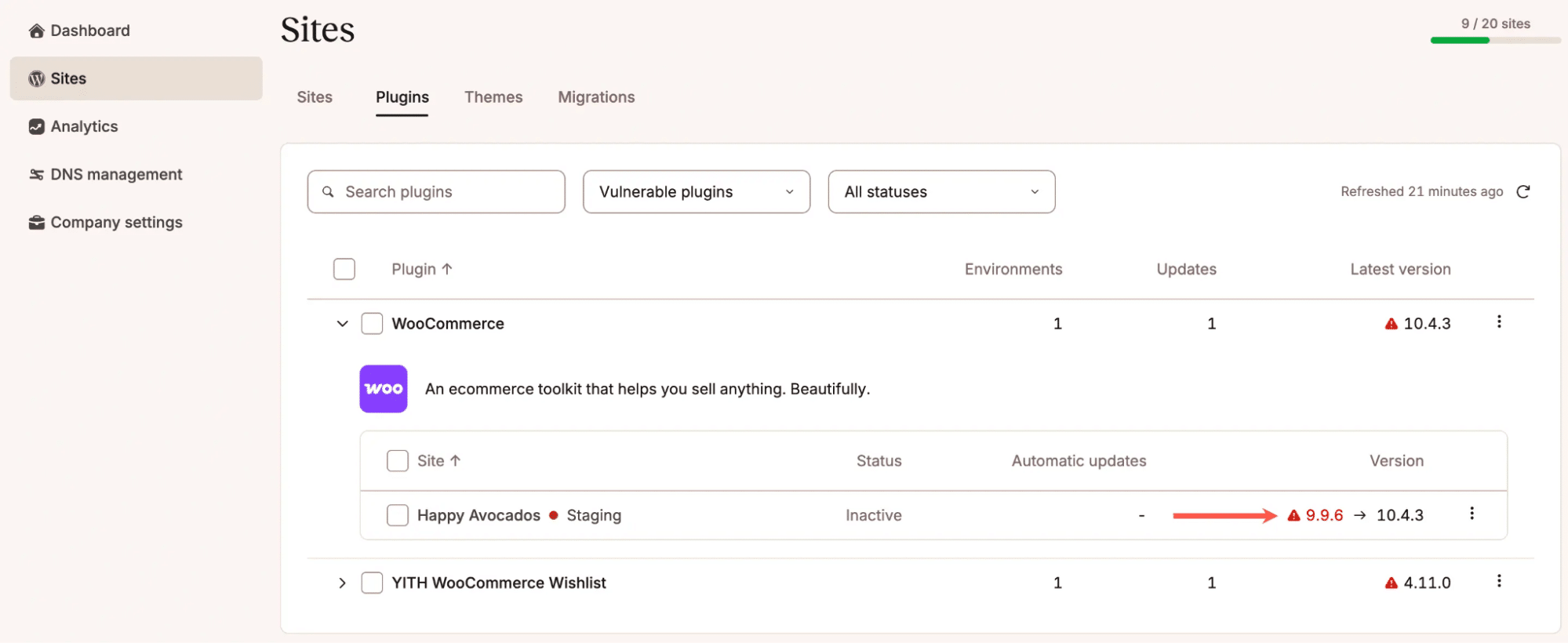
The second is Kinsta Automatic Updates ($3/month per environment). Which includes visual regression testing that compares screenshots before and after each update and rolls back automatically if something breaks visually.
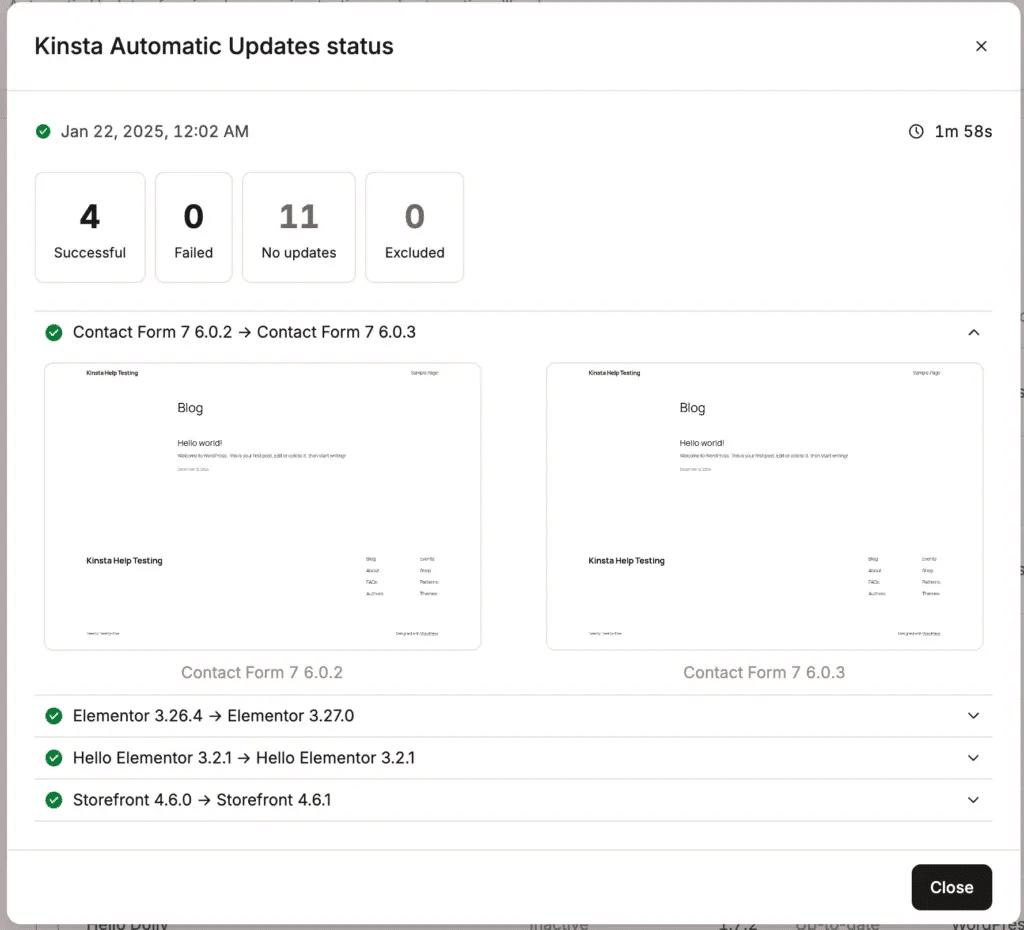
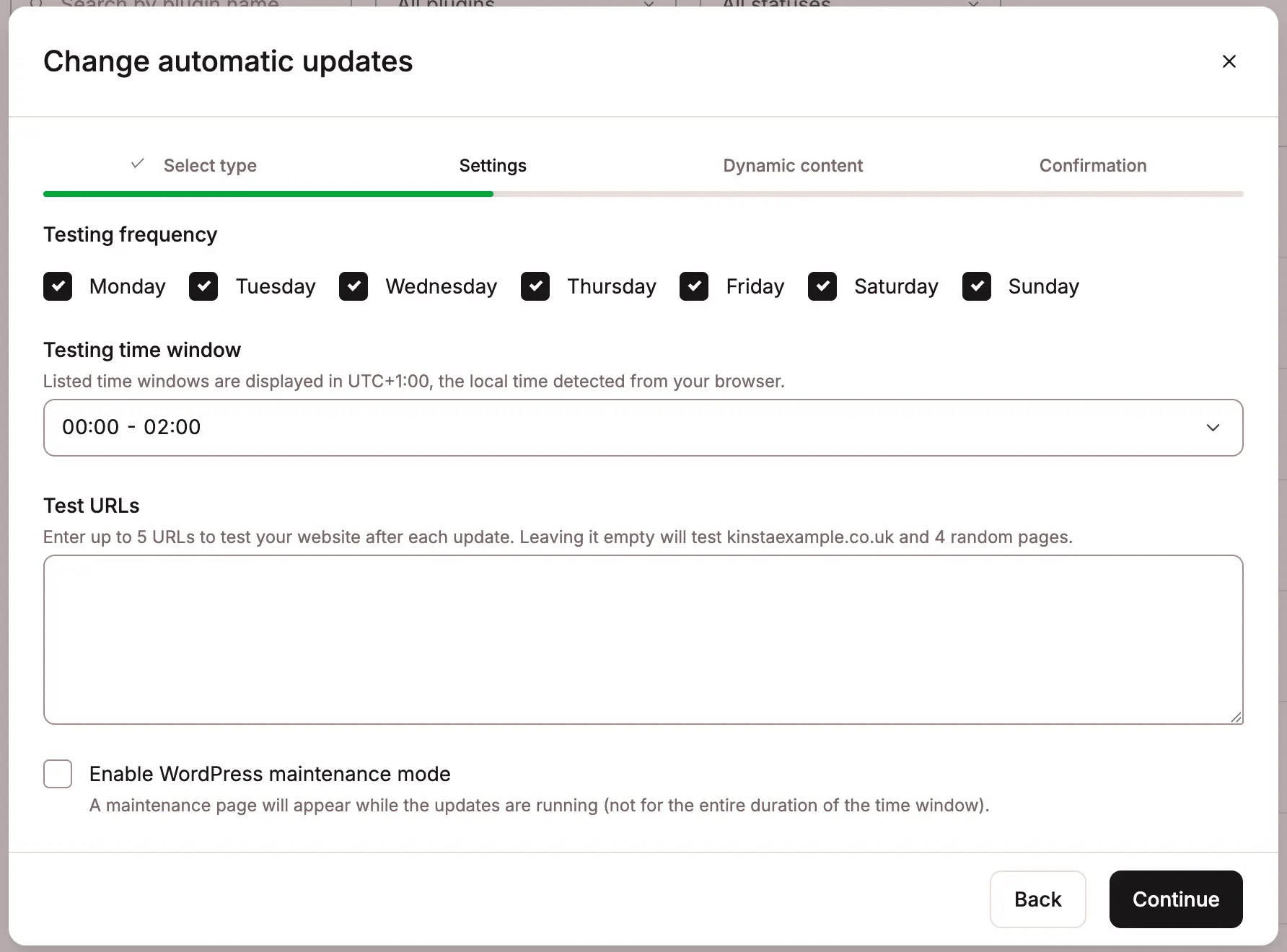
Updates can also be scheduled to avoid peak traffic hours and maintenance-mode runs, so visitors don’t see a broken state.
For agencies that want to build their own maintenance workflows, the Kinsta API also provides programmatic access to plugin and theme data across every site in the account, so teams can query update status across the whole portfolio without opening individual dashboards.
4. The handoff problem: onboarding and offboarding expose messy systems
Onboarding and offboarding reveal how well an agency actually runs.
When a new client signs, the team migrates the site, sets up staging, configures access, assigns it to the right developer, and labels it correctly in the dashboard. When done well, it follows a consistent path every time; otherwise, it is slightly improvised each time, with small variations that accumulate into operational debt.
At five clients, improvised is fine. One developer remembers the plugin stack. One project manager knows where the credentials live. However, at 40 clients, that memory-based model breaks down.
The offboarding problem is often worse. A client leaves, the site needs to move to their own hosting, and the agency has to untangle its credentials from the WordPress install, deactivate staging, review who still has access, and hand off without losing anything important.
Kinsta helps agencies build a cleaner version of both.
Free managed migrations remove the biggest labor spike during onboarding. From there, agencies can follow a consistent setup: staging environment, assigned access roles, and site labels that organize the portfolio by client, service tier, or account status.
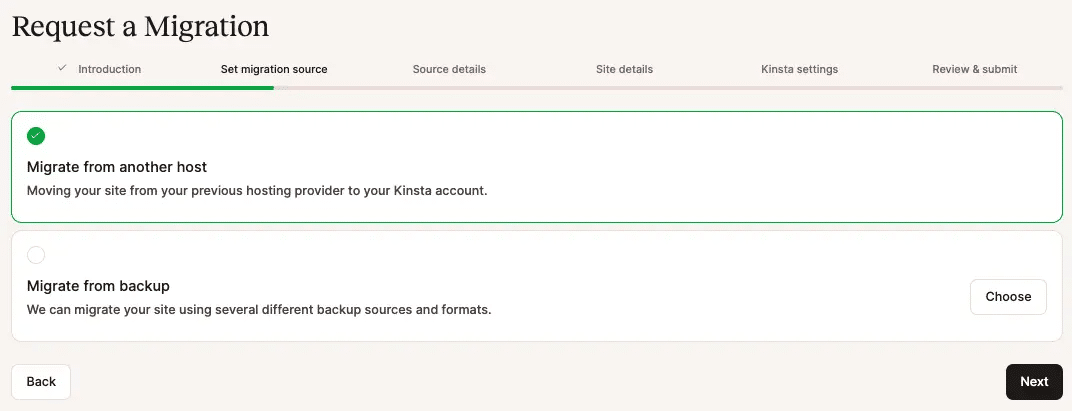
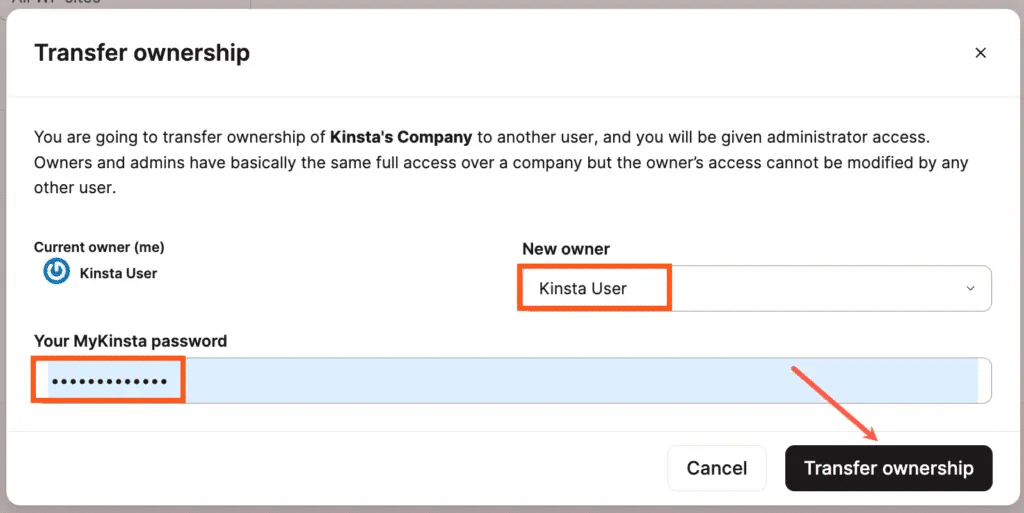
On offboarding, site transfer gives agencies a clean handoff path. A site can be transferred to another Kinsta account, or to a non-Kinsta user who gets a prompt to create an account. DNS records managed in MyKinsta move with the site. Add-ons like Redis and Premium Staging transfer automatically.
For agencies onboarding at volume, the Kinsta API lets teams provision new WordPress sites, create staging environments, and configure access programmatically, removing the manual dashboard steps from a process that repeats with every client.
5. The visibility problem: usage, bots, and client costs get harder to explain
When a client’s usage starts climbing, but conversions stay flat and revenue does not move, the agency has to explain a cost increase without a clear business outcome to justify it.
That conversation gets difficult when the team cannot quickly see what caused the spike. A campaign may have driven real traffic. AI crawlers may have scanned a large part of the site. Unwanted bots may have hit the same pages repeatedly. Search crawlers, monitoring tools, and legitimate visitors may all have contributed at once.
The nuance matters. Not all automated traffic is bad. Search engines need to crawl client sites. Uptime tools need to check availability. Some e-commerce, security, and integration tools also rely on automated activity. Blocking everything creates its own problems. Allowing every bot by default makes usage harder to manage and explains harder to give.
Agencies need visibility before they can give clients a useful answer.
Kinsta Bot Protection gives agencies per-site controls for automated traffic. That matters because each client site may need a different approach. One client may want to block AI crawlers. Another may need exceptions for monitoring tools, integrations, or typical WordPress automation.
Bot Protection includes reporting so teams can see how automated traffic affects individual sites instead of guessing after usage spikes.
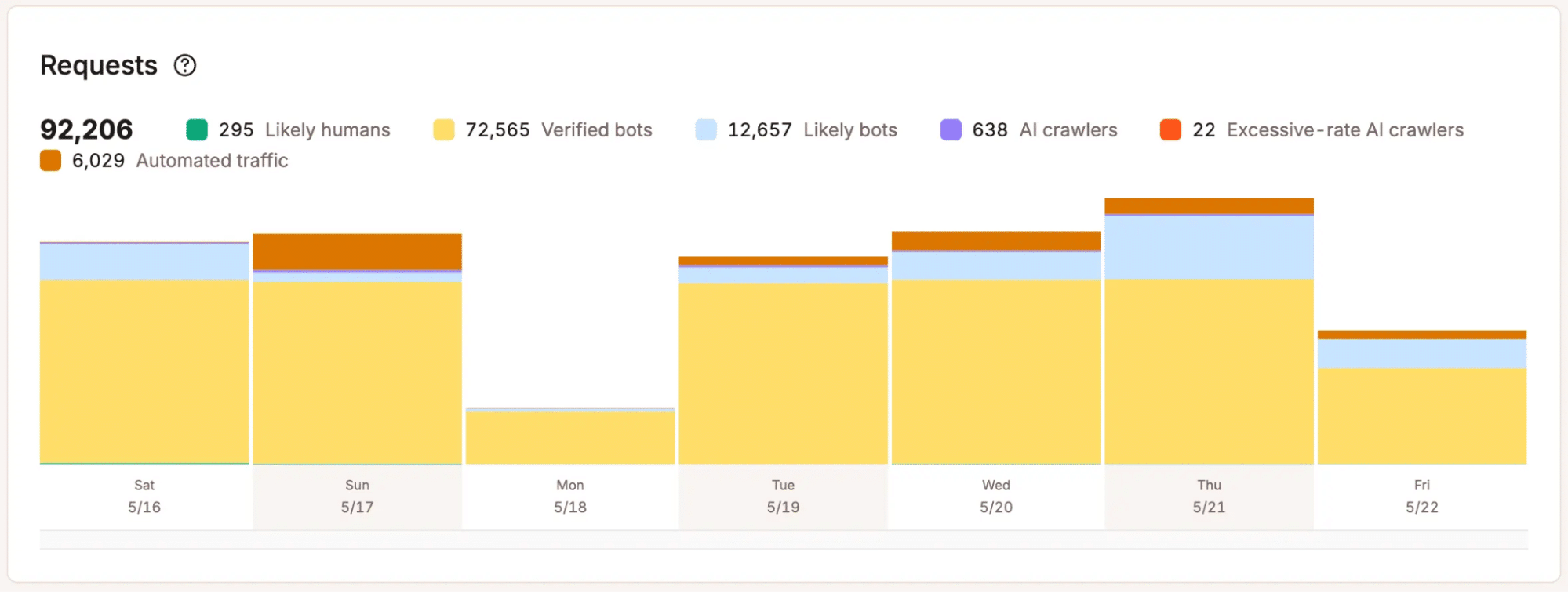
Cache Breakdown adds another layer of visibility. If traffic rises but cache effectiveness drops, the team can look at whether the issue comes from uncached requests, bot activity, or a site-level configuration issue, rather than attributing the whole thing to organic growth.
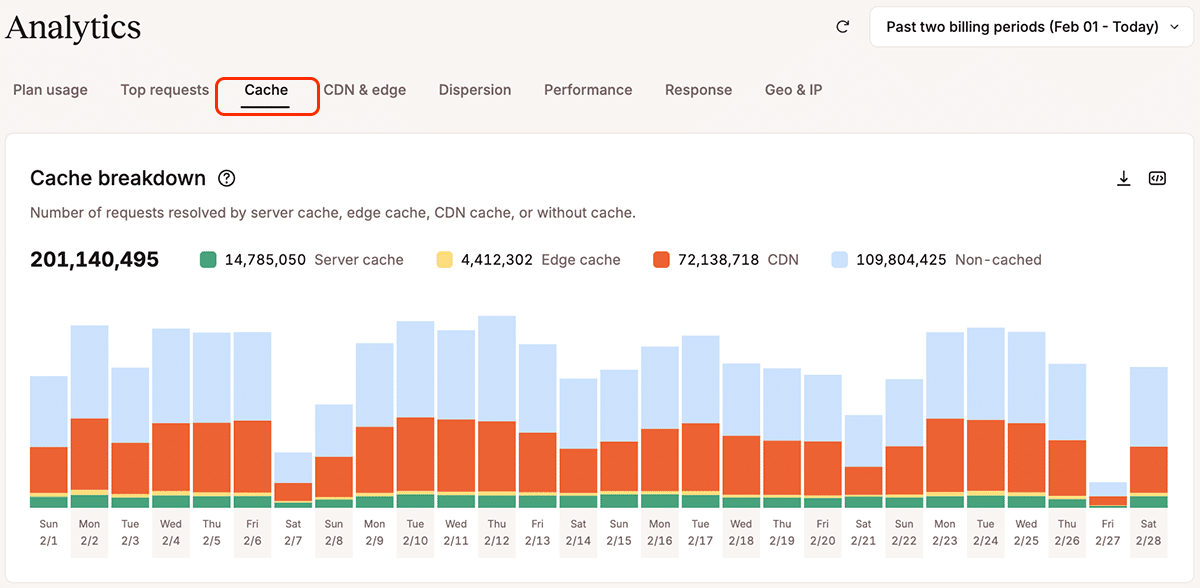
When usage changes, someone has to explain it clearly. Better visibility helps the team connect traffic, bots, caching, and cost in a way clients can understand. Without that context, every spike becomes a guessing game.
Stronger workflows make growth less fragile
Agency growth doesn’t always break WordPress infrastructure first. More often than not, it breaks the informal workflows that once held everything together.
Growing agencies don’t need complexity for its own sake. They need clearer systems for the work they already do every day, like assigning access, testing changes, managing updates, onboarding clients, transferring ownership, and explaining usage.
If your agency is adding WordPress clients faster than your workflows can keep up with, Kinsta’s agency hosting and the Agency Partner Program are built for the operating model growing agencies need.

Kinsta
Joel is a Frontend developer working at Kinsta as a Technical Editor. He is a passionate teacher with love for open source and has written over 300 technical articles majorly around JavaScript and it’s frameworks.