Taking the Mystery Out of Email Deliverability
Key takeaways ✨
|
Email marketers rely on their emails consistently getting to the inbox. If communication isn’t reaching customers, it can have a ripple effect on brand reputation, customer loyalty, and return on investment (ROI). But understanding email deliverability and email delivery can feel like a bit of a mystery.
Recent research ups the ante, too. Validity’s 2026 Email Deliverability Benchmark Report found that 87.25% of emails reached the inbox—a 3.7% uplift from the previous year. The increase is largely thanks to new bulk sender requirements, new global laws, and increase in accessibility tactics.
While there is a bit you have to understand and untangle to improve your email deliverability, there are absolutely steps you can take and tools to use to get a clearer picture. We created a guide to help you identify the factors that senders control versus the ESP and mailbox providers to help you avoid any unexpected twists in your email deliverability strategy.
Table of contents
What is email deliverability? And why it feels mysterious
Email deliverability considers where your emails land after you send them—in the inbox, other tabs like ‘Promotions,’ or spam (dun dun dunnn). Even though the words are frustratingly similar, deliverability is not the same as email delivery. Email delivery only covers whether or not the receiving server accepted the message. So, a message can be ‘delivered’ but still never seen.
Email deliverability reflects how mailbox providers interpret sender behavior, engagement, and infrastructure signals to decide inbox placement. It feels a bit mysterious because a lot of it happens behind the scenes over time.
A few things contribute to that “black box” feeling:
- Filters are invisible. Mailbox providers don’t share the exact rules they use to sort email.
- Decisions build over time. Inbox placement references ongoing patterns, not a single campaign.
- Feedback comes later. The impact of changes often shows up gradually, not immediately.
Why email deliverability is getting harder
Email deliverability has always mattered, and we’ve been sharing that for a long time. When you pour time and resources into messages that customers never see, it makes it that much harder to build trust and see the results you know your team is capable of. Plus, who wants to pay for a sending volume that goes to spam?
Email marketing is always evolving (and never dying!), which means you need to stay up to date with factors that are silently impacting your program.
Here’s what’s happening lately that might show up in your email deliverability.
Inboxes behave differently, and some are getting stricter
Mailbox providers are constantly tweaking how they decide what belongs in the inbox and what doesn’t, and they don’t all play by the same rules. For example, Microsoft’s inbox placement rate is 77.4% compared to Gmail’s 89.8. Changes at the mailbox provider level have historically brought inbox placement down, but enforcement of bulk sender requirements has helped inbox placement rates increase in the last year. However, the challenge of understanding and adhering to the ever-changing landscape still remains.
AI is in the inbox
Mailbox providers are now using AI models trained on spam and phishing to help decide what belongs in the inbox, which means scrutiny is increasing across the board. Combined with imperfect AI-generated summaries and a surge in AI-generated spam, this can lead to lower engagement and higher complaint risk, even for legitimate senders.
Faster email production could create volume spikes
Our 2026 State of Email Report found that most email teams take between 1–3 days to create and deploy a single marketing email. To compare:
- 2025: 44% of teams took between a few days and one week to send out one email.
- 2024: 62% of teams took two weeks or more to send out one email.
While efficiency gains are exciting, it does mean you need to be careful you aren’t using newfound speed to dramatically change sending volume, which could send a negative signal to mailbox providers.
What senders control before hitting send
Email deliverability begins before you ever hit send, and your habits over time influence it. Senders who have their eye on long-term success and establishing a good reputation should focus on the following:
Email list hygiene
Email list hygiene is a multi-step process that you should assess regularly, sort of like how cleaning your dishes is never done—just done for now. Regularly maintaining your list helps you only send to real, engaged subscribers and not to outdated, invalid, or uninterested addresses that can erode trust.
Simple ways to support list health:
- Include a clear unsubscribe option in every email so disengaged recipients can opt out.
- Ask subscribers to add your email address to their contact list to avoid landing in the spam folder.
- Use double opt-in when your goal is a smaller, more engaged list.
Organic list growth
Senders have the responsibility to keep close tabs on their lists. Check in with subscribers often to make sure they get what they expect from your emails.
- Grow your list organically. Never buy email lists and be transparent about what people are signing up for, so expectations are clear from the start.
- Focus on quality over quantity. A smaller, highly engaged list will outperform a large, disengaged one every time.
- Watch your metrics closely. Declining opens, rising unsubscribes, and spam complaints are early warning signs that something is off. Catching and addressing these signals early can prevent larger deliverability problems down the road.
Sending volume and frequency
Mailbox providers pay close attention to how often and how much you send. Sudden spikes in volume, inconsistent cadence, or over-mailing can trigger filtering, even if your content hasn’t changed. Keep an eye on the horizon for anticipated changes in sending volume so you can ease in and out of them. A good IP warm-up strategy is worth its weight in gold.
Subscriber expectations
If you said you’d send a weekly newsletter, send a weekly newsletter. If subscribers signed up for new product drops, don’t flood their inbox with blog posts. Subject lines, message structure, and overall value should match what subscribers expect based on how and why they signed up.
A great way to manage and cater to subscriber expectations is with a preference center. Giving people the option to choose what they want to see and when gives them control, so they aren’t as tempted to mark you as spam.
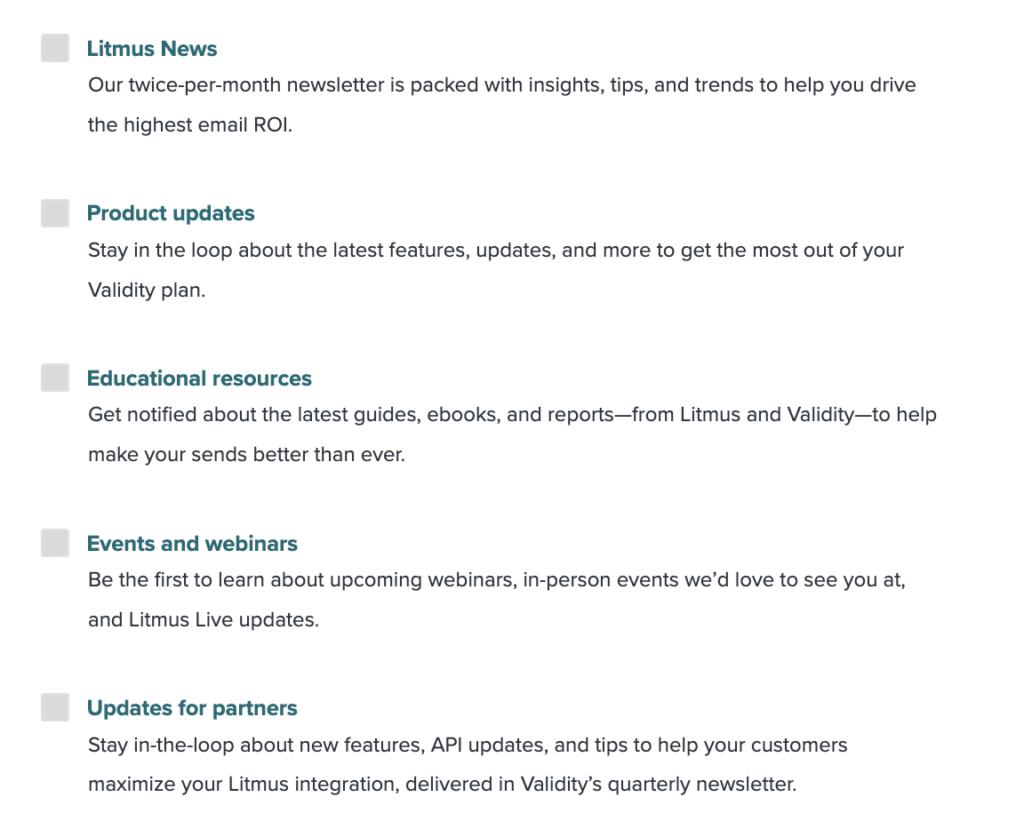
Engagement signals
Focus on quality over quantity and use engagement metrics as an early signal of how your audience feels. We like to put interactive polls in our newsletters to directly ask how the community feels about a specific topic.
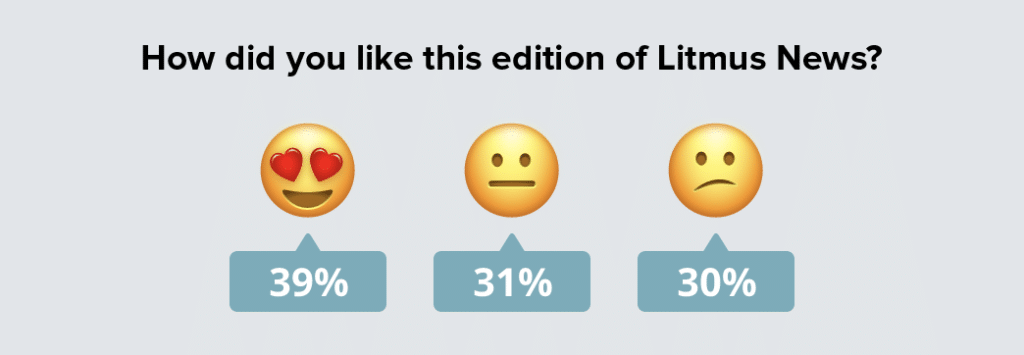
Engagement and deliverability metrics you should track:
- Opens
- Clicks
- Read time
- Deletes without reading
- Replies and forwards
- Spam complaints
- Unsubscribes (especially spikes)
Design and accessibility
If people can’t see or interact with your emails, engagement drops and frustrated subscribers might mark messages as spam. Email design and accessibility directly affect whether subscribers can read, click, and understand your emails.
Pay attention to:
- Readable layouts and contrast so text is easy to scan
- Accessible buttons and links that work well on mobile and with assistive tech
- Working links and images that load as expected
- Alt text and structure to support screen readers
Subscribers might also get frustrated if your emails often have broken links, missing images, or messed up design. Validity Engage alerts you to changes in how your email render so you can fix issues before they tank your deliverability.
The role of ESPs in deliverability
Your email program’s actions and strategy build the foundation for email deliverability. The next layer that plays a role is actually your ESP.
Think of your ESP as the system that gets your email out the door. They provide the infrastructure to send your messages reliably at scale. While ESPs don’t control how mailbox providers place those messages once they arrive, they do play a role.
Sending infrastructure and IP management
ESPs manage the technical plumbing behind sending. If you’re on a shared IP, a reputable ESP will monitor senders and take action when bad behavior threatens the reputation of the pool.
Your IP address and domain reputation work together to influence inbox placement, which means infrastructure choices and sending behavior are closely linked.
Authentication support
Most ESPs support authentication protocols like SPF, DKIM, and DMARC, which help mailbox providers confirm that your emails are legitimate and haven’t been tampered with.
Basic reputation and blocklist monitoring
ESPs often keep an eye on IP reputation and major blocklists, reducing the chances of widespread blocking and alerting you when issues arise.
Compliance and abuse safeguards
Spam laws and regulations evolve, and ESPs typically handle baseline compliance requirements and enforce anti-spam policies to protect their sending environment.
Deliverability questions and best practices to get the most from your ESP
Because your sender reputation is on the line, it’s worth being clear on what support and visibility your ESP provides.
Rather than trying to evaluate everything at once, focus on questions that clarify:
- What your ESP monitors
- What they surface to you
- What happens when deliverability starts to shift
Deliverability questions to ask your ESP
| Question | Why it matters | What to look for |
|---|---|---|
| How do you monitor IP address and domain reputation? | Reputation strongly influences inbox placement, especially on shared infrastructure. | Ongoing monitoring with proactive alerts—not just reports after issues appear. |
| What happens if another sender on my shared IP causes problems? | Shared reputation can affect your deliverability even if you follow best practices. | Clear enforcement policies, isolation of bad actors, and transparent communication. |
| How are spam complaints tracked and reported? | Even small increases in complaints can impact inbox placement. | Near-real-time reporting with clear thresholds and guidance when complaints rise. |
| What visibility do I have into inbox vs. spam placement? | Delivery alone doesn’t show where emails actually land. | Provider-level insights or integrations beyond basic delivery and bounce metrics. |
| How do you support authentication (SPF, DKIM, DMARC)? | Authentication is foundational for trust and security. | Setup guidance plus ongoing monitoring for misalignment or drift. |
| What happens if my sending volume or cadence changes suddenly? | Volume spikes are a common trigger for filtering. | Clear ramp-up guidance and monitoring during periods of change. |
| Do you support ESP or infrastructure migrations? | Transitions are high-risk moments for deliverability. | Structured migration plans, warm-up support, and post-migration monitoring. |
| How will I know if deliverability starts to decline? | Early detection prevents bigger problems. | Proactive alerts tied to reputation, complaints, or placement. |
What happens after you hit send
You carefully manage your email program and have a reliable ESP partner—what’s next? Once an email leaves your ESP, it’s out of your hands and into the mailbox providers’ systems. This is the point where inbox placement decisions are made. It’s also the point where deliverability feels the most abstract and confusing.
From the sender’s perspective, outcomes can seem sudden. In reality, mailbox providers are reacting to patterns and history, not intent or effort. For example, MBPs don’t know or care that you worked hard on a campaign, that your content is legitimate, or that you meant well. They are purely reacting to behavioral and engagement data at scale. A sender with great intentions but poor list hygiene will be treated the same as a bad actor producing the same signals.
Stop stressing about email deliverability
Learn the key factors affecting email deliverability. Implement best practices to ensure your messages reach the inbox every time.

How mailbox providers evaluate your email
Mailbox providers don’t evaluate each message on their own. They look at your broader sending behavior and recent engagement to predict what’s likely to happen next.
They’re asking questions like:
- How do recipients usually interact with emails from this sender?
- Has engagement been improving or declining?
- Does this sending pattern look consistent or risky?
This is why inbox placement changes rarely come from a single campaign. They’re usually tied to trends that have been building quietly over time.
The same email can have different outcomes
One of the most frustrating parts of deliverability is that the same email can land differently depending on the inbox. Gmail, Microsoft, Yahoo, and other providers all apply their own filtering logic and thresholds.
Validity’s 2026 Email Deliverability Benchmark Report highlights just how wide those differences can be, with some mailbox providers filtering more aggressively than others.
| Mailbox Provider | Market Share | Inbox % | Spam % | Missing % |
|---|---|---|---|---|
| Gmail | 42.9% | 89.8% | 6.4% | 3.8% |
| Microsoft | 14.4% | 77.4% | 15.1% | 7.5% |
| Yahoo | 15.7% | 87.3% | 6.4% | 6.3% |
| Apple | 3.6% | 82% | 10.8% | 7.2% |
There are also differences between regions. For example, Yahoo’s inbox placement rate in France varies from India, in part because international privacy laws require explicit opt in. This means that stricter mailboxes can pull more weight than more lenient ones.
Change increases risk
While most deliverability issues develop over time, there are some things to note that will see a quick reaction from the providers, including:
- Sudden increases in send volume
- Shifts in cadence or audience
- New IPs or domains
- ESP or infrastructure changes
When you know what mailbox providers look for, you can manage these transitions carefully. It’s important to note that recovery from a large change can feel equally slow and opaque. MBPs need to see a sustained pattern of improved signals before they adjust, which is frustrating for senders who expect a quick fix to produce quick results.
Once an email is out in the world, deliverability tools help answer a simple question: What actually happened?
ESP dashboards are useful, but they mainly focus on delivery and basic engagement. They don’t always show where emails landed, how different mailbox providers responded, or why performance may be changing. Deliverability tools add visibility where ESP reporting stops.
What deliverability tools help you see
Deliverability tools help teams move beyond guesswork by providing insight into:
- Inbox vs. spam placement by mailbox provider.
- Provider-level differences between Gmail, Microsoft, Yahoo, and others.
- Authentication and reputation signals, including SPF, DKIM, and DMARC.
- Early warning signs that placement or reputation is starting to shift.
This context makes it easier to connect outcomes back to earlier patterns, like changes in volume, audience, or engagement.
Free tool option: Sender Score
Sender Score offers a quick, high-level snapshot of your sender reputation based on how mailbox providers are likely to view your IP address. It’s a useful starting point for identifying obvious reputation issues or confirming whether your sending behavior falls within a healthy range.
With Sender Score, you can:
- Check your overall sender reputation using a single, easy-to-understand score
- Spot major red flags that could impact deliverability
- Monitor broad reputation trends over time
Become a better email sender
Assess where your email program is today, learn how to improve it, and take action to drive even more ROI.
Paid AI-powered platform: Validity Engage
Validity Engage helps you see exactly where your campaigns land by provider, IP, and domain—and fix deliverability problems before they cost you revenue.
With Engage, you can:
- See exactly where your mail lands across every major provider, using the Validity Intelligence Network for accurate, live results.
- Verify your authentication configuration and alignment across all sending domains. Get flagged the moment something breaks or falls out of alignment.
- Know instantly when your IPs or domains hit a blocklist, with guidance on what triggered it and how to secure removal fast.
- Run a deliverability check before every campaign and surface spam trap, reputation, and authentication risks that could keep you out of the inbox.
And more!
AI-powered email intelligence
Built on Validity’s vast data network, Validity Engage removes risk and boosts email performance—so you can produce exceptional results in less time.

How to boost your email deliverability from start to finish
There’s no magic button to press to boost and maintain deliverability, but there are a series of levers you can pull. Here’s a list of best practices to treat email deliverability maintenance like a sequence instead of a one-time check list.
1. Clean your lists
Start with the foundation: who you’re sending to. Removing inactive, invalid, or risky addresses reduces noise and protects your sender reputation. Make this an ongoing habit, like a quarterly check-in.
Another way to stay on top of email list quality is with a data hygiene and quality tool. This can help clean and standardize contact data before it ever reaches your ESP.
2. Validate before you send
List validation adds another layer of protection, especially at signup or before large sends. Validating addresses helps catch typos, disposable emails, and risky domains early.
Validity Engage helps at the point of entry or pre-send to reduce bounces and avoid sending to addresses that could hurt deliverability.
3. Segment intentionally
Not every subscriber should receive every email. Segmenting by engagement, preferences, or lifecycle stage helps ensure messages stay relevant and expected.
This is where sender strategy matters most. ESPs enable segmentation, but deciding who gets what is up to you.
4. Set and respect unsubscribe expectations
A clear, easy-to-use unsubscribe process protects engagement and trust. If people can’t opt out easily, they’re more likely to mark messages as spam.
Your ESP handles the mechanics here, but it’s up to you to:
- Make unsubscribe links easy to find and honor requests within 48 hours per bulk sender guidelines.
- Honor preferences. Do not send content to a list that did not sign up for it.
- Offer alternatives through a preference center so they can update which sends they want to receive.
5. Authenticate and monitor
Authentication protocols like SPF, DKIM, and DMARC help mailbox providers verify that your emails are legitimate. Most ESPs support these, but they still require setup, monitoring, and occasional maintenance.
Having your authentication protocol ducks in a row alone doesn’t guarantee inbox placement, but ignoring them is very likely to cause problems.
6. Test before sending
Before campaigns go out, test what you can control. That includes links, images, accessibility, and rendering across devices and inboxes.
Pre-send testing helps catch issues that could frustrate subscribers and quietly hurt engagement once emails are live.
7. Watch results by mailbox provider
After you send, look beyond overall delivery rates. Gmail, Microsoft, Yahoo, and others can respond very differently to the same campaign. Tracking performance by mailbox provider helps you spot where issues are starting and avoid overcorrecting based on incomplete data.
Bringing it all together
Email deliverability can feel like a mystery sometimes, especially when mailbox providers change criteria or have different inbox placement rates. The best way to handle the mystery, though, is to investigate and understand every element you have control over. And between strategy and tools, you actually have control over a lot.
You can do everything from managing send volume carefully and creating accessible emails, to understanding your ESP, and using tools like Validity Engage to confirm addresses and test every email.
While mailbox providers make the final call, understanding those signals makes inbox placement far more predictable.
Produce exceptional results in less time
Align teams and boost performance using AI trained on the world’s largest, most trusted email data network from Validity.