Pros, Cons & 2026 Market Outlook
Avaya is a telecommunications pioneer that transitioned from hardware-intensive, on-premises PBX systems to a hybrid-first model. Today, the company operates through its enterprise solutions, most notably Avaya Infinity™ and Avaya Cloud Office (ACO), designed to bridge the gap between legacy infrastructure and modern cloud functionality.
Avaya allows large enterprises to maintain stable, on-premises voice systems (like Avaya Aura) while layering in cloud-based AI, chat, and SMS. While this protects massive historical hardware investments, customer experience reviews highlight a significant administrative burden on IT teams managing disparate on-prem and cloud environments.
Avaya’s strategic pivot has also changed who the platform is for. This deep dive into Avaya reviews explores how these systems perform today, what real users say about the complexity, and how Nextiva offers a simpler, completely unified alternative.
Avaya Platform Overview
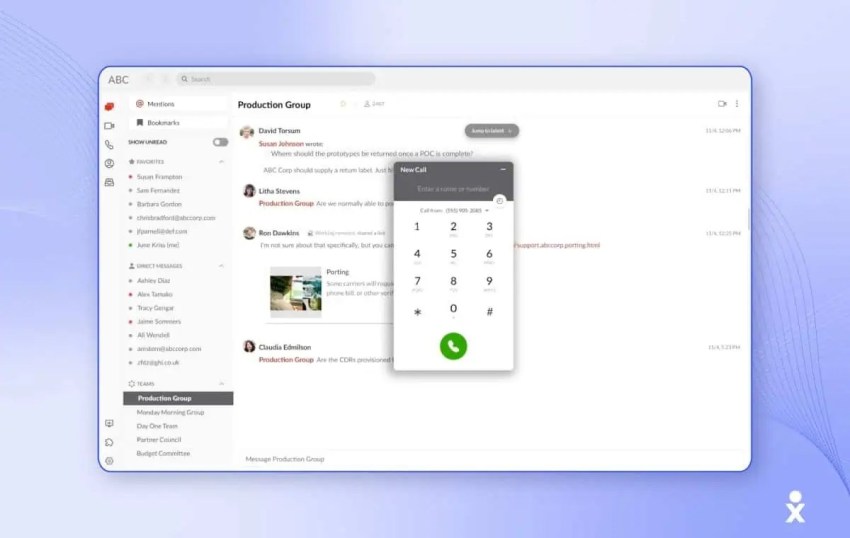
Avaya provides business communication systems for contact centers, collaboration, and unified communications. The core of its cloud push lives under the Avaya Infinity Platform.
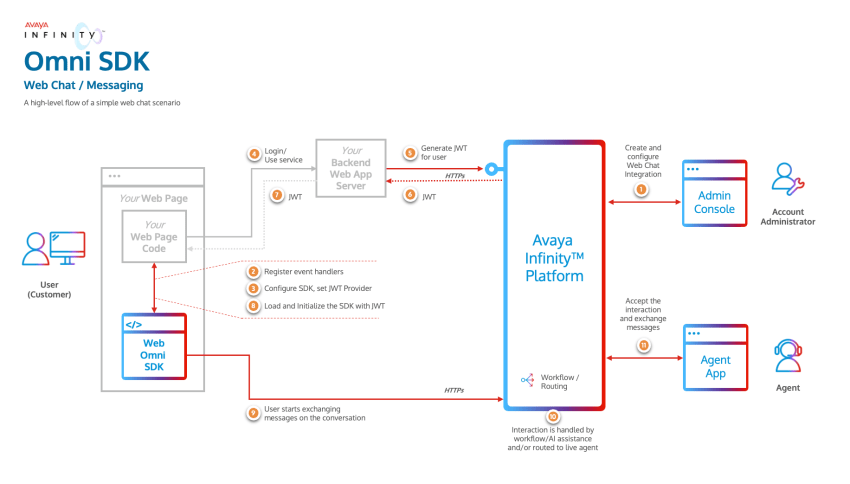
In an effort to keep up with cloud-native vendors, Avaya has pushed an “Open for Innovation” framework using the Model Context Protocol (MCP) to let enterprises plug in third-party AI models. However, because it’s built as an open orchestration ecosystem rather than a single out-of-the-box software stack, the administrative overhead remains highly complex.
Avaya continues to maintain a footprint across specific market sectors:
- Hyper-enterprise hybrid deployments: Large organizations that retain stable Avaya on-prem voice infrastructure while piloting AXP for digital channels like chat or email.
- High-volume mission-critical voice: Sectors using Avaya Nexus™ (launched for carrier-grade resiliency) and the Call Management System (CMS) for intricate IVR routing.
- Strictly regulated verticals: Banking, government, and healthcare entities that rely on physical control of on-prem servers to meet strict compliance frameworks like PCI DSS and HIPAA.
What User Reviews Tell Us About Avaya
While Avaya is a global name, only customer reviews can verify its efficiency and effectiveness as a telephony solution. Here are in-depth reviews of its key features, supplemented with customer feedback we’ve gathered.
1) Reliability and call quality
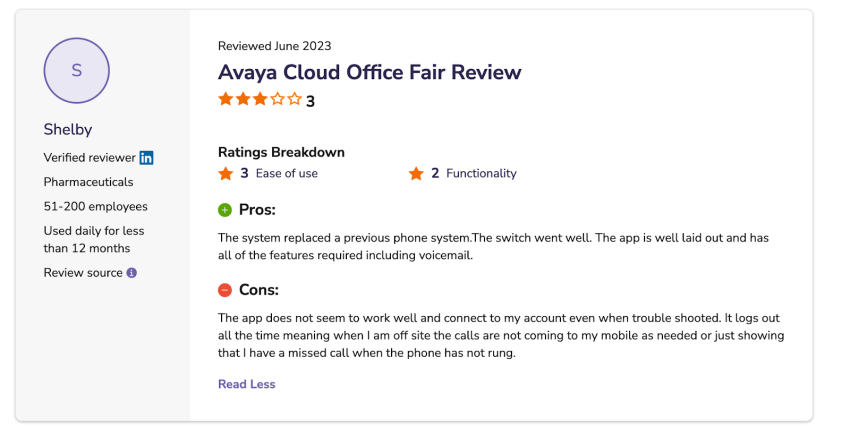
Reviews are highly polarized based on the deployment model. On-premises users praise Avaya as a reliable standard for high-quality voice. However, users migrating to the AXP browser-based agent interface frequently report issues that cloud-native competitors resolved long ago, such as:
- Browser-based headset detection errors and audio latency.
- Dropped calls and lost context when transferring users from an IVR to a live agent.
- Significant integration latency when syncing customer data with external CRMs.
The platform’s strength remains in its traditional reporting; users still highlight Avaya for its strong real-time and historical reporting, which helps track call performance and service levels.
2) Customization and developer friction
While Avaya delivers mature telephony staples (IVR, ACD, warm transfers), getting them to interface with advanced web tools requires specialized software development. Configuring APIs and SDKs within the Avaya Infinity ecosystem requires dedicated developer resources, directly impacting the agility that operations teams expect from a cloud migration.
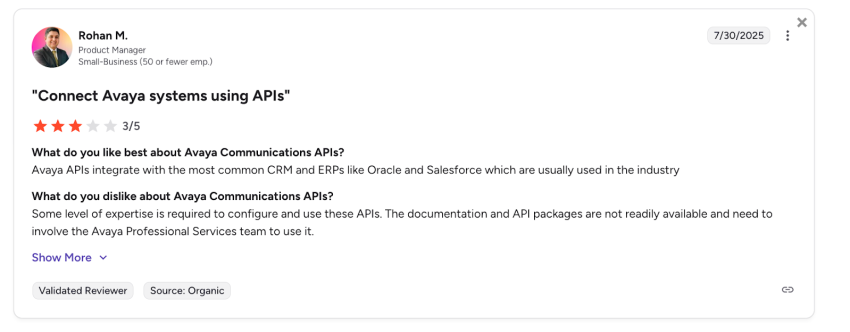
3) User experience and training drag
Avaya’s prominent criticism in customer reviews centers on the agent user interface. Frontline agents describe the platform as a multi-window, cumbersome environment. New employees require weeks of hands-on training to master the outdated modules and cloud overlays, creating operational drag that lowers first-contact resolution rates.
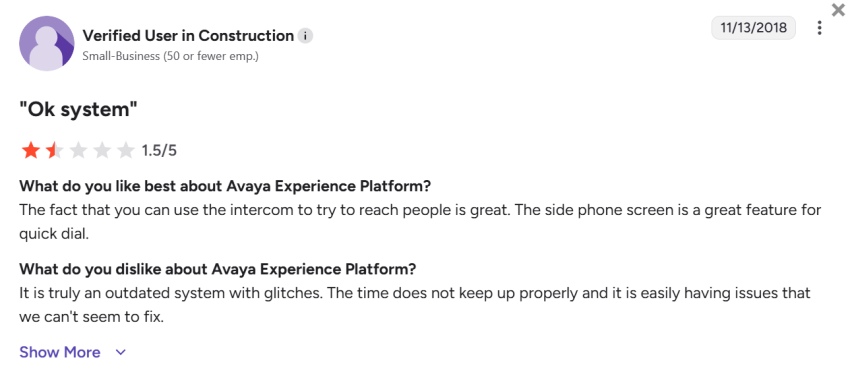
Note: Avaya’s strategic implementation of the G1500 model means the vendor is openly concentrating its engineering, support, and account management resources strictly on its top 1,500 global enterprise clients. Mid-market and smaller organizations report experiencing slower escalation paths and prolonged ticket resolutions as a result.
4) Customer support and service
Feedback on Avaya’s technical support team is polarized. While certain customers praise Avaya’s technician expertise, several reviews cite slow response times, unresolved tickets, and poor escalation paths.
One Reddit thread captures this frustration, with the user saying, “It’s totally infuriating that we have to do the crappy certification every two years to be able to open tickets and then we get this bad of support.” In the same thread, some end users report that service quality varies by region, creating challenges for global teams.
A 30% workforce reduction at Avaya’s India Global Capability Center has raised concerns about long-term support continuity for mid-market clients and also raises questions about employee experience.

Pricing, Contracts, and Cost Fit
Avaya remains one of the more expensive options in the market, with per-user costs ranging from $25 to $40+, not including the high cost of certified software engineers required to maintain it. The lack of agility in Avaya’s pricing structure is a big pain point, with AXP Public Cloud pricing operating on locked three-year terms with tiered licensing:
| Plan type | Monthly cost | Key inclusions |
|---|---|---|
| AXP Digital Plan | $35 | Digital channels only (web chat, email, social) |
| AXP Voice Plan | $60 | Voice functionality added to basic digital |
| AXP All Media Plan | $89 | Full omnichannel suite |
| AXP On-Premises Tiers | $119 – $169 | Self-hosted legacy/advanced AI bundles |
Reviews on Capterra and G2 cite frustrations with rising . Users feel these hikes are an attempt to offset the company’s financial restructuring rather than a reflection of new product value.
Avaya often requires a maze of add-on licenses for call recording, advanced reporting, and AI features.
Buyer alert: Avaya enforces a strict 200-seat monthly minimum commitment for AXP cloud subscriptions. If your contact center uses fewer than 200 agents, you’re structurally locked out of their primary public cloud platform, forcing mid-market teams to seek alternative providers.
Administration, Deployment, and Scalability
On-prem Avaya systems demand considerable IT bandwidth. They also require skilled network engineering, telephony staff, patching, hardware maintenance, and careful change management. Smaller or leaner teams often struggle under the burden.
Deploying AXP tends to be smoother, with features such as cloud provisioning, auto-updates, and elastic scaling. However, reviewers sometimes point out gaps in documentation and version parity between modules.
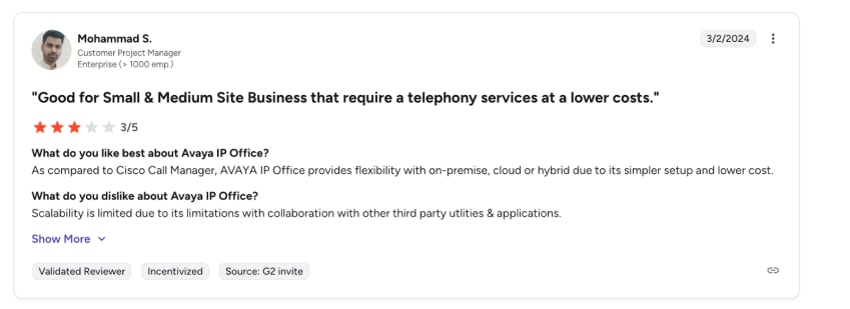
For very large enterprises, Avaya scales well when engineered properly, but mid-market organizations may find the platform overengineered. It may have too many layers, licensed tiers, and architectural overhead for their needs, especially when parts are continuously and quickly moving.
Hybrid deployments also add a challenging layer. IT teams must manage routing coherence, data sync, and telemetry across cloud and legacy systems, which is a significant operational tax that many buyers underestimate.
Security and Compliance
Avaya has long been trusted in regulated verticals (from banking to government), but this trust is built on an on-premise security model that places a heavy burden on internal IT teams. Its systems support robust voice and contact trace records, encryption, and voicemail management, but these often require skilled staff for configuration, patching, and change management to remain compliant.
While Avaya is advancing its cloud security frameworks, its hybrid model creates a complex challenge. Teams are left managing two separate security postures, whereas modern, cloud-native rivals provide unified, automated compliance and threat protection without the overhead.
Nextiva: The Unified, Cloud-Native Alternative
For businesses that need enterprise-grade communication tools without the custom engineering bills or seat-count restrictions, Nextiva provides a more modern, single-stack infrastructure. Instead of piecing together disparate legacy elements, Nextiva integrates Unified Communications (UCaaS), Contact Center (CCaaS), and customer context into one streamlined environment.
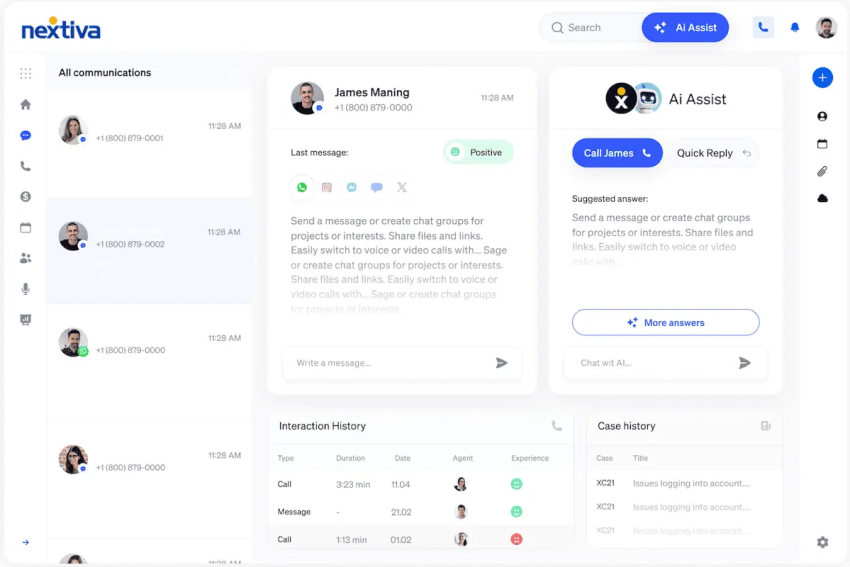
While older systems feel like a collection of add-on modules, Nextiva offers a streamlined user experience with the following features:
- Unified simplicity: Centrally manage voice, video, chat, and customer data, reducing the app fatigue that plagues modern work environments.
- Rapid time to value: Thanks to a modern, intuitive user interface, users regularly report shorter onboarding times and reduced training requirements compared to Avaya.
- Unparalleled reliability: With eight points of presence and a 99.999% uptime, your business stays connected without the instability that can occur during hybrid cloud migrations.
- Advanced AI capabilities: AI features like real-time transcription, action item detection, and sentiment analysis are ideal for businesses embracing automation to improve efficiency.
- Public pricing: Entry CCaaS prices are published directly on the site, simplifying the budgeting process for mid-market and enterprise teams.
- Flexible procurement: Nextiva offers per-user, concurrent, and usage-based pricing on a single page, giving your procurement team multiple paths to success from day one.
- All-in-one features: The platform includes native tools like PCI DSS secure payment assist and predictive outbound dialers, reducing the need for expensive third-party add-ons.
For teams tired of dealing with support tickets or the complexities of outdated infrastructure, Nextiva offers a simpler and more sustainable upgrade path. It delivers the high performance that once gave Avaya a competitive edge, reimagined for a cloud-based world and backed by award-winning, 24/7 support.
Nextiva vs. Avaya AXP Overview
| Area | Nextiva Platform | Avaya Experience Platform (AXP) |
|---|---|---|
| Architecture | 100% cloud-native single stack | Hybrid-first / legacy overlay |
| Minimum requirements | None (highly scalable from SMB to enterprise) | Strict 200-seat minimum |
| Deployment window | Days (guided, template-driven setup) | Weeks to months (requires certified engineers) |
| AI capabilities | Native, out-of-the-box summarization & bots | Open, multi-model orchestrator (high configuration) |
| Support model | 24/7 direct human support for all tiers | Tiered focus favoring the G1500 accounts |
Summarizing the Review: Pros and Cons of Avaya
Is Avaya right for you? Here’s a summary of its pros and cons:
Pros
- Stable on-premises hardware: Avaya’s legacy systems are time-tested and known for reliability in traditional voice environments.
- Strong compliance for regulated industries: Avaya has a deep footprint in banking and government, with strong auditing and recording features for its on-premises systems.
Cons
- Outdated user interface: Users consistently describe the UI as clunky, unintuitive, and visually dated, with a steep learning curve for new agents.
- High cost of ownership: Multiple Avaya reviews cite expensive licensing structures and escalating support contracts as pain points, especially for long-term renewals.
- Inconsistent support: User reports highlight slow response times and poor escalation management, leading to prolonged downtime.
- Cloud immaturity: Avaya Experience Platform remains behind cloud-native competitors, like Genesys Cloud CX and Nextiva, in AI, omnichannel orchestration, and ease of administration.
- Financial instability: Repeated layoffs and restructuring have raised legitimate concerns about Avaya’s long-term stability
Buyer Checklist and Evaluation Questions
Before renewing or signing an enterprise communications contract, your operational leadership team should answer these internal questions:
- What is our true seat scale? If you run a contact center with fewer than 200 agents, Avaya’s cloud minimums make AXP an expensive, ill-fitting compliance challenge.
- Do we have internal telephony engineers? Avaya’s open architecture demands constant maintenance, certificate updates, and manual patching. If your IT team is lean, a cloud-managed single stack like Nextiva will free up significant bandwidth.
- What is our tolerance for vendor roadmap risk? With Avaya focusing its development directly on the hyper-enterprise G1500 pool, mid-market buyers face a distinct risk of software stagnation and slower support queues.
The Final Verdict: Is Avaya Still Worth It?
Avaya remains highly capable for massive corporations that have millions of dollars anchored in physical servers and need to maintain deep, physical data sovereignty. However, it’s an infrastructure built to protect the past rather than accelerate the future.
Nextiva offers a modern way forward. Nextva offers high reliability, out-of-the-box AI utilities, and a completely unified interface across its tiered plans; it removes the legacy tax completely.
Ready to leave the legacy overhead behind? Explore Nextiva’s unified communication platform today.
Get the best business phone service for less.
A powerful phone service with voice, SMS, and video conferencing built in. Take calls on the business communication channels you prefer.