How Much Does Nextiva Cost? Compare Plans, Pricing & Features
Nextiva is a unified business communication system that brings voice, SMS, video, email, team messaging, and digital channels into one platform. Built around real business needs, We’ve packed it with smart tools and AI technologies so it fits everything from two-person shops to multi-department contact centers — and the pricing reflects that.
Nextiva’s approach to unified customer experience management sets it apart in the industry. But is this level of sophistication affordable? The answer might surprise you.
How Much Does Nextiva Cost?
Nextiva is a strategic investment that plugs into your business needs, helping you deliver exceptional customer experiences and drive sustainable growth.
For small businesses
For small businesses needing a reliable cloud phone system, the Core plan starts at $15 per user per month (billed annually) — with unified voice, video, SMS, and team messaging out of the box.
Growing teams step up to the Engage plan, starting at $25 per user per month (billed annually), for more SMS capacity, toll-free minutes, call recording, and live chat.
Businesses with advanced call center needs move to the Scale plan at $75 per user per month (billed annually), which adds AI transcription, AI call summaries, journey orchestration, and supervisor tools.
For large enterprises
For high-volume contact centers, Nextiva offers three Contact Center plans, starting at $75 per agent per month and scaling up to fully omnichannel deployments with workforce management and advanced AI.
Nextiva Pricing Plans at a Glance
For small businesses, there are three plans: Core, Engage, and Scale.
For large enterprises and contact centers, there are three plans: Essential, Professional, and Premium.
| Plan | Price (billed annually) | Best for | Key features |
|---|---|---|---|
| Core | $15/user/mo | Small businesses | Voice, unlimited calls & video meetings, 100 SMS/user/mo, team chat, voicemail transcription |
| Engage | $25/user/mo | Higher call volume businesses | 500 SMS/user/mo, up to 2,000 toll-free min, call & video recording, live chat & chatbot, online fax, MS Teams |
| Scale | $75/user/mo | Advanced routing needs and high call volume | Unlimited SMS, up to 10,000 toll-free min, smart call routing, AI transcription, AI call summaries, AI answer assist, supervisor tools, journey orchestration |
| Contact Center Essential | Starting at $75/agent/mo | High-volume contact centers | Voice & web chat, skills-based routing, omnichannel capabilities, AI transcription (usage-based) |
| Contact Center Professional | Contact Sales | Omnichannel contact centers | Adds email, SMS, advanced self-service bots, real-time supervisor support, secure payment (PCI-DSS), progressive & predictive dialing, more channels |
| Contact Center Premium | Contact Sales | Large contact centers | Adds unlimited channels, limitless intelligent routing, workforce management, quality management, advanced analytics, secure in-conversation payments |
Small Business: Phone Service Plan Details
All Nextiva Business Phone Service plans include voice, video meetings, SMS, team chat, 24/7 support, and access to security features such as SSO and Active Directory sync. Nextiva also offers 99.999% uptime, SOC 2 certified security, ISO 27001 certified security, and HIPAA-eligible infrastructure for regulated businesses.
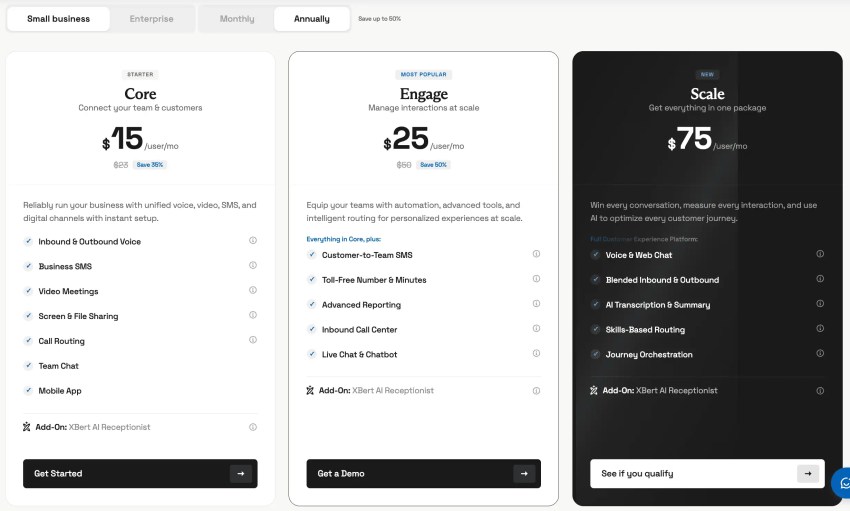
Core ($15/user/mo annual)
Designed for small teams to reliably run your business with unified voice, video, and text. Includes 100 SMS messages per user per month, screen and file sharing, call routing, team chat, and mobile app.
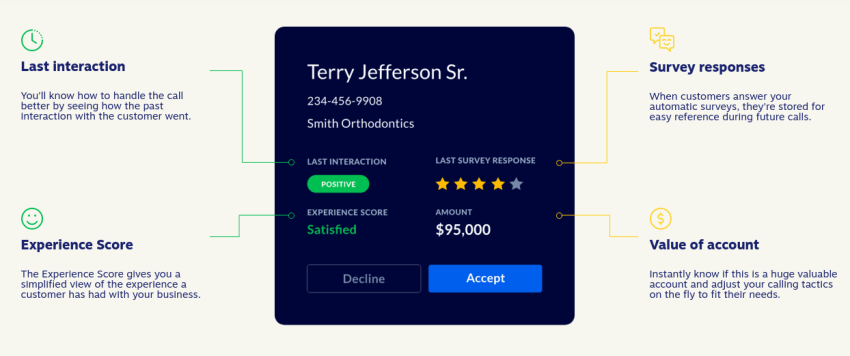
Add-ons include XBert AI Receptionist, live chat and chatbot, online fax, call recording, and CRM integrations.
Engage ($25/user/mo annual)
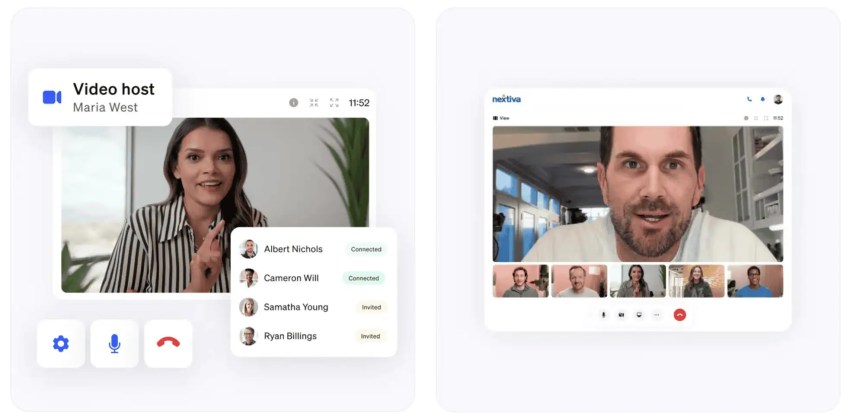
Equip growing teams handling higher call and message volumes with automation, advanced tools, and intelligent routing for personalized experiences at scale. Includes everything in Core plus 500 SMS messages per user per month, up to 2,000 toll-free minutes, call recording, live chat and chatbot, advanced reporting, online fax, Microsoft Teams Direct Routing, meeting recording, and full reporting dashboards.
Add-ons include XBert AI Receptionist, inbound call center/ACD, and CRM integrations.
Scale ($75/user/mo annual)
A full customer experience platform for businesses with real call center requirements. Includes everything in Engage plus unlimited SMS, up to 10,000 toll-free minutes, inbound call center/ACD, voice and web chat, skills-based routing, AI transcription, AI call summaries, AI answer assist, journey orchestration, and supervisor monitoring.
Add-ons include XBert AI Receptionist, and CRM integrations (Salesforce, HubSpot, etc.).
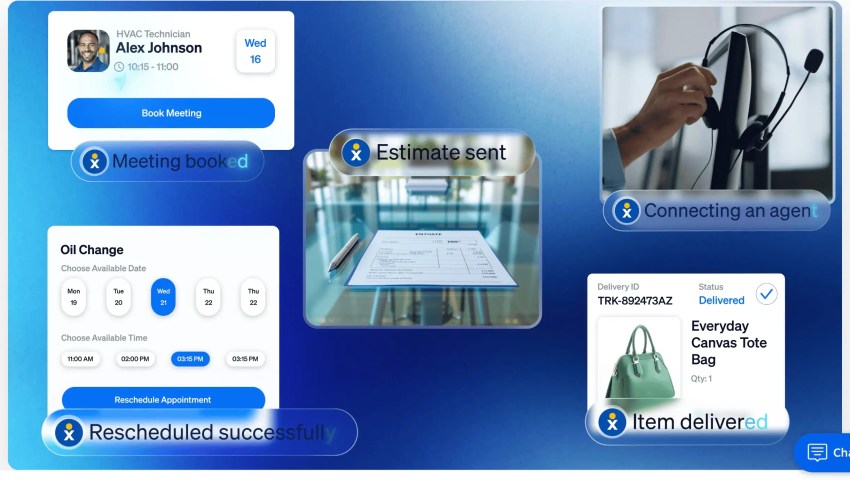
Enterprise: Contact Center Plan Details
All plans include 24/7 customer support, no credit card is required for a demo, and you can cancel anytime. Integrations (Microsoft Teams, Salesforce, HubSpot, etc.) are available across Nextiva’s Contact Center plans.
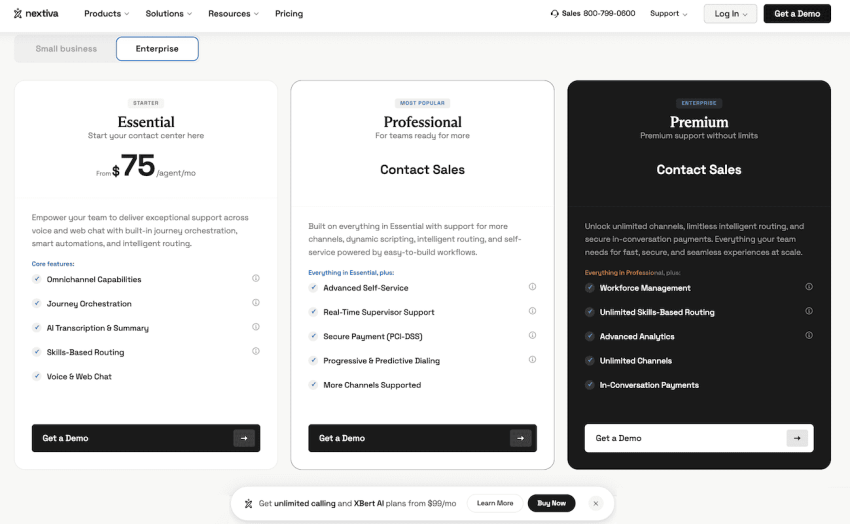
Contact Center Essential (from $75/agent/mo)
Start your contact center here. Empower your team to deliver exceptional support across voice and web chat with built-in journey orchestration, smart automations, and skills-based routing (up to 5 agents). Includes drag-and-drop workflow builder, AI transcription and summarization (usage-based), detailed customer history with post-call notes, and omnichannel capabilities.
Add-ons include XBert AI Receptionist.
Contact Center Professional (Contact Sales)
Everything in Essential plus email, SMS, and social channels. Includes smart call routing (up to 10 agents), real-time AI agent assist, advanced self-service GenAI bots, progressive, predictive, and Quarterback outbound dialers, PCI-DSS secure payment agent assist.
Add-ons include XBert AI Receptionist, WFM and QM.
Contact Center Premium (Contact Sales)
This plan gives you everything your team needs for fast, secure, and seamless experiences at scale with unlimited channels and social media engagement. Includes everything in Professional, plus workforce management and quality management, unlimited skills-based routing, advanced self-service bots, advanced analytics, in-conversation payments, advanced CX analytics with multiscreen recording.
Add-ons include XBert AI Receptionist.
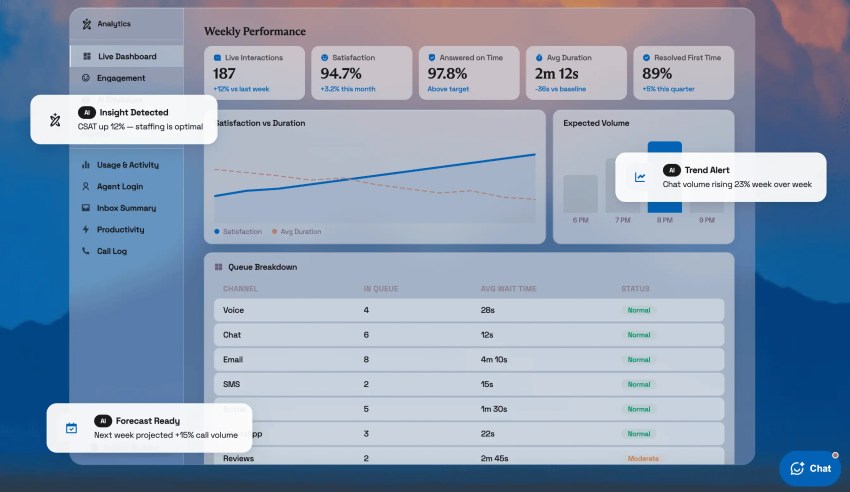
Top Nextiva Features
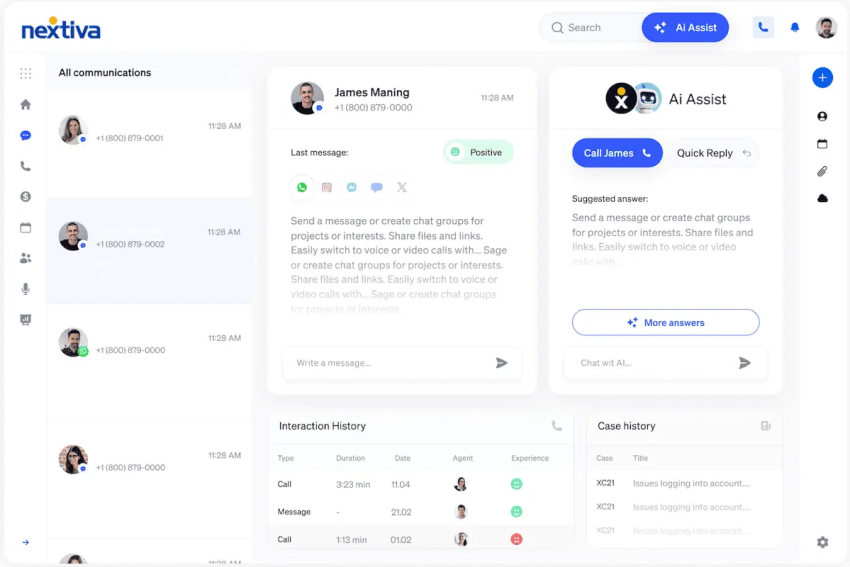
If you want to optimize business communications and improve customer interactions, Nextiva’s innovative yet user-friendly communications solutions cater to businesses of all sizes, combining advanced technology with practical functionality.
Features vary by plan, but available capabilities include:
Buyer’s Guide: Choosing the Right Plan
Selecting the right Nextiva plan depends on several factors, including your business size, industry, communication needs, and budget.
But here’s a quick checklist to help you figure out which plan is best for you.
1) Assess your business needs
Before even comparing plans, first get clear on what exactly you need to run your business smoothly. You should:
- Determine how many users need access now and in the future.
- Identify which channels matter most to your business, such as voice, SMS, chat, or email.
- Decide whether your team needs simple business calling or more advanced Nextiva capabilities.
- Check whether you need features like call queues, IVR, intelligent call routing, reporting, or AI-powered automation.
- Consider whether your business would benefit from workflow orchestration, omnichannel support, or contact center tools.
- Review the integrations you rely on, such as your CRM, help desk, calendar, or marketing platforms.
- Match the plan to your current needs, growth plans, and budget.
2) Compare plans
Next, take a close look at Nextiva’s plans to compare what is included side by side. Each plan is built to scale with your team as your communication needs evolve.
Small business options:
- Core: Best for small businesses that need reliable VoIP calling and essential business communication features.
- Engage: Best for growing teams that want a more unified customer experience across multiple channels.
- Scale: Best for businesses that need advanced collaboration, automation, and deeper business communication tools.
Enterprise contact center options:
- Essential: Best for high-volume support teams that need core contact center capabilities at a starting enterprise level.
- Professional: Best for businesses that need more advanced routing, reporting, and omnichannel support.
- Premium: Best for large contact centers that need the most advanced automation, AI, and workforce management features.
Each plan offers a different mix of features and pricing, so the best choice depends on your team size, channel needs, and budget.
3) Evaluate the total cost of ownership
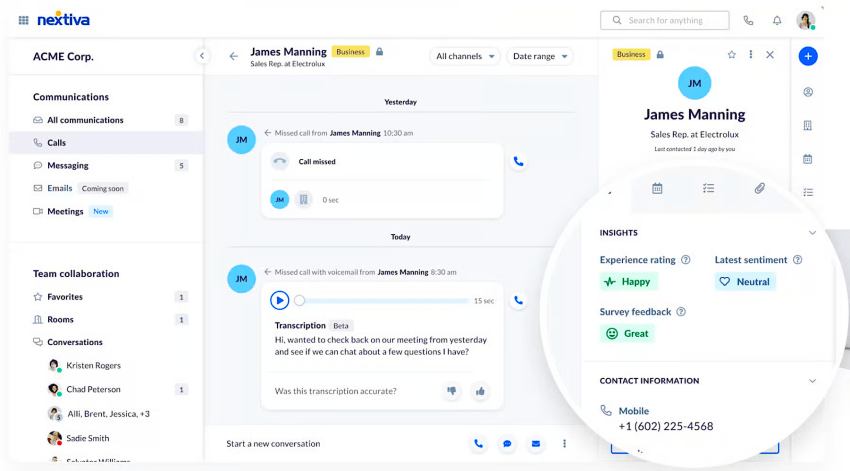
Nextiva’s Unified CXM platform can reduce software sprawl by bringing voice, video, SMS, team messaging, live chat, social media management, online reviews, and helpdesk capabilities into one platform. For many businesses, that means fewer separate subscriptions or tools, less context-switching for employees, and a more complete view of the customer journey.
When comparing plans, consider:
- Which existing tools Nextiva could replace in one fell swoop, such as live chat, helpdesk, team messaging, or video conferencing software
- Whether key features are included in the plan or require an upgrade or add-on
- How much time agents and employees could save by managing customer conversations in one place
- Whether built-in automation, AI chatbots, dynamic scripts, or suggested responses could reduce manual work
- How included features like video meetings, team messaging, and customer interaction history may lower your overall operating costs
The right plan is not always the cheapest one. It’s the plan that gives your team the features they’ll actually use without forcing you to pay for unnecessary tools or maintain duplicate systems.
4) Consult with a Nextiva specialist
A Nextiva specialist can help you compare plans, identify must-have capabilities, and avoid paying for tools your team won’t use.
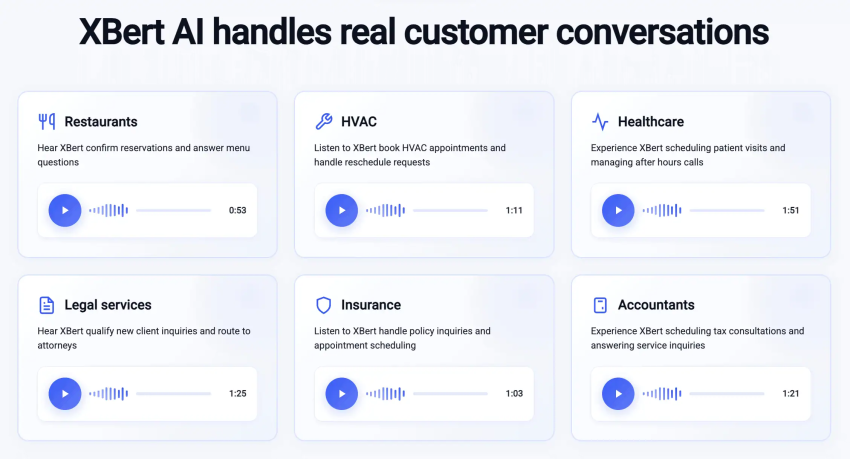
When you request a custom quote, a product expert will learn about your company, walk you through relevant platform features, and answer questions from your team. You can also schedule a personalized demo to see how Nextiva works in practice, from call management and messaging to customer experience tools and integrations, and even the XBert AI Receptionist.
This gives you an even more precise idea of what Nextiva will actually cost for your business, what’s included in your plan of choice, and where you may be able to save by consolidating communication and customer management tools.
5) Learn from customer reviews
Don’t just take our word for it. Read customer reviews – 29,000+ verified reviews across Trustpilot, G2, Capterra, Gartner Peer Insights, and many more – and customer case studies from businesses like yours to gain valuable insights into their Nextiva experience.
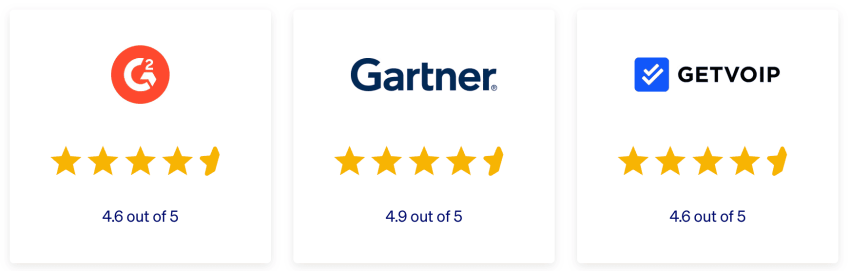
We encourage you to visit several review sites, but in the meantime, here are the top recurring review themes from Nextiva’s customers:
- Customer support is the strongest recurring theme: Across GetVoIP, G2, and Gartner, customers repeatedly mention responsive, knowledgeable, patient support. This comes up in small business and enterprise reviews, as well as onboarding, implementation comments, and account management comments.
- Customers like that Nextiva is easy to use and manage: Many reviews mention a user-friendly interface, intuitive admin portal, simple provisioning, easy user setup, and straightforward call-flow management. This is especially relevant for SMBs and lean teams that don’t want to rely on IT for every phone-system change.
- Nextiva helps businesses consolidate communication tools: Another repeated point is that it’s easy for businesses to bring calling, texting, call center tools, video, messaging, and remote-office phone systems into one platform instead of juggling several vendors..
- Reliability and call quality are major positives: Many positive reviews mention improved call quality, reliable phone service, stable connectivity, and uptime.
- Customers see value in scalability and flexibility: Customers often describe Nextiva as adaptable for different business sizes, industries, locations, and growth stages.
The main drawbacks mentioned are occasional issues with the mobile app, dropped calls, or audio glitches, though these appear less frequently than positive comments about support, reliability, and overall value.
Nextiva is also known for:
- Amazing Service — This is practically unheard of in the business software industry. Anytime you or your team members need a second opinion or guidance, our award-winning support team has your back.
- Service Delivery — Nextiva welcomes new accounts through comprehensive onboarding and training to ensure the unified customer experience software has a lasting impact on the business. Their Service Delivery Team makes that possible.
- Superior Reliability — Continuous uptime matters so your team stays productive; this theme is seen throughout Nextiva’s reviews. Nextiva offers more than the typical uptime of 99.999% across its geographically independent cloud network.
Why Nextiva Delivers Strong Value
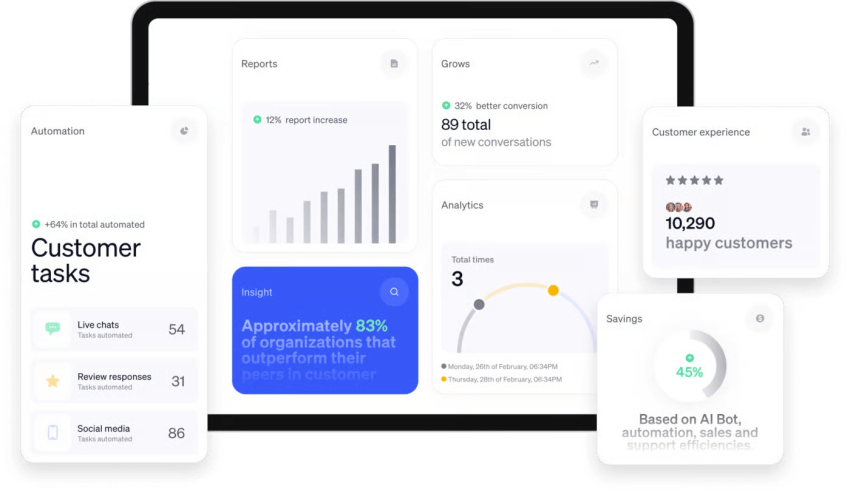
Are you making the most of every channel where customers reach you? When conversations are scattered across disconnected tools, customers can fall through the cracks, agents lose time switching between apps, and sales teams miss opportunities.
A unified customer experience management platform brings those interactions together, helping customer-facing teams work faster, respond smarter, and deliver more consistent service.
Here’s what sets Nextiva apart:
- One platform for customer communications: Manage voice, live chat, messaging apps, SMS, email, social media, reviews, and video in one place for a clearer view of the customer journey.
- Practical AI capabilities: Transcribe and summarize calls, analyze customer sentiment, surface insights, and help teams respond more effectively.
- Plans built to scale: Choose a package that fits your business today, with room to grow as your team, customer base, or support needs expand.
- Easy-to-use experience: An intuitive interface helps teams spend less time navigating software and more time serving customers.
- Transparent pricing: Clear plan options make it easier to understand what’s included and what you’re paying for.
Simply put, Nextiva delivers excellent value for businesses. Separately, these functions–calling, messaging, video, reviews, social media, support workflows–would cost several times more than one of Nextiva’s communication and CX plans.
Start calling for just $15/user/month.
Every plan includes business phone and team messaging. Add AI when you’re ready. We can help you pick the plan that fits how your team works.
Nextiva Pricing FAQs
Nextiva costs start at $15/user/month (billed annually) on the Core plan. Engage is $25/user/month and Scale is $75/user/month. Month-to-month pricing runs approximately 35-50% higher.
Nextiva offers three Business Phone Service plans — Core ($15/user/mo), Engage ($25/user/mo), and Scale ($75/user/mo) — plus Contact Center plans (Essential, Professional, Premium) starting at $75 per agent per month.
Advertised prices are based on annual billing with a 12-month contract. Month-to-month plans are available at approximately 35-50% more per user.
Nextiva does not charge set-up fees. Onboarding and implementation support is included with all plans through Nextiva’s Service Delivery team.
Advertised prices exclude taxes and regulatory fees, which vary by location and are billed separately.
Core covers voice, video, team messaging, and 100 SMS/user/mo. Engage adds call recording, live chat, online fax, and up to 2,000 toll-free minutes. Scale adds unlimited SMS, up to 10,000 toll-free minutes, AI transcription, AI call summaries, AI answer assist, inbound call center/ACD, and journey orchestration.
Yes. Nextiva supports number porting (DID portability) on all plans, so you can transfer your current business phone numbers when you switch.
Annual pricing requires a 12-month contract. Month-to-month plans are available without a long-term commitment at higher per-user rates.
Yes. Nextiva pricing is tiered by team size and volume discounts apply for larger deployments. Contact Nextiva sales for a custom quote based on your headcount.
A 10-user team on Core pays approximately $150/month (annual). Engage would be $250/month, Scale would be $750/month for the same team. For exact pricing based on your size and needs, request a personalized quote at nextiva.com/demo.
AI transcription is included on Scale and available as an add-on on Core and Engage. AI call summaries and AI answer assist are included on Scale only. XBert AI receptionist is a standalone add-on starting at $99/month on any plan.
Nextiva does not offer a free trial. A free personalized demo is available — you can request one at nextiva.com/demo to see the platform before purchasing.
Toll-free minutes are included on Engage (up to 2,000 min/mo) and Scale (up to 10,000 min/mo); they are an add-on on Core. International calling is not included on any base plan and requires a separate add-on bundle.
All plans include SSO/Active Directory. Microsoft Teams Direct Routing is included on Engage and Scale, and an add-on on Core. CRM integrations (Salesforce, HubSpot, etc.) are an add-on on all plans including Scale — not bundled into any base price.