The Best GoTo Connect Alternatives & Competitors in 2026
Business phone systems have evolved far beyond basic VoIP. Today, companies need customer experience platforms that combine reliable calling with AI-powered features, analytics, integrations, communication tools that help teams work smarter and serve customers better.
GoTo Connect remains a solid option for business calling, meetings, and messaging, especially for smaller teams. But as communication needs become more complex, some businesses may find it too limited for long-term growth.
If your team is outgrowing this platform or looking for a more modern, AI-powered communications one, here are the best GoTo Connect alternatives to consider in 2026.
Top GoTo Connect Alternatives at a Glance
| Provider | Best for | Key feature | Monthly price |
|---|---|---|---|
| Nextiva | Unified customer experience management | Native UCaaS + CCaaS + CRM | $15/user |
| Quo (formerly OpenPhone) | Agile startups | Modern UI + Sona AI Agent | $15/user |
| RingCentral | Enterprise communications | 330+ App Integrations | $20/user |
| Dialpad | Real-time coaching | Native AI Transcription & CSRs | $15/user |
| Aircall | CRM-centric teams | 100+ One-click Integrations | $30/user |
| CloudTalk | Global outbound calling | Smart Dialers in 160+ Countries | $19/user |
| 8×8 | Regulated industries | Unlimited Global Calling (14+ countries) | Custom quote |
GoTo Connect Strengths
Before diving into the GoTo Connect alternatives on our list, it’s worth acknowledging where the platform performs well. For many small and mid-sized businesses, GoTo Connect offers a good mix of calling, meetings, messaging, and admin tools in one cloud-based communications platform.
Built-in phone, meetings, and messaging
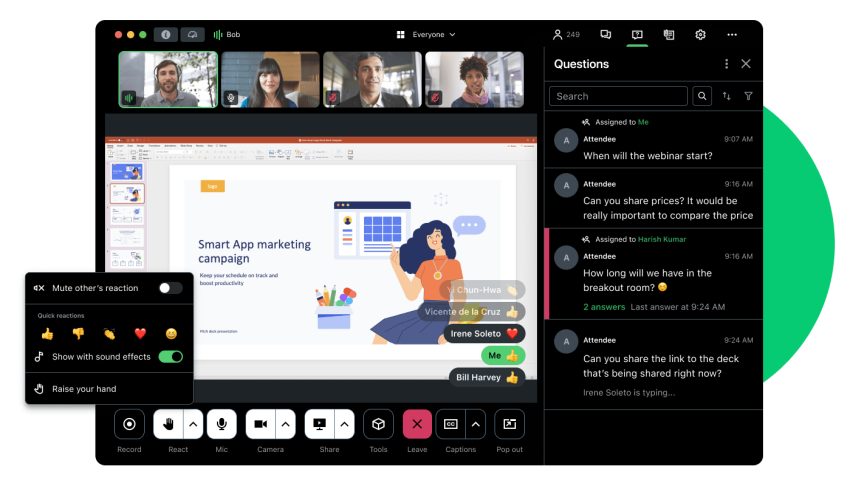
GoTo Connect combines business phone service, video meetings, team messaging, and SMS in one platform. This makes it a convenient option for teams that want to manage day-to-day communication without juggling separate tools for voice, video, and collaboration.
Flexible call routing
The platform gives businesses several ways to manage inbound calls, including auto attendants, ring groups, call queues, and custom dial plans. These tools help teams route customers to the right person or department more efficiently.
Useful admin tools for SMBs
This vendor also includes admin features that help small and mid-sized businesses manage users, phone numbers, devices, call flows, and permissions. For lean IT teams, having centralized controls can make setup and ongoing management easier.
Why Businesses Are Migrating From GoTo Connect
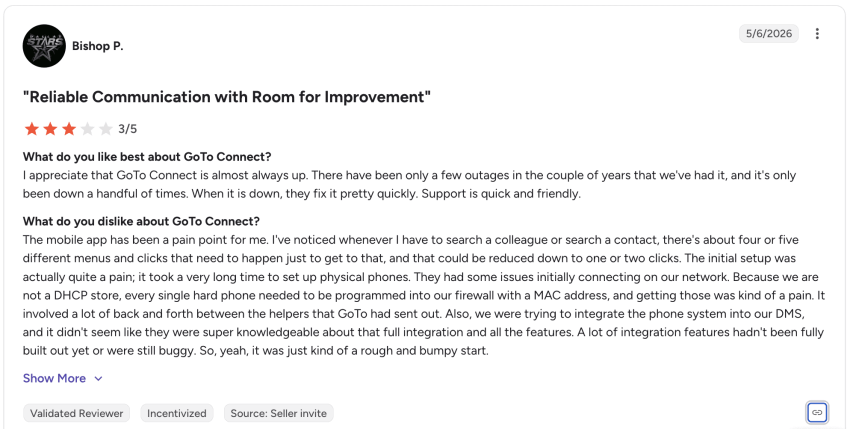
GoTo Connect’s technology is reaching its limits. According to recent feedback from G2 and TrustRadius, the following key weaknesses are driving the search for alternatives:
Mobile app instability
Users report dropped calls when switching between Wi-Fi and 5G, along with delayed push notifications for SMS and missed calls. The mobile app interface feels sluggish and difficult to navigate.
Limited customization
The Dial Plan Editor is visually appealing but lacks the granular flexibility for complex, conditional routing required by larger teams.
Thin integration ecosystem
GoTo’s app gallery remains limited compared to rivals. Businesses now need deep, native sync with a wider variety of CRMs and helpdesks.
Rigid UI
The interface for both admins and end-users is notoriously difficult to personalize, making it hard to adapt the dashboard to specific workflows.
Texting constraints
SMS is restricted to the U.S. and Canada, with significant limitations on toll-free numbers that hinder global outreach.
Basic AI & analytics
Post-call summaries and real-time sentiment tracking feel bolted-on and lack the accuracy of AI-native competitors.
No shared inbox
Collaborative messaging is locked behind higher-tier CX plans, forcing smaller teams into clunky communication workarounds.
How We Evaluated These Alternatives
To build this list, we compared leading VoIP, UCaaS, and business communications platforms that companies commonly consider when replacing GoTo Connect. Each provider was evaluated based on the factors that matter most when choosing a cloud phone system:
- Calling and UCaaS features: Core phone, SMS, video meetings, team messaging, voicemail, call recording, routing, and mobile app functionality.
- Ease of use and administration: Setup process, admin controls, user management, call flow configuration, and how easily teams can make changes without heavy IT support.
- Reliability and call quality: Uptime, voice quality, mobile performance, and consistency across desk phones, desktop apps, and remote and hybrid teams.
- AI and automation capabilities: Features like call summaries, voicemail transcription, sentiment analysis, conversation intelligence, virtual agents, and agent assist.
- Integrations and workflow fit: Connections with CRMs, help desks, calendars, productivity tools, and customer support platforms.
- Scalability and contact center options: Ability to support larger teams, multiple locations, advanced call queues, analytics, and contact center needs as businesses grow.
- Pricing transparency and value: Published pricing, included features, add-ons, contract requirements, and overall value for small and mid-sized businesses.
- Customer support: Availability of live support, onboarding resources, self-service help, and customer feedback on response times and issue resolution.
Each provider was selected based on how well it fits different business needs, from small teams that need a simple phone system to growing companies that want stronger AI, analytics, integrations, and customer experience tools.
7 Best GoTo Connect Alternatives in 2026
Now that you’ve seen the top options at a glance, let’s take a closer look at each GoTo Connect alternative, including key features, pricing, pros and cons, and where each provider fits best.
1. Nextiva: Best alternative for unified communications

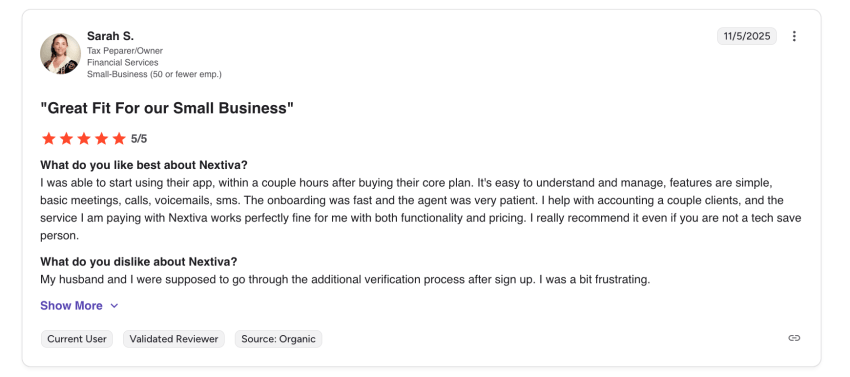
Nextiva is the leading choice for businesses outgrowing GoTo Connect because it merges UCaaS, CCaaS, and CRM into a unified ecosystem. Nextiva’s focus on unified customer experience management (unified-CXM) is great for teams that want enterprise-grade functionality without the headache of managing multiple siloed apps.
You get native CRM support and several AI-driven features, unlike GoTo. The level of integration is deeper, making it easier for teams to log calls and automatically screen contacts. You also get real-time voice intelligence with transcription and AI summaries to surface the key talking points, so you’re quickly up to speed while getting the established context.
Key Nextiva features:
- NextivaONE app: Unlike GoTo’s fragmented experience, Nextiva threads voice, SMS, email, and team chat into a single continuous timeline. No matter how a customer reaches out, the context is always preserved.
- Unlimited calling & messaging: Every plan includes unlimited calling across the U.S., Canada, and Puerto Rico, plus unlimited business SMS/MMS, so you don’t have to worry about per-minute surcharges.
- Advanced call management: Call management features like find me/follow me routing, call pulling (instantly move a call from your desk phone to your mobile app), and barge-in capabilities support real-time manager coaching.
- Visual workflow builder: A drag-and-drop IVR and routing designer that surpasses GoTo’s rigid editor, allowing for complex, skill-based, or time-of-day flows.
- Native digital fax: Unlike many competitors that charge extra for virtual faxing, Nextiva includes unlimited online fax on most professional tiers.
- Agentic AI (XBert): Nextiva’s standout 2026 feature is XBert, an autonomous AI receptionist. It handles appointment scheduling, lead qualification, and CRM data entry 24/7.
Why choose Nextiva over GoTo Connect?
The main reason to switch is contextual continuity. While GoTo Connect is great as a standalone phone system, Nextiva offers the following key benefits:
- Higher integration depth: G2 data shows Nextiva’s integrations (Salesforce, HubSpot, Microsoft) score higher than GoTo Connect.
- Better reliability & support: Nextiva strives for a 99.999% uptime and offers 24/7 support on all its plans.
- Task automation functionality: With AI capabilities like XBert, the system actively performs administrative tasks that would otherwise take up hours of your team’s time.
Pros & cons
- Pros: Amazing Service support; highly reliable carrier-grade network; all-in-one productivity suite.
- Cons: The feature-rich nature of the platform can be a slight learning curve for very small teams; advanced AI features require moving into higher-tier plans.
Pricing
- Core: $15/user/month — Reliable inbound and outbound voice, unlimited calls and video, SMS, call routing, team chat.
- Engage: $25/user/month — Adds intelligent routing, advanced reporting, inbound call center, live chat & chatbot.
- Scale: $75/user/month — The full customer experience platform adds AI transcription & summary to optimize every customer journey, voice & web chat, skills-based touting, journey orchestration.
2. Quo (Formerly OpenPhone): Best alternative for small teams
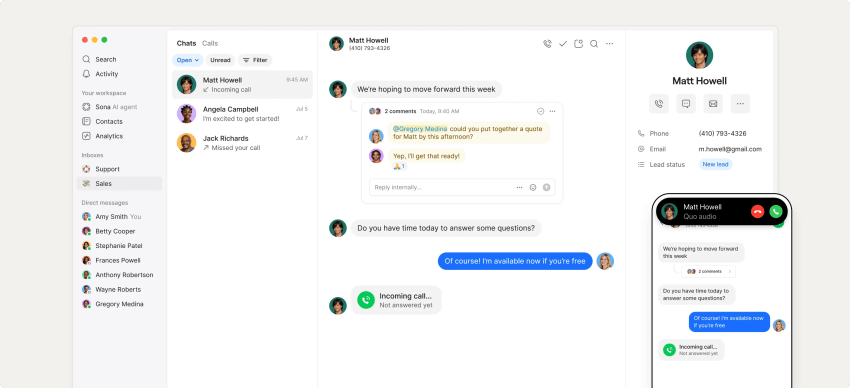
At the end of 2025, OpenPhone officially rebranded as Quo, transforming from a secondary line app to an AI-powered front-office system. Quo is another good alternative to GoTo Connect’s outdated user interface and offers a modern, Slack-like user experience for startups and digitally savvy SMEs.
Key Quo features:
- Sona AI Agent: A 24/7 AI voice agent. Sona can answer FAQs, take detailed messages, and transfer calls based on customer intent.
- Shared numbers & collaboration: Leave internal threads on call logs or text messages to collaborate before responding to a customer.
- Advanced call flows: Includes multi-level IVR menus and temporary routing for holidays or special events.
Why choose Quo over GoTo Connect?
Businesses choose Quo when they value agility and speed over legacy hardware support. Unlike GoTo’s opaque enterprise quotes, Quo offers flat-rate pricing with no annual contract requirements for most plans.
Pros & cons
- Pros: Intuitive interface; good for team collaboration; swift setup.
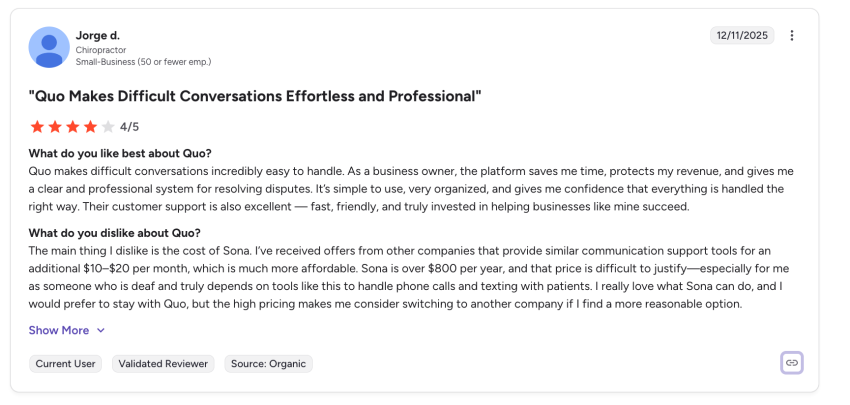
- Cons: No support for physical desk phones (app-only); limited advanced contact center reporting for large teams, expensive pricing for Sona AI.
Pricing
- Starter: $15/user/month — Includes Sona AI agent, unlimited domestic calling/SMS, and one number per user.
- Business: $23/user/month — Adds CRM integrations (HubSpot/Salesforce), automated call recording, and analytics.
- Scale: $35/user/month — Unlocks custom contracts, dedicated support, and advanced audit logs.
3. RingCentral: Best alternative for large businesses
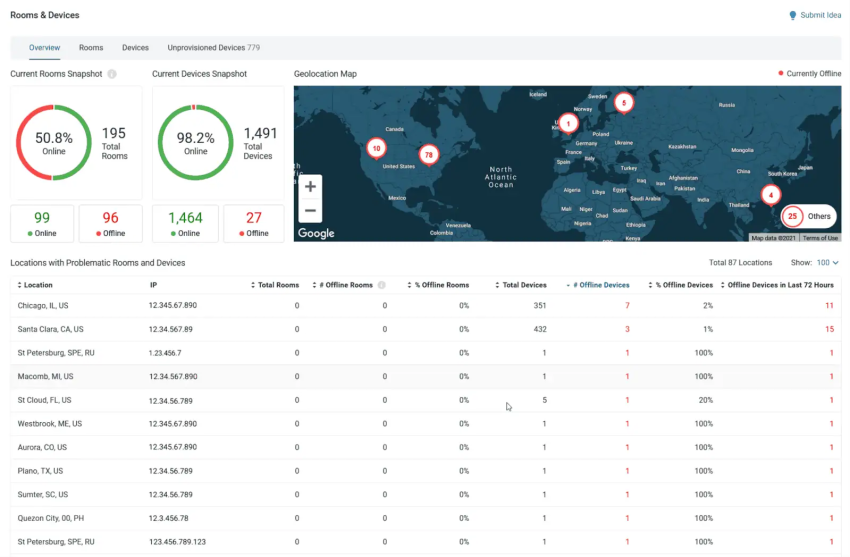
RingCentral is a mature, enterprise-ready UCaaS that bundles voice, SMS, video, team chat, and contact center features into one suite. Its tight Microsoft Teams integration is a big draw for organizations in the Office 365 ecosystem.
Key RingCentral features:
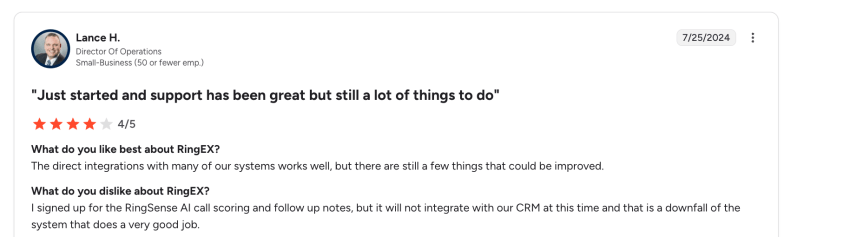
- RingSense AI for Sales: Provides deep conversation intelligence, including coaching scores and automated post-call action items.
- Omnichannel contact center: Supports 30+ digital channels (social, WhatsApp, email) in a unified interface.
- Global PSTN Reach: Full carrier-grade phone service in over 45 countries with 99.999% uptime.
Why choose RingCentral over GoTo Connect?
RingCentral offers a large integration marketplace and more granular routing logic, ideal for larger or multi-location teams that have outgrown GoTo’s basic reporting.
Pros & cons
- Pros: Robust app ecosystem; advanced global carrier coverage; highly secure.
- Cons: Pricing is higher than GoTo; AI features like RingSense can be expensive add-ons and not as intuitive ($60/user).
Pricing
- Core: $20/user/month — Unlimited calling, 25 SMS/user, and basic IVR.
- Advanced: $25/user/month — Adds Salesforce/HubSpot integrations and 100 SMS/user.
- Ultra: $35/user/month — Unlimited storage, 200 SMS/user, and advanced analytics.
4. Dialpad: Best alternative for AI-focused businesses
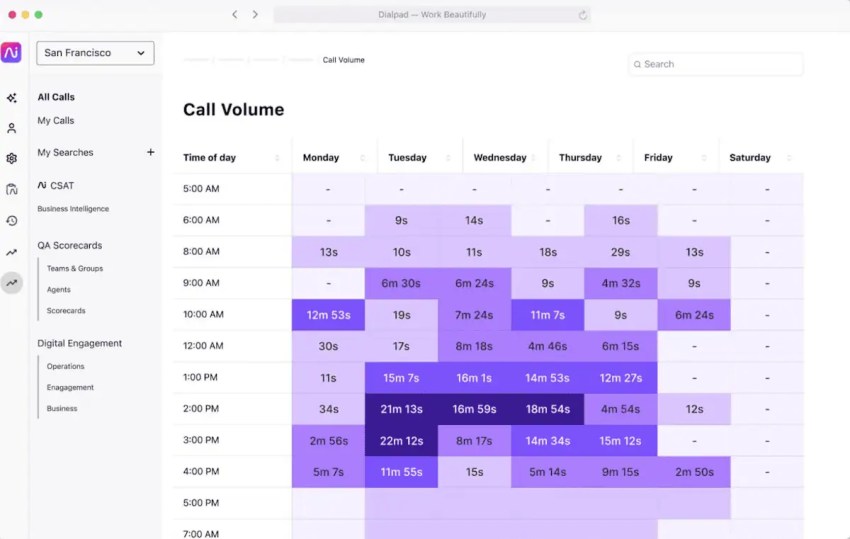
Dialpad is an AI-centric VoIP platform. It focuses on real-time intelligence and coaching and offers voice intelligence as its standout feature. You get live call transcription, sentiment analysis, and AI-generated call summaries during each conversation. The platform supplies on-screen coaching tips with post-call transcripts automatically.
Key Dialpad features:
- Real-Time Assist (RTA) Cards: Pop-up cards with conversation points appear on the agent’s screen as soon as a customer mentions a competitor or a specific product issue.
- AI CSAT: Automatically predicts customer satisfaction by analyzing sentiment and tone of voice.
- UCaaS features: Unifies multiple communication channels (voice, video, meetings) without needing third-party tools.
Why choose Dialpad over GoTo Connect?
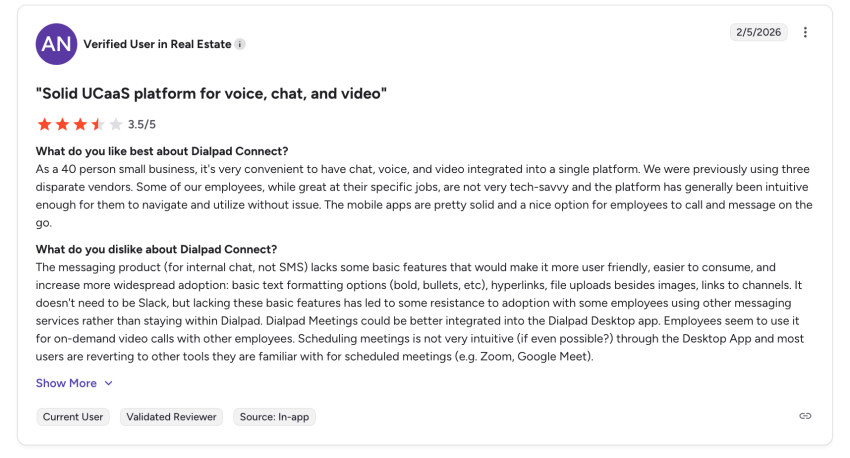
Dialpad is a decent business phone system for forward-thinking teams that value employee performance. While GoTo’s transcription can be delayed or rudimentary, Dialpad offers real-time transcription and live coaching tips to help new employees get up to speed faster.
Pros & cons
- Pros: Real-time AI tools; clean, mobile-first UI; easy self-service administration.
- Cons: SMS support is limited to select countries; advanced features like call park require the Pro tier.
Pricing
- Standard: $15/user/month — AI summaries and unlimited domestic calling/SMS.
- Pro: $25/user/month — Adds CRM integrations, global office support, and 24/7 phone support.
- Enterprise: Custom Quote — For unlimited offices, adds SSO and user access controls.
5. Aircall: Best alternative for call center teams
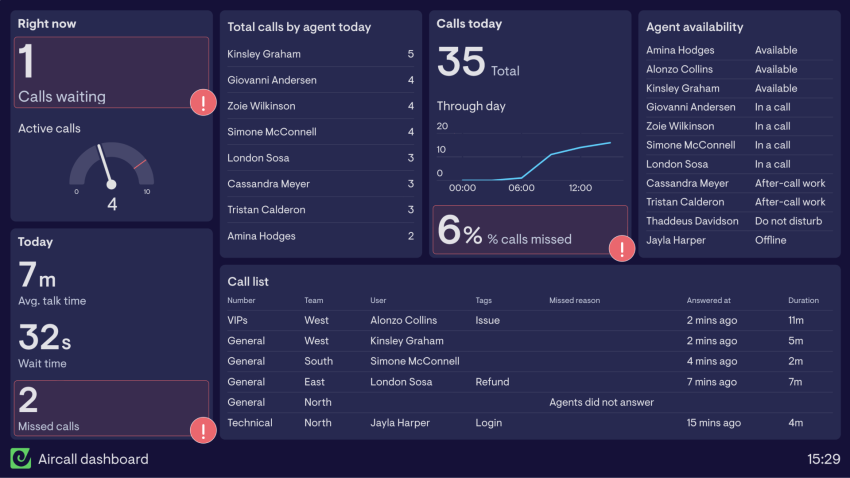
Aircall was developed for high-volume sales and support teams who want to fully integrate their phone system into their existing IT infrastructure. It remains the leading plug-and-play solution for mid-sized businesses in 2026.
Key Aircall features:
- One-click integrations: Natively syncs with 100+ tools like HubSpot, Salesforce, and Zendesk.
- Aircall AI Assist: Provides post-call summaries, sentiment analysis, and call scoring without complex configuration.
- Power dialer: Higher plans include a sales dialer to maximize outbound efficiency.
- Shared inbox: A collaborative dashboard for teams to manage calls, voicemails, and SMS as a unit.
Why choose Aircall over GoTo Connect?
Businesses choose Aircall when they find GoTo’s CRM sync limited. Aircall’s CRM interface saves employees from manual data entry and effortlessly captures customer contacts.
Pros & cons
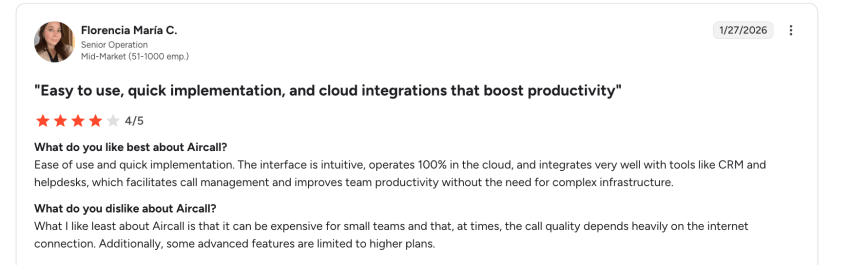
- Pros: Easy setup; robust CRM integrations; clean, focused UI.
- Cons: Requires a 3-user minimum; significantly more expensive for small teams ($30/user starting).
Pricing
- Essentials: $30/user/month — Unlimited domestic calls and 100+ integrations.
- Professional: $50/user/month — Adds Salesforce CTI, Power Dialer, and live monitoring.
6. CloudTalk: Best alternative for small call centers

CloudTalk is a cloud call center platform popular for its global reach. It offers local or toll-free numbers in 160+ countries, making it ideal for businesses with international operations.
Key CloudTalk features:
- Smart & predictive dialers: Optimized for high-velocity outbound campaigns.
- International presence: Easily purchase local, mobile, or toll-free numbers globally.
- AI analytics: Real-time speech analytics and post-call insights to identify customer trends.
- Workflow automation: Automates repetitive tasks like follow-up SMS triggers or CRM field updates.
Why choose CloudTalk over GoTo Connect?
If your business relies on international telephony and volume sales, CloudTalk outperforms GoTo. Its specialized dialers and vast global number database help your sales teams a great deal.
Pros & cons
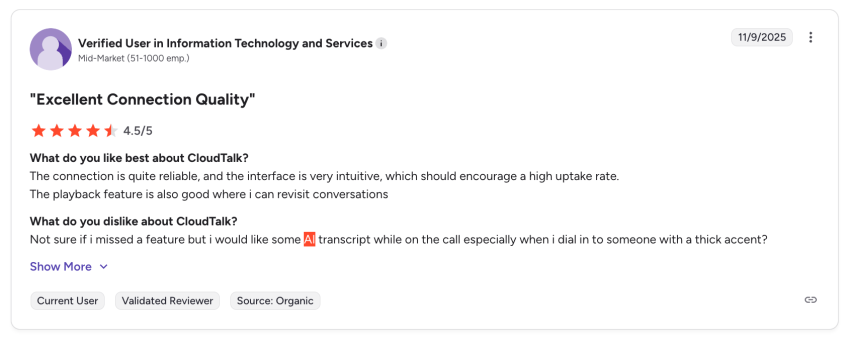
- Pros: Good international number selection; powerful outbound tools; deep helpdesk integrations.
- Cons: Limited native video features; AI insights require higher-tier plans.
Pricing
- Lite: $19/user/month — Basic calling and mobile apps.
- Essential: $39/user/month — Adds smart routing and advanced integrations.
- Expert: $69/user/month — Unlocks the full Power Dialer and wallboards.
7. 8×8: Best alternative for global calling
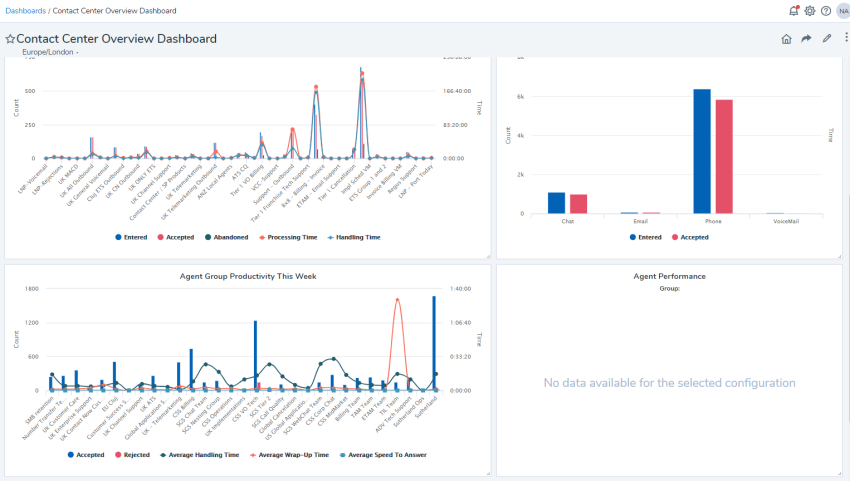
8×8 is a long-established UCaaS and call center software provider. It’s popular for robust analytics, global reach, and enterprise-grade security. It’s good for large enterprises and regulated industries (finance, healthcare) that require robust analytics and compliance features.
Key 8×8 features:
- Unlimited global calling: Unmetered calling to 48 countries on higher-tier plans.
- Integrated WFM: Workforce Management (scheduling and forecasting) is built into the contact center suite.
- High-capacity video: Supports meetings with up to 500 participants.
- Omnichannel routing: Unified dashboard for voice, social media, chat, and email.
Why choose 8×8 over GoTo Connect?
8×8 is ideal for consolidating your global communications into a single, secure bill. Its high compliance standards (PCI DSS, HIPAA) and unlimited international calls offer a level of security and cost transparency that GoTo’s standard plans rarely match.
Pros & cons
- Pros: Global unmetered calling; strong compliance pedigree; consolidated UC/CC.
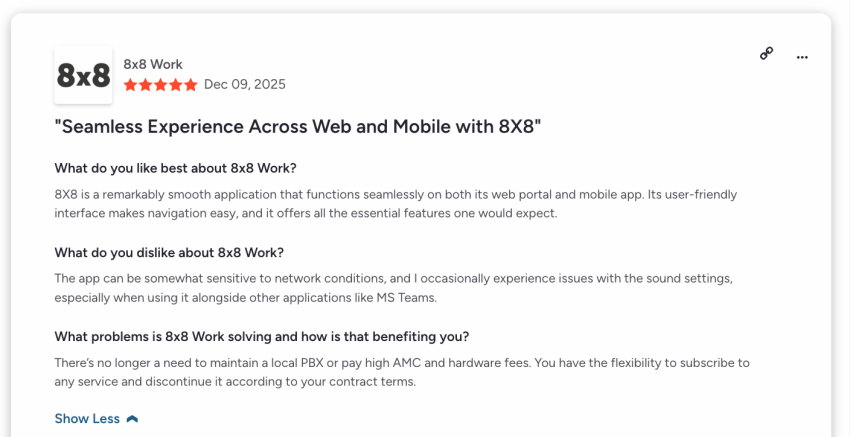
- Cons: Mobile app can be buggy; pricing is opaque and requires a custom quote.
Pricing
- X2: $24/user/month — Unlimited calling to 14 countries.
- X4: $44/user/month — Unlimited calling to 48 countries and supervisor analytics.
How to Choose the Right GoTo Connect Competitor
The best GoTo Connect alternative depends on your team size, communication needs, and whether you’re looking for a simple phone system, a full UCaaS platform, or more advanced customer experience tools.
Match the provider to your needs
Here’s a quick suggestion of the best alternative based on what you need.
| If you need… | Choose… |
|---|---|
| The best overall GoTo Connect alternative with UCaaS, CX tools, strong support, and room to grow | Nextiva |
| A lightweight business phone system for startups and small teams | Quo |
| A more enterprise-ready communications platform with broad features | RingCentral |
| AI-powered calling, transcription, and conversation intelligence | Dialpad |
| A call center-focused platform for sales and support teams | Aircall |
| Voice-first call center tools with strong CRM integrations | CloudTalk |
| Global calling and international communications support | 8×8 |
What to compare during demos
As you compare providers, focus on the features that will affect daily use, long-term scalability, and total cost.
Prioritize ease of use
Look for a platform that’s easy for both employees and administrators to manage. During demos, ask how simple it is to configure auto attendants, call forwarding, ring groups, users, devices, and permissions without relying heavily on IT support.
Compare call quality and reliability
A business phone system needs to work consistently across desk phones, desktop apps, mobile devices, and remote teams. Review each provider’s uptime commitments, data center redundancy, voice call quality, and mobile app performance before switching.
Review integrations and workflow fit
The right platform should connect with the tools your team already uses, such as CRMs, help desks, calendars, productivity apps, and customer support software. Strong integrations help reduce manual work and keep customer conversations connected across channels.
Evaluate AI and automation features
AI is becoming a key differentiator among GoTo Connect competitors. Compare features like voicemail transcription, call summaries, conversation intelligence, sentiment analysis, virtual agents, and AI-powered routing to see which tools can actually improve team productivity.
Check scalability and contact center options
Choose a provider that can support your next stage of growth. If your team may need advanced call queues, analytics, workforce management, or contact center features later, make sure the platform can scale without requiring a full migration.
Review pricing and add-ons
Look beyond the advertised monthly price. Some providers charge extra for features like toll-free numbers, call recording, advanced analytics, AI tools, integrations, or premium support. Choose a provider with transparent pricing and the core features you need included in the right plan.
Nextiva Is Your Best Business Phone System Choice
Nextiva delivers more in areas where GoTo Connect falls short. It supports you with more integrations and a modern API ecosystem. Your sales and support teams get value from robust reports and AI-driven insights out of the box.
Many businesses that outgrow GoTo Connect ultimately choose Nextiva for its scalable contact center features. Nextiva’s user-friendly apps on desktop, mobile, and web are consistently praised for ease of setup and use, reducing training time on various review platforms. On G2, you’ll find that Nextiva has a 4.5-star rating across 3,571 reviews.
Unified communications from Nextiva means you’ll get a customer experience and team collaboration, business voice, video, chat, and analytics in one platform.
Switch to the internet phone service made for businesses
Nextiva includes premium-grade business phone features (phone, text, and chat) in one.
GoTo Connect FAQs
For teams under 20 users, Nextiva and Quo (OpenPhone) are the top choices. Nextiva offers the best value by bundling unlimited calling, fax, and 24/7 support. Quo is ideal for startups that prefer a mobile-first, Slack-style interface without the need for physical desk phones.
Yes. All major VoIP providers support number porting. The process typically takes 1–2 weeks.Pro Tip: Do not cancel your GoTo Connect service until the port is 100% complete to avoid any downtime.
Historically, GoTo Connect has required a sales contact for detailed pricing, which can be frustrating for quick comparisons. Alternatives like Nextiva publish their pricing tiers publicly, making it easier to budget upfront.
Depends on your goal. Nextiva leads in agentic AI with its XBert receptionist, which performs actual administrative tasks such as scheduling and CRM data entry. Dialpad is another good option for real-time coaching and live sentiment analysis.
Common 2026 reviews highlight issues with push notifications (missed calls when the app was in the background) and audio drops when switching between Wi-Fi and cellular data. Providers with carrier-grade networks, like Nextiva, offer higher mobile stability.
The GoTo Connect plans page does not list pricing, so you’ll have to contact sales for a custom quote. According to its most recently published prices, entry-level plans started at around $27 per user, per month, with potential pricing higher depending on contract terms, features, add-ons, etc.