What is AI copywriting? How it works and when to use it
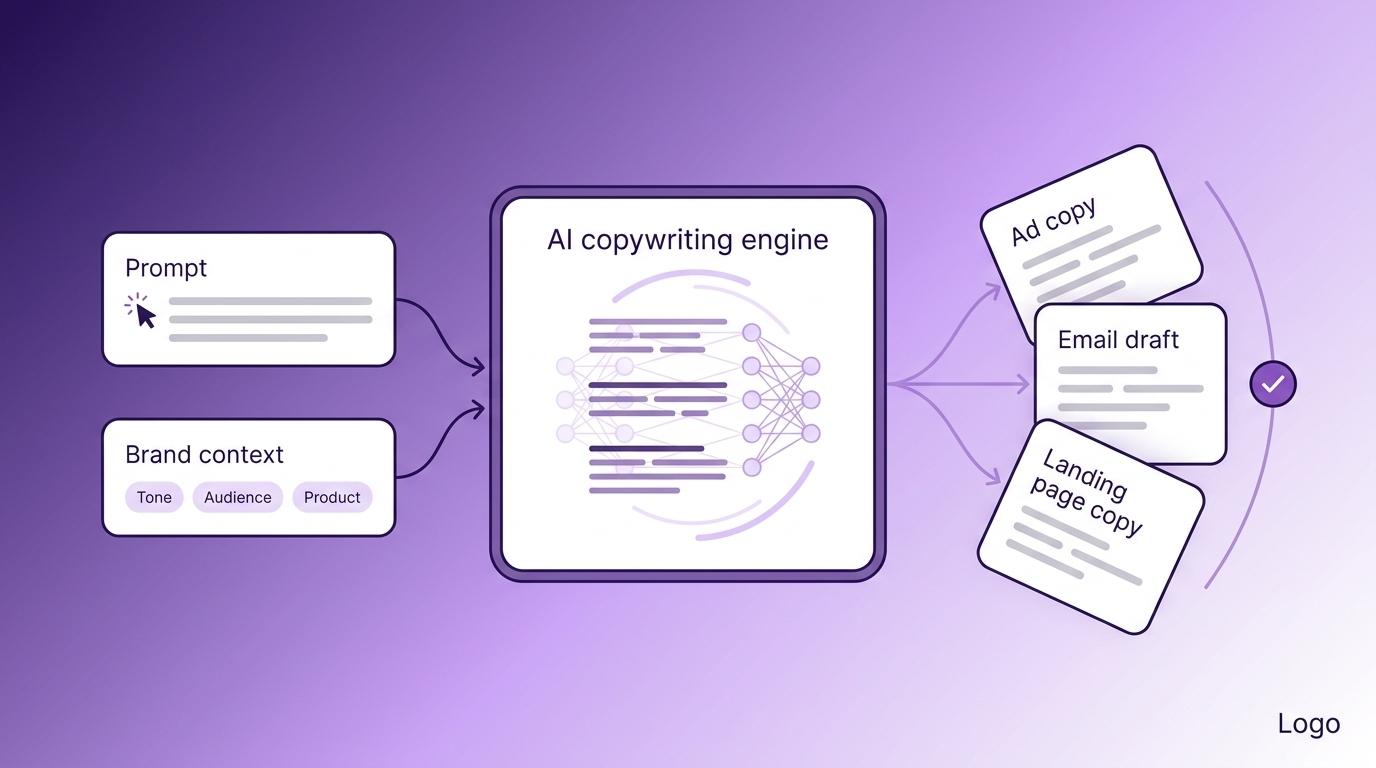
AI copywriting is using AI writing tools to draft short, persuasive marketing copy for ads, emails, landing pages, product descriptions, and social posts. You give the tool a set of instructions, it generates a first draft, and then you edit that draft for accuracy, brand voice, and strategy before publishing.
It’s a faster way to get from blank page to working draft, not a replacement for a human copywriter. AI handles the repetitive parts of writing marketing copy: producing variations, adapting messages for different channels, and generating first versions at speed. The strategy, voice, and final judgment still come from you.
AI copywriting differs from AI content writing, which focuses on longer, educational pieces such as blog posts and tutorials. The two use similar tools but serve different purposes, and choosing the right one depends on whether you’re trying to get someone to act or help them learn.
Knowing what AI copywriting can do, where it falls short, and how to get usable output from it is what separates teams that save time from teams that just produce more generic copy.
What is AI copywriting?
AI copywriting uses large language models (LLMs) to write marketing copy. LLMs are the technology behind tools like ChatGPT, Claude, and Gemini. You write an instruction (called a prompt) that describes what you need, and the model generates a draft that tries to match the topic, tone, and format you asked for.
The AI was trained on huge amounts of text and uses those patterns to write sentences that sound natural. But sounding natural isn’t the same as being accurate, and the model does not know your specific product, customers, or brand.
General-purpose models can produce copy, but dedicated AI copywriting tools make the process easier to repeat. Tools like Jasper, Copy.ai, and Writesonic add ready-made templates for common formats (landing pages, ad headlines, email sequences), tone settings you can save, and workflow features that speed up the whole process.
How is AI copywriting different from AI content writing?
|
AI copywriting |
AI content writing |
|
|
Goal |
Get the reader to act |
Help the reader learn |
|
Length |
Short: headlines, CTAs, ads, emails |
Long: blog posts, guides, tutorials |
|
How you measure it |
Clicks, conversions, replies |
Traffic, time on page, search rankings |
|
Typical output |
Landing page, ad set, email sequence |
1,500-word blog post, how-to guide |
|
What to edit for |
Hook, offer clarity, sharpness |
Accuracy, depth, structure |
The tool you pick should match the type of writing you need. If you’re writing blog posts, tutorials, or long guides, AI content generators like Surfer AI, Frase, and Koala are built for that.
If you’re writing ads, emails, CTAs, and landing page copy, AI copywriting tools like Jasper and Copy.ai are a better fit.
What is AI copywriting used for?
Marketers use AI copywriting for most short-form writing tasks, from website headlines to cold emails.
Website copy. Homepages, about pages, and hero sections. AI can generate multiple versions of the same page, helping you keep messaging consistent across your site.
For WordPress users, the Hostinger WordPress AI Assistant generates website copy right inside the editor. It’s available on Web Business and Cloud hosting plans.
Landing pages. A landing page is a standalone page designed around a single goal, such as getting someone to sign up or buy. It needs a headline, subhead, body text, and a call to action that all work together. AI can draft a full page in minutes, so you can spend more time refining the offer and less time writing the first version.
Product descriptions. Stores with hundreds of products can generate descriptions in batches while maintaining a consistent tone across the catalog. You give the AI the product details and your brand voice, and it writes the repetitive parts.
Emails. Subject lines, welcome sequences, and win-back campaigns. Email copywriting is one of AI’s strongest use cases because even small wording changes in a subject line or call to action can noticeably improve open and click rates.
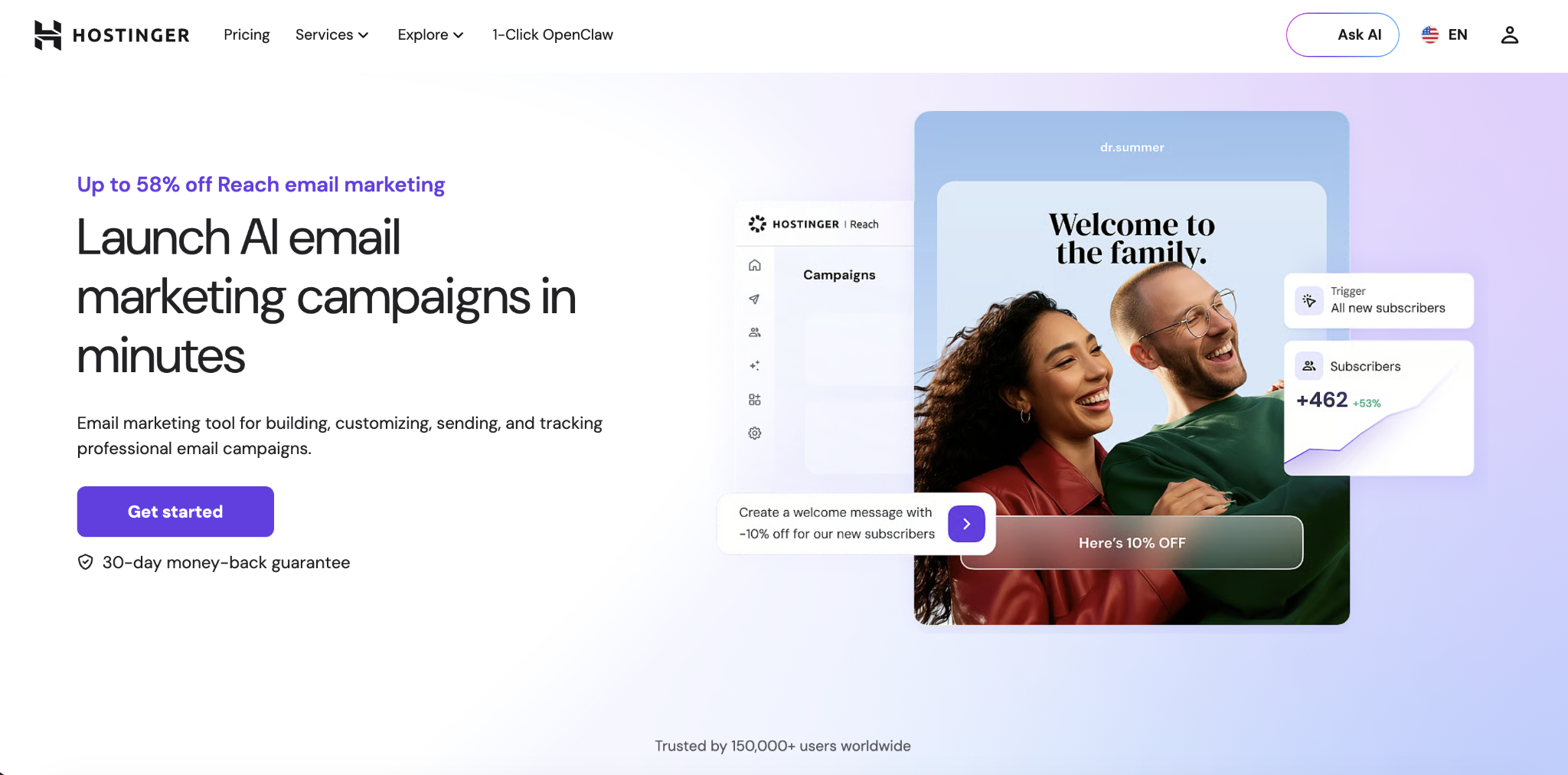
Hostinger Reach handles this end-to-end: it generates subject lines and email drafts, segments your audience (splits them into groups based on behavior or interests), and helps optimize when emails get sent.
Social posts. Each platform has its own style: LinkedIn is more professional, TikTok is casual and short, and Instagram leans visual. You write the core message once, and the AI adapts it for each platform by adjusting the tone and length to fit each platform.
Ad copy. Running ads on Google or Meta means working within strict character limits for headlines and descriptions. AI can draft copy that fits those limits while testing different angles for the same offer.
Calls to action (CTAs). A specific CTA like “Get my free trial” tends to get more clicks than a generic “Submit” because it tells the reader what happens next. AI generates dozens of CTA variants so you can find the wording that performs best.
Meta titles and descriptions. These are the title and summary that show up in Google search results. Writing them one by one is tedious. AI handles batches across blog posts, product pages, and category pages quickly.
Sales outreach. Cold emails, LinkedIn messages, and follow-up sequences. You give the AI details about the recipient, like their name, role, company, and a reason for reaching out, and it drafts more tailored messages you can review and personalize before sending.
Start with a repetitive, high-volume task, such as product descriptions, ad copy, or email drafts. These are usually where AI saves the most time, and where the results are easiest to measure.
What are the benefits of AI copywriting?
AI copywriting saves time, gets more content out the door, makes first drafts cheaper, and gives you more options to test.
- Time savings. Marketers using AI for common tasks save an average of one to two hours per workday, according to HubSpot’s AI Trends report. At the upper end, that adds up to nearly a full workday each week, you can spend on strategy, reviewing drafts, and planning campaigns instead of writing first versions from scratch.
- More output without more people. Teams using AI publish roughly 42% more content per month, according to Ahrefs. For small teams running campaigns across email, social, and ads, that kind of increase is hard to get any other way.
- Cheaper first drafts. McKinsey research shows companies are reporting positive returns from AI, especially when they apply it to focused workflows. The first draft is where AI saves the most money compared to writing by hand, because it turns hours of blank-page time into minutes of editing.
- More options to test. AI can produce several headlines, CTA, or ad variations in minutes, making regular A/B testing (where you show two versions to different visitors and compare results) practical even for small teams.
Platforms like Hostinger AI tools reduce back-and-forth by bringing copy, website, SEO, and email tools into one place.
How to write better copy with AI
Most AI copy falls flat for the same reasons: the prompt was too vague, the audience wasn’t defined, only one draft was used, nobody edited it, and nobody measured whether it worked.
1. Describe the product and brand
AI knows nothing about your business unless you spell it out. The more detail you provide, the more usable the draft becomes.
Before you ask for any copy, give the AI enough background to write something useful:
- What the product is, in one sentence
- Two or three outcomes your customers actually care about
- What makes you different from competitors
- Your brand’s personality and tone: warm and friendly, sharp and technical, playful and casual
- Any style rules: sentence length, words to avoid, formatting preferences
Three to five sentences of context in the prompt usually make the difference between a draft you rewrite from scratch and one you just clean up.
2. Define the reader and the goal
Copy that works for a CEO won’t land with a college student. Every prompt needs two things: who the reader is, and the one action you want them to take.
Along with the product and brand details, your prompt should also spell out:
- Who your ideal customer is – their role, where they are in the buying process, and what’s frustrating them
- How much they already know – are they just learning about the problem, or do they already know your product?
- The single action you want – click, buy, reply, sign up
If you can’t describe the reader and the goal in one sentence, the AI won’t be able to either.
For example, “Write a homepage headline” gives the AI almost nothing to work with.
But “Write a homepage headline for an online bookkeeping tool aimed at freelancers who hate doing their own taxes. Tone: friendly and straightforward. Emphasize saving time, not saving money.” gives it enough to produce something close to usable on the first try.
3. Generate multiple versions
The first draft is rarely the best one. Running the same prompt again produces different results, so it’s worth generating several versions before picking one to edit.
Start with a prompt that includes your product details, brand voice, audience, and goal. Then, ask for variations from different angles. For example:
- Benefit-led version – “Save 10 hours a week on bookkeeping”
- Problem-led version – “Tired of spreadsheets eating your weekends?”
- Curiosity-led version – “What if your invoices sent themselves?”
- Direct version – “Automated bookkeeping for freelancers. Try it for free.”
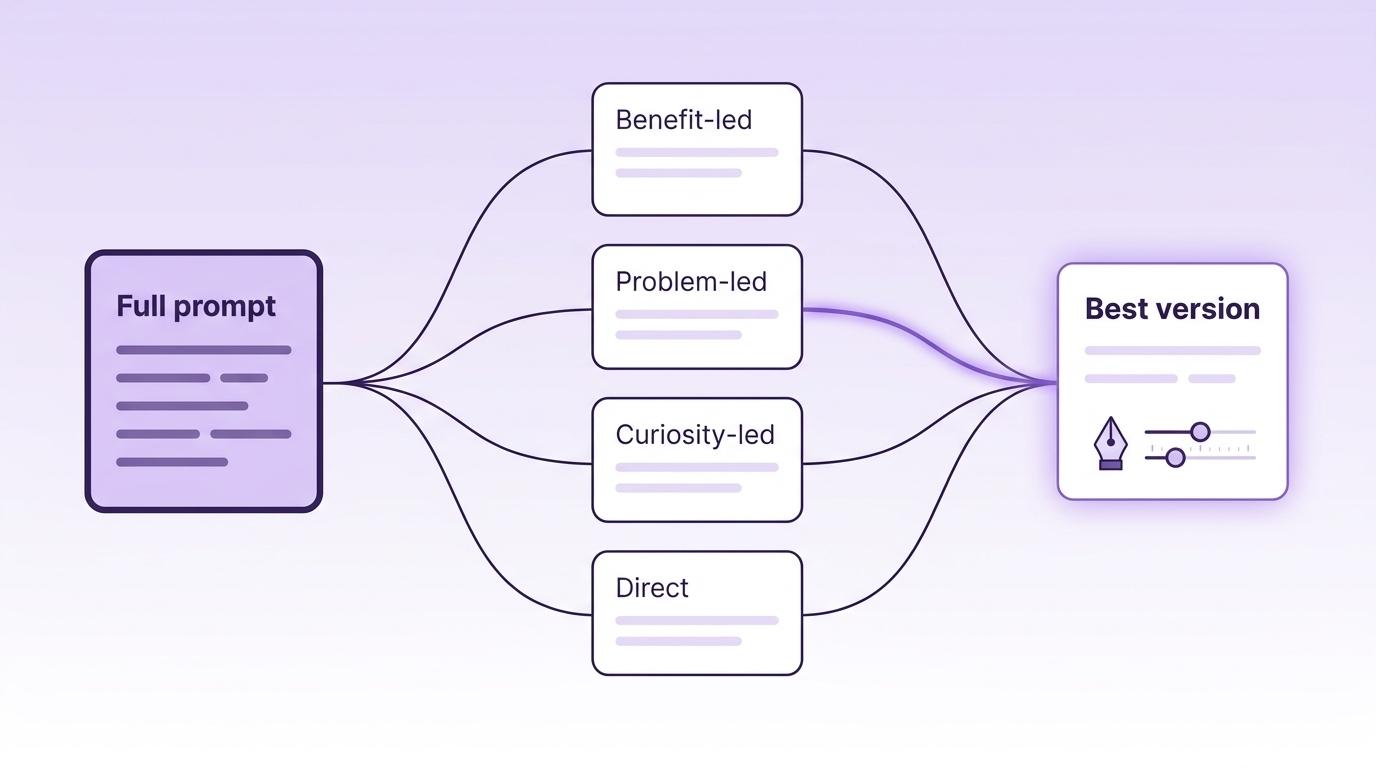
Take the strongest versions and regenerate them with small tweaks: shorter, sharper, more concrete.
4. Edit every draft
No AI draft should go live without a human pass. The main risks to check for are factual errors, generic language, voice drift, and compliance issues.
Before you publish or send anything, run through these checks:
- Facts. Verify every claim, number, and quote against a real source.
- AI-sounding language. Cut phrases like “unlock,” “seamless,” “in today’s fast-paced world,” and anything that sounds like it could come from any brand.
- Brand voice. Run the draft against your style guide: tone, sentence length, words you wouldn’t use.
- Specifics. Swap vague benefit language (“save time,” “boost results”) for concrete outcomes, numbers, and examples.
- Compliance. For health, finance, or legal copy, verify every claim against your regulatory rules before publishing.
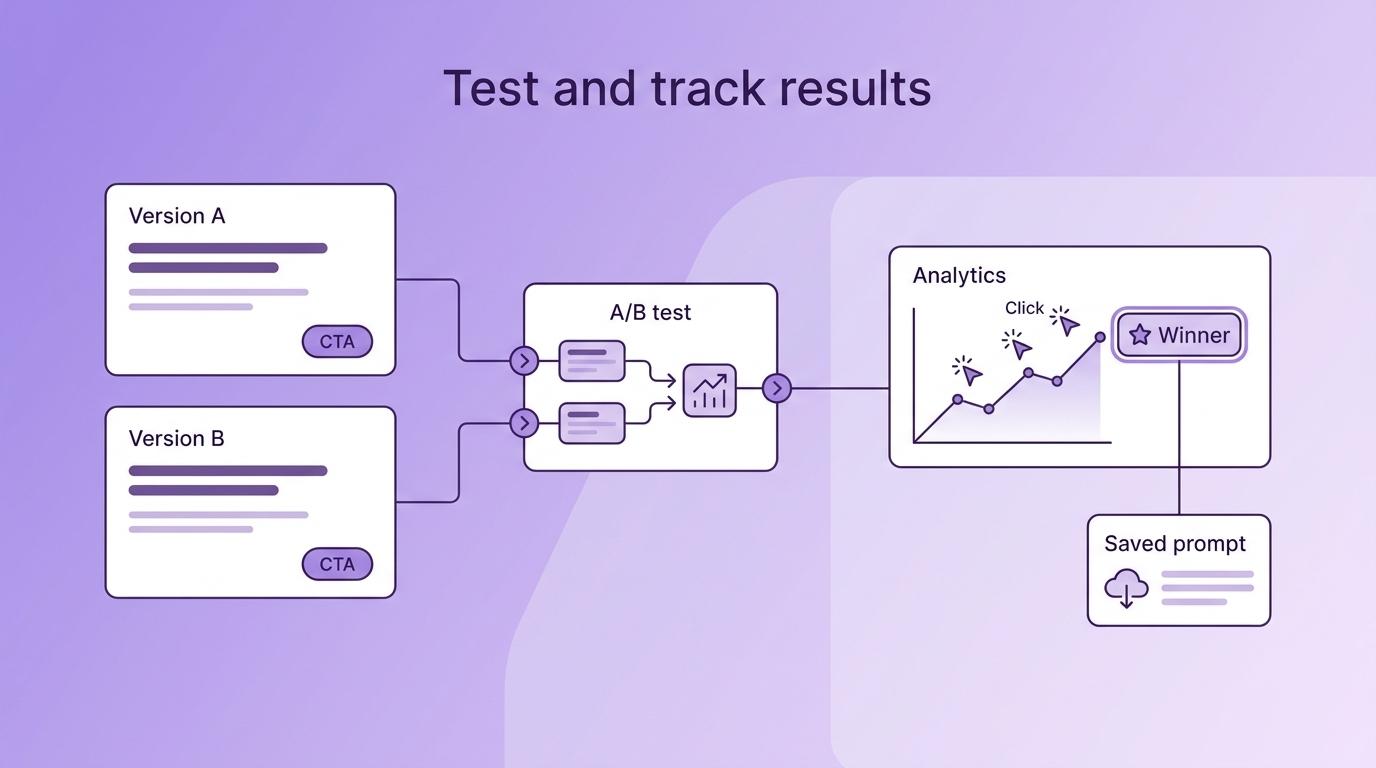
5. Test and track results
AI copy gets noticeably better when you look at what’s working and use that to write better prompts next time.
Only about 19% of teams currently track AI-specific metrics, according to Averi. That means most teams have no way of knowing whether their AI copy is performing better or worse than what they’d write themselves.
Even something simple like comparing the click rate on an AI-drafted subject line vs. one you wrote by hand gives you data you can use to improve the next prompt.
Run A/B tests on your strongest headlines and CTAs. Track which version gets more clicks, replies, or sales. Then save the prompt behind the winner as a template, so next time you’re starting from your best result instead of a blank page.
What are the limitations of AI copywriting?
AI can speed up drafting, but it doesn’t understand your business or check its own work. These are the main risks to manage before anything goes live.
- Generic output. Without editing, AI copy tends to sound safe and forgettable. It writes like an average of everything it’s ever read, which means it sounds like everyone and no one at the same time. Cutting cliches, replacing vague claims with specifics, and adding details that only your brand would know is what turns generic output into something worth reading.
- Made-up facts. Models sometimes invent statistics, misquote sources, or state things that aren’t true with complete confidence. Inaccuracy remains one of the biggest concerns for businesses with AI-generated content, so every claim needs a source check before publication.
- Brand voice drift. Even tools with voice settings start to sound off over long sessions or when different teammates use them, because each new prompt slightly shifts the model’s output away from the original voice. The tenth email in a sequence won’t match the first unless someone reviews it. A shared style guide that everyone feeds the tool, plus a quick voice check on every draft, keeps things consistent.
- Reader trust. According to a Bynder study, 52% of consumers engage less with content they believe is AI-generated. Copy can also feel misleading when it presents opinions, experiences, or customer insight as if a person wrote them. Avoid asking AI to imitate personal experiences it doesn’t have, and replace generic AI language with real details about your product and your customers.
[Important] In regulated industries like health, finance, and legal, AI-generated claims that skip compliance review can create real liability. Treat compliance as a required step, not an optional one.
When should you skip AI and write copy yourself?
For high-stakes copy, a person should lead the writing and take responsibility for every claim and wording choice. AI can still help brainstorm or sharpen a draft, but the human writes the first version.
- Launch copy. Homepage headlines, pricing pages, and funding announcements. These shape how people see your brand for months.
- Sensitive customer messages. Refund emails, apologies, and incident updates. Getting the tone slightly wrong in these situations can make an unhappy customer angrier, and AI misjudges emotional tone more often than it gets it right.
- Founder voice and thought leadership. LinkedIn essays, keynote scripts, and opinion pieces. These depend on a specific human perspective that AI can’t generate.
- Anything with legal exposure. Terms updates, medical claims, financial promises, and employment letters. These need a qualified human from the start, not just at the editing stage.
Choose a tool based on the type of copy you create most often and how it fits into your existing workflow. Before committing, compare the following areas:
- Templates for your content formats. Look for templates that match what you regularly write, like landing pages, ads, emails, and product descriptions.
- Brand voice and tone controls. Check whether you can save your brand guidelines and apply them to every draft instead of entering the same instructions each time.
- Workflow and integrations. Check whether the tool works inside the platforms you already use or connects to them directly. A tool built into your website editor or email platform saves time compared to copying drafts from a separate tab.
- Pricing structure. Per-seat plans suit small teams with predictable usage. Usage-based pricing may work better when your content volume varies month to month.
- Quality for your main use case. A tool that produces strong landing page copy may not perform as well with cold emails or product descriptions. Test it using the formats you plan to create most.
Once you’ve narrowed your options, run the same real brief through two or three AI tools and compare the drafts side by side. This shows you which one produces the best results with the least editing. Most tools offer free trials, so you can test before paying for a monthly plan.
If standard tools don’t give you enough control over your brand voice or workflow, consider building a custom AI writer instead. Hostinger Horizons lets you create an AI writer around your own rules without coding or subscribing to a separate copywriting platform.
All of the tutorial content on this website is subject to
Hostinger’s rigorous editorial standards and values.


Alma is an AI Content Editor with 9+ years of experience helping ideas take shape across SEO, marketing, and content. She loves working with words, structure, and strategy to make content both useful and enjoyable to read. Off the clock, she can be found gaming, drawing, or diving into her latest D&D adventure.